
Calendars play a vital role in business operations, serving as essential tools for planning meetings, organizing schedules, and managing important tasks. They help teams coordinate effectively, ensure deadlines are met, and provide clear visibility into upcoming events and priorities. By keeping everyone aligned and informed, calendars contribute significantly to productivity, time management, and overall workflow efficiency.
Creatio allows you to manage tasks and activities using the Calendar and also provides a page layout component that lets you configure the Calendar for any custom entity. Below are the steps to configure the Calendar component for a custom entity:
- In list page add a tab below list and dashboard tab naming calendar.
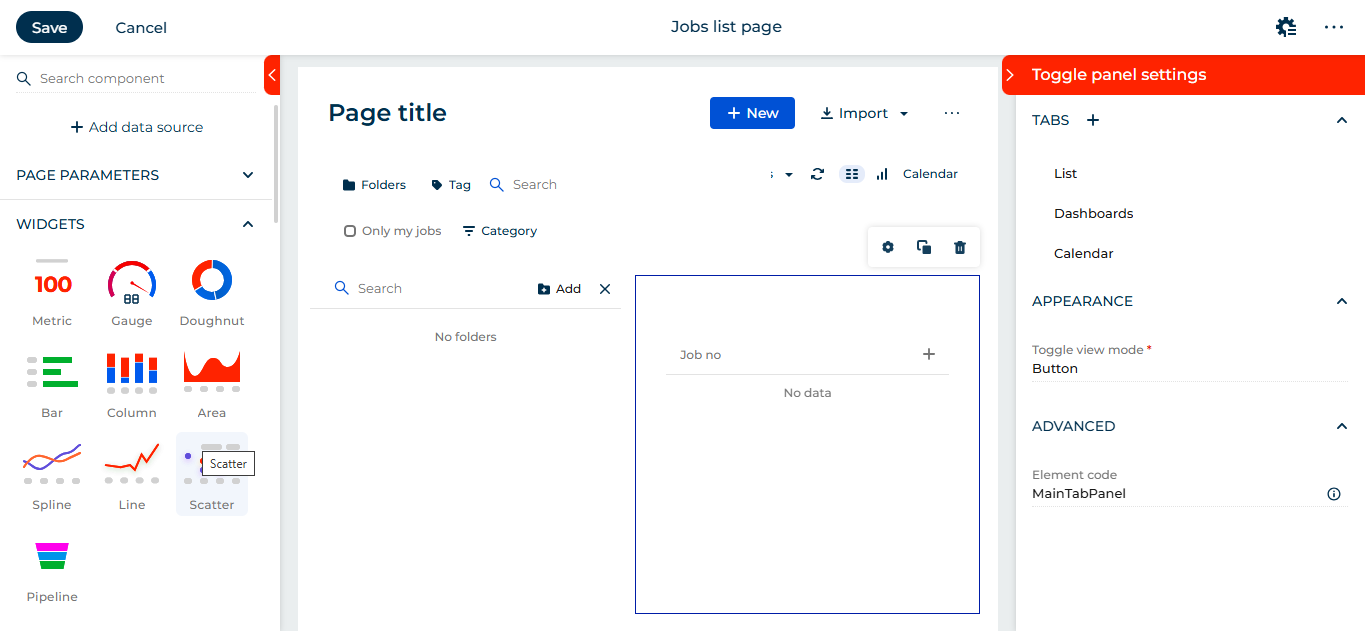
- On list page tabs are shown in icon only form, to do so click on calander tab and change setting as below:
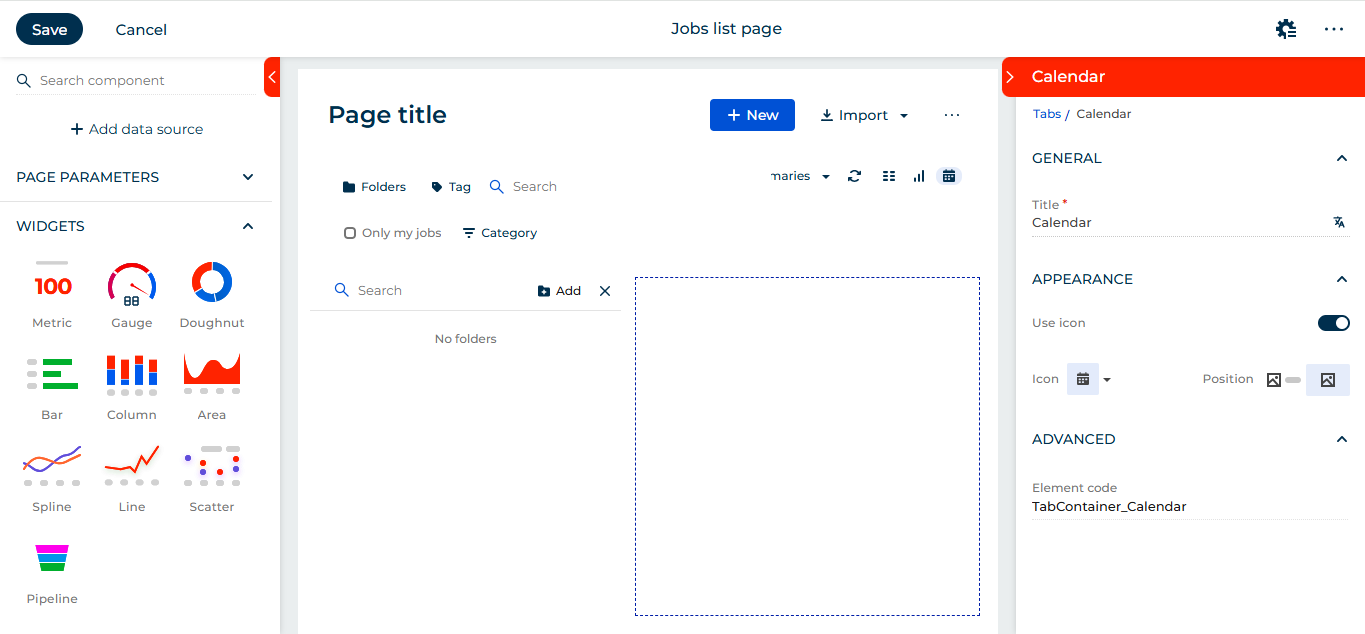
- From the left panel drag and drop Calendar component to page.

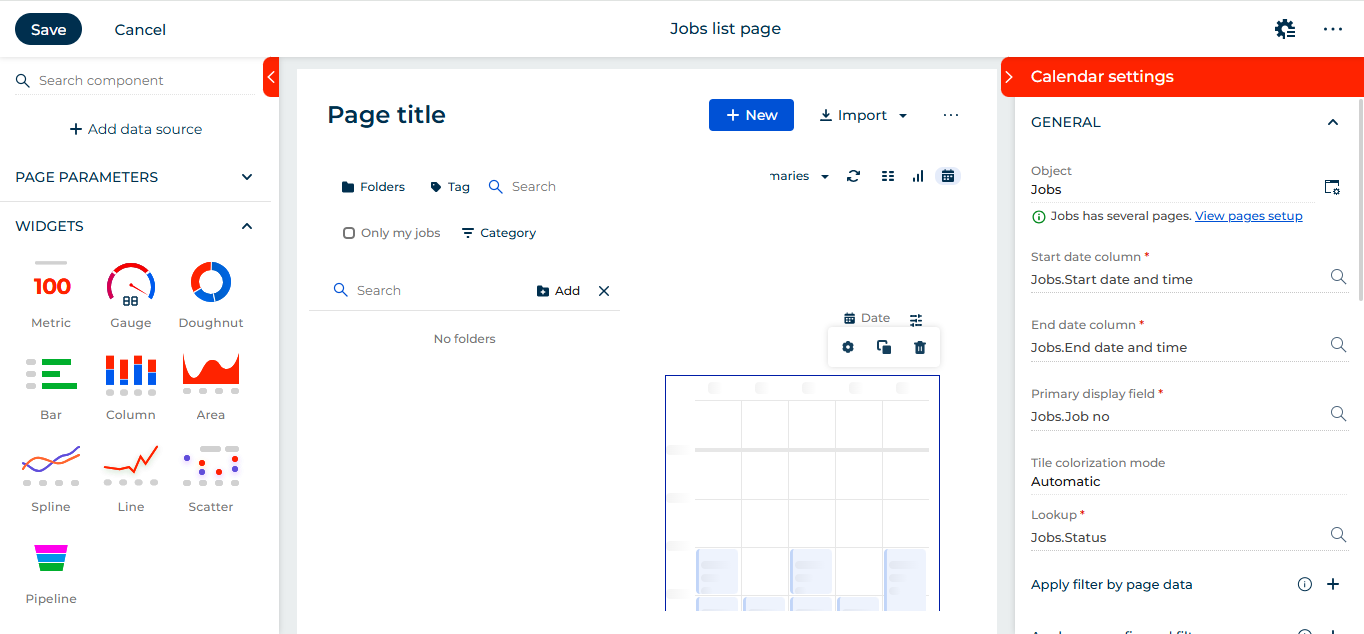
- Click on component settings and fill up information as follows:
Object: Your custom entity name (for example Jobs).
Start date column: Click on magnifier glass a pop up window will open listing all the date time fields in your selected object, select the field you intend to set up calendar as starting point.
End date column: Click on magnifier glass a pop up window will open listing all the date time fields in your selected object, select the field you intend to set up calendar as ending point.
Primary display field: Set the field you wish to see on your calendar panel, it may be description or any field which give you information about record.
Tile colorization mode: Select how to colour code the tiles on calendar.
Default: Uses Creatio colour palette which contains shades of blues.
Automatic: Colour tiles based on the look up field.
Lookup: User can give any lookup field, according to this colours are set for tiles on calendar using (+) button.
Apply filter data: User can set dynamic filters based on their requirements.
Apply pre-configured filters: As the tab is added on job list page, creatio allows to extend the pre configured filters for page like folders and quick filters to apply on calendar as well. Usually they are pre populated if not user can add the quick filters using (+) button.
Apply static filter: User can set a static filter for calendar which will be always applied with other filter. For example in our case we only wanted to show jobs which are not completed or cancelled. So added this as static filter.
Secondary tile fields: Here user can define the additional fields they want to display along the primary field on calendar.
- Now click on Save button. Now if you click on calendar tab in your custom entity list page you will be able to see data like below:
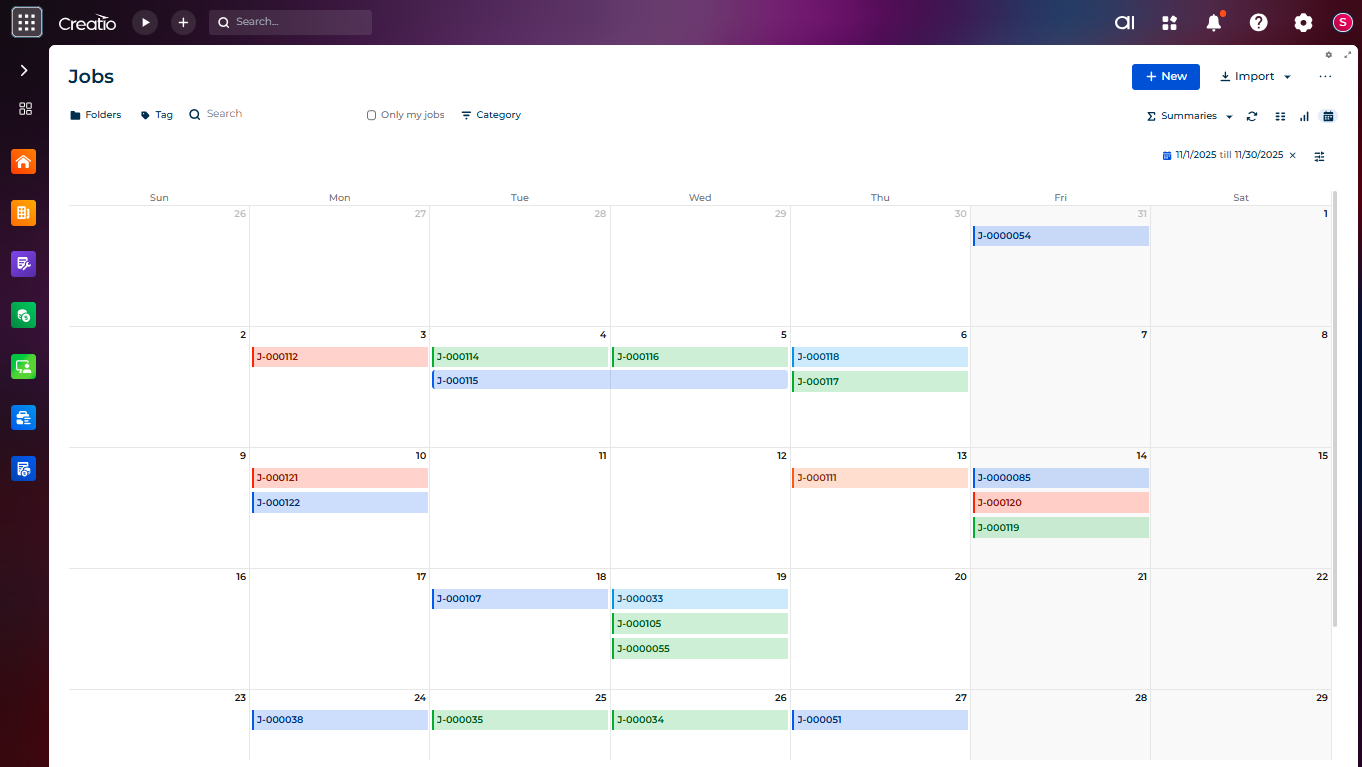
With this setup in place, users can now effortlessly drag, drop, and reschedule records directly from the calendar, no need to open the record page. This creates a smoother, faster, and more intuitive scheduling experience.
About Us
Greytrix is a globally recognized consulting and development partner with 25+ years of expertise in delivering industry-relevant CRM and ERP solutions tailored to business needs. Over the years, we have built strong proficiency in providing end-to-end services, including consultation, implementation, migration, integration, and custom development for Sage ERP, Salesforce, and Sage CRM. With our native cloud integration framework, GUMU™, we power seamless real-time connectivity between leading ERPs and CRMs, helping organizations unlock efficiency and scale. Our solutions have supported businesses across industries, enabling them to modernize legacy systems and keep pace with fast-changing digital demands.
Expanding our capabilities, Greytrix is also a trusted Creatio CRM Consulting and Implementation Partner. Creatio is a leading AI-native, no-code CRM platform that enables businesses to streamline workflows, enhance customer experiences, and accelerate digital transformation. Leveraging our industry experience and in-house innovation, including GUMU™ Copilot AI, we help organizations adopt Creatio CRM with confidence. We ensure the platform supports automation, compliance, and scalability, while tailoring it to unique business needs to deliver measurable results.
Our commitment goes beyond technology; we believe in being a long-term partner. From designing CRM roadmaps to delivering analytics and automation, we help businesses simplify operations, drive growth, and achieve tangible outcomes.
For more information on our Creatio CRM services and solutions, contact us at creatio@greytrix.com. We will be glad to assist you.