
Managing dashboards in Creatio CRM helps your team access real-time insights without risking system security. Normally, only administrators have full control over dashboards, but you can easily share these rights with other users as needed. In this guide, you’ll learn how to give selected users or roles Read, Edit, and Delete permissions for dashboards.
Dashboards show important business data like sales pipelines, activities, and overall performance. When you assign access wisely, non-admin users can view or update widgets where required, while sensitive information stays protected. Setting permissions correctly also avoids accidental changes or dashboard deletions by users who shouldn’t have that level of control.
Steps to Assign Dashboard Permissions in Creatio:
1. Log into Creatio.
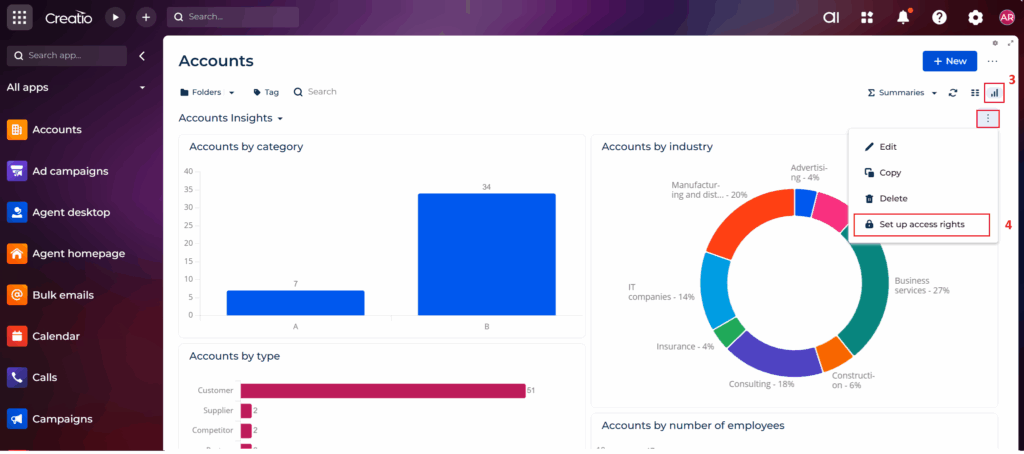
2. Navigate to the section where your dashboard exists (e.g., Accounts).
3. Click on Dashboards and Select respective dashboard.
4. Click the three-dot actions menu, then select “Set up access rights”.
See below screenshot with labelled steps:
5. A permissions window will appear showing who currently has access.

6. To add permission for another user, click New, and choose the relevant option to assign the required access rights.

| Permission | What it Allows |
| Read access right | View dashboard and widgets |
| Edit access right | Modify layout, add/remove widgets |
| Delete access right | Remove dashboards/widgets completely |
7. In this blog post, I will demonstrate how to grant Read access rights to a specific non-admin user. In this example, Andy.
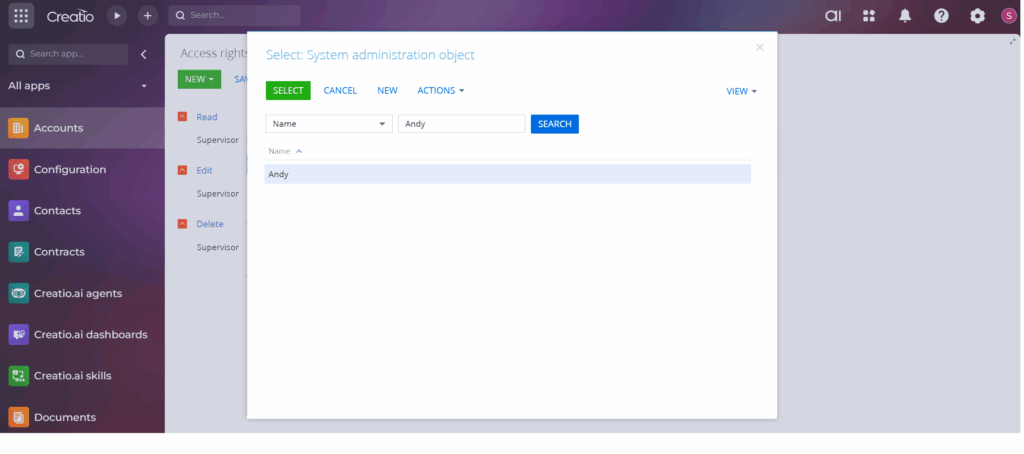
Once the user is selected it will add in list with other user.
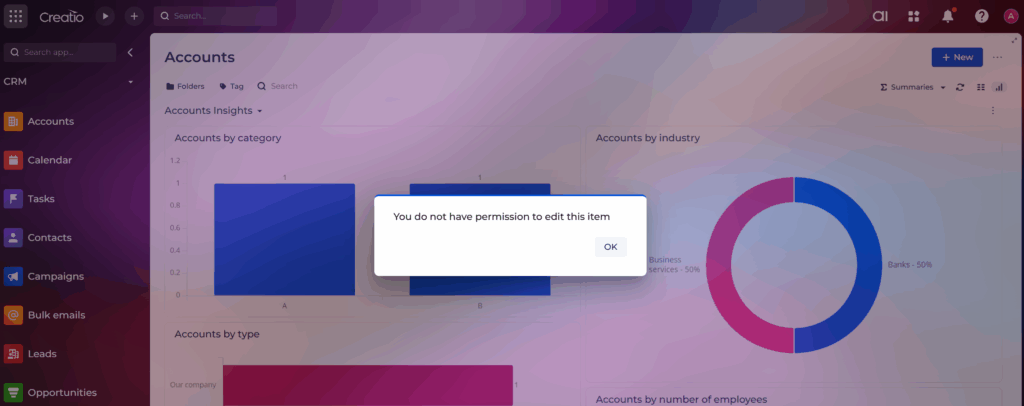
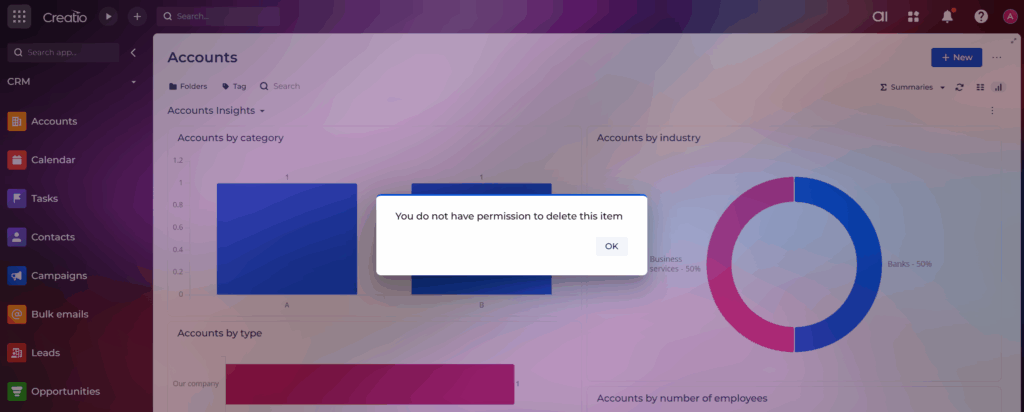
8. Log in to Creatio as the non-admin user (Andy) and navigate to Accounts → Dashboards. Since Andy has been granted Read access, the dashboard will now be visible to him.
Since the non-admin user (Andy) has only Read access, attempting to Edit or Delete the dashboard will trigger a validation message in Creatio, as shown below.
By setting access rights correctly, your team can work more efficiently while administrators still keep the system organized and secure. With just a few simple steps, you can safely give dashboard access to different users across the organization without needing to grant full admin privileges. This not only improves collaboration but also ensures that important data stays protected and dashboards remain clean and well-managed.
Once access is configured, users can view the information they need, make updates (if allowed), and contribute more effectively to business decisions. A well-controlled permission setup leads to smoother workflows, fewer mistakes, and a more empowered team overall.
About Us
Greytrix is a globally recognized consulting and development partner with 25+ years of expertise in delivering industry-relevant CRM and ERP solutions tailored to business needs. Over the years, we have built strong proficiency in providing end-to-end services, including consultation, implementation, migration, integration, and custom development for Sage ERP, Salesforce, and Sage CRM. With our native cloud integration framework, GUMU™, we power seamless real-time connectivity between leading ERPs and CRMs, helping organizations unlock efficiency and scale. Our solutions have supported businesses across industries, enabling them to modernize legacy systems and keep pace with fast-changing digital demands.
Expanding our capabilities, Greytrix is also a trusted Creatio CRM Consulting and Implementation Partner. Creatio is a leading AI-native, no-code CRM platform that enables businesses to streamline workflows, enhance customer experiences, and accelerate digital transformation. Leveraging our industry experience and in-house innovation, including GUMU™ Copilot AI, we help organizations adopt Creatio CRM with confidence. We ensure the platform supports automation, compliance, and scalability, while tailoring it to unique business needs to deliver measurable results.
Our commitment goes beyond technology; we believe in being a long-term partner. From designing CRM roadmaps to delivering analytics and automation, we help businesses simplify operations, drive growth, and achieve tangible outcomes.
For more information on our Creatio CRM services and solutions, contact us at creatio@greytrix.com. We will be glad to assist you.