
In today’s digital-first sales environment, customers expect instant communication through familiar messaging platforms. Integrating Creatio CRM with WhatsApp helps organizations meet this expectation while keeping all customer interactions structured and trackable inside the CRM.
One of the most powerful features of this integration is the automatic creation of Contact records and chat activities when a new WhatsApp message is received.
Automatic Contact Creation
When a customer sends a WhatsApp message to a business number connected to Creatio CRM, the system automatically checks whether the phone number already exists in the database.
- If the number matches an existing Contact, the message is linked to that record.
- If the number is new, Creatio automatically creates a new Contact.
This ensures that no inquiry is lost and every conversation is tied to an identifiable customer profile. Sales and service teams immediately gain visibility into who is reaching out, even if it’s their first interaction with the company.
By automatically generating Contact records, businesses eliminate manual data entry, reduce human error, and maintain clean, structured customer data.
Example Scenario:
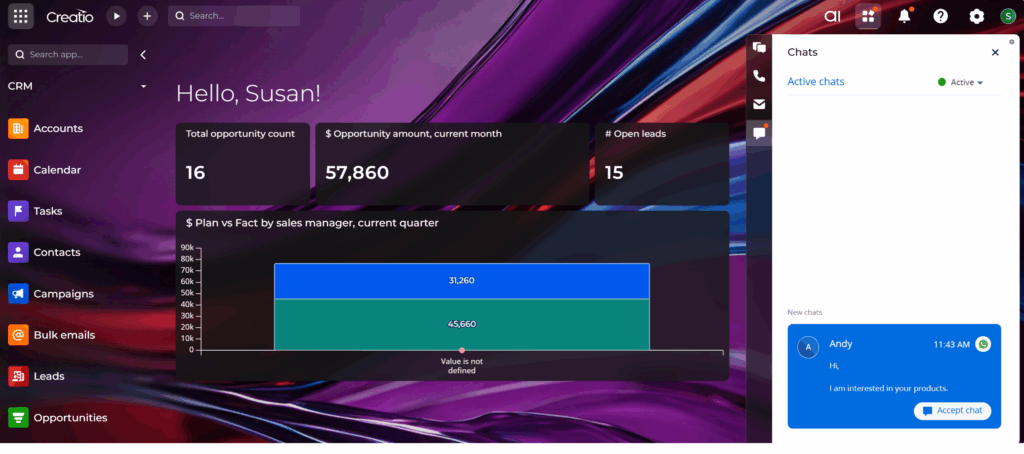
Let’s say a new customer sends the following WhatsApp message:
“Hi, I’m interested in your products.”
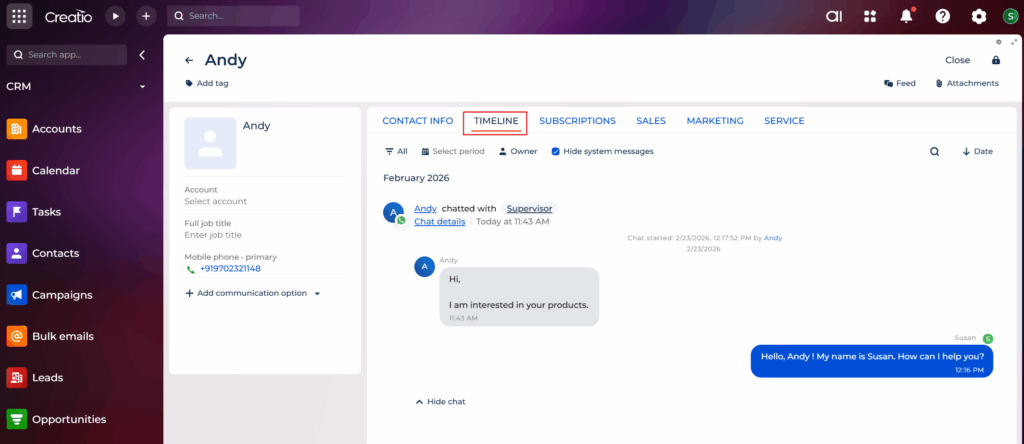
The phone number is not yet stored in Creatio. Once a Creatio user accepts the chat, a new Contact record is automatically created in the system.
Immediately, the system will:
1. Create a new Contact (for example: Andy – +97 XX XXX XXXX).
2. Automatically create a Chat Activity.
3. Link the WhatsApp conversation to the Contact’s communication history.
To access this Contact record, the user can:
- Navigate to the Contacts section and search for the newly created Contact, or
- Click on the hyperlinked name provided within the chat interface, which will directly redirect to and open the corresponding Contact record.
Please refer to the screenshot below for clarification.
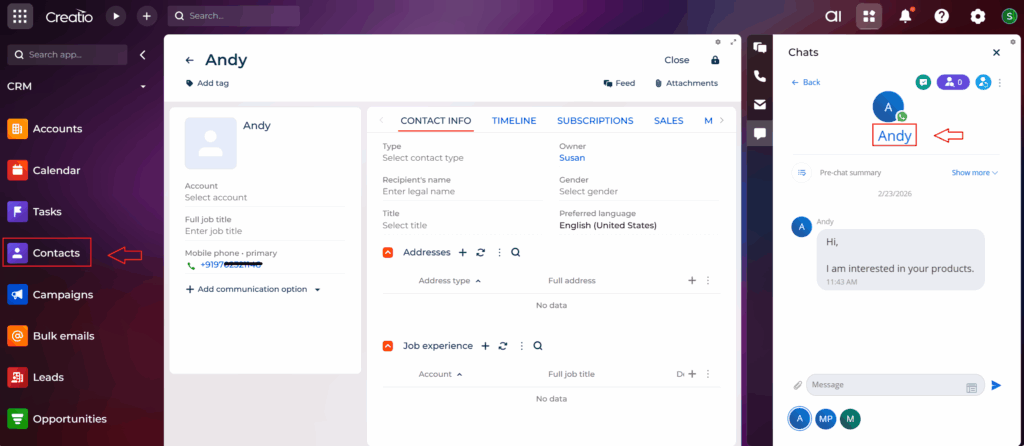
Now the user can open the Contact record and see the entire conversation.
From the chat screen, users can respond either by typing a manual message or by using the predefined quick-reply templates provided in Creatio. These templates help users send responses quickly and maintain consistent communication.
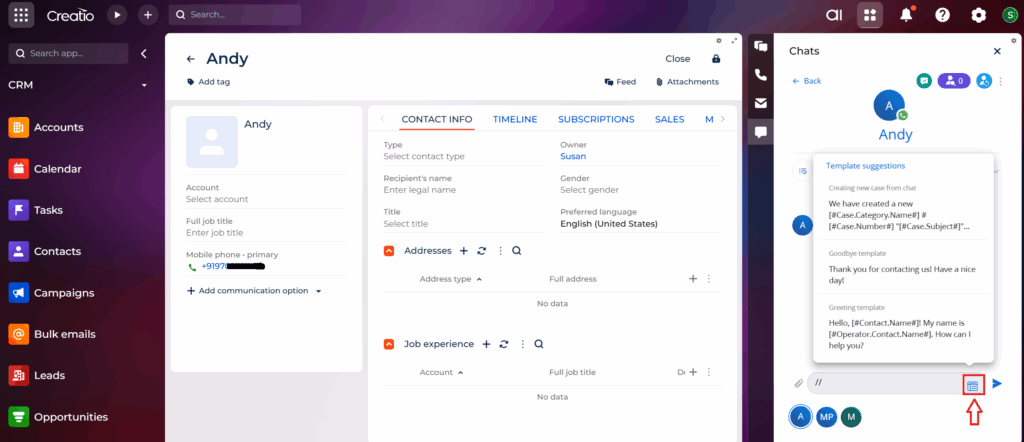
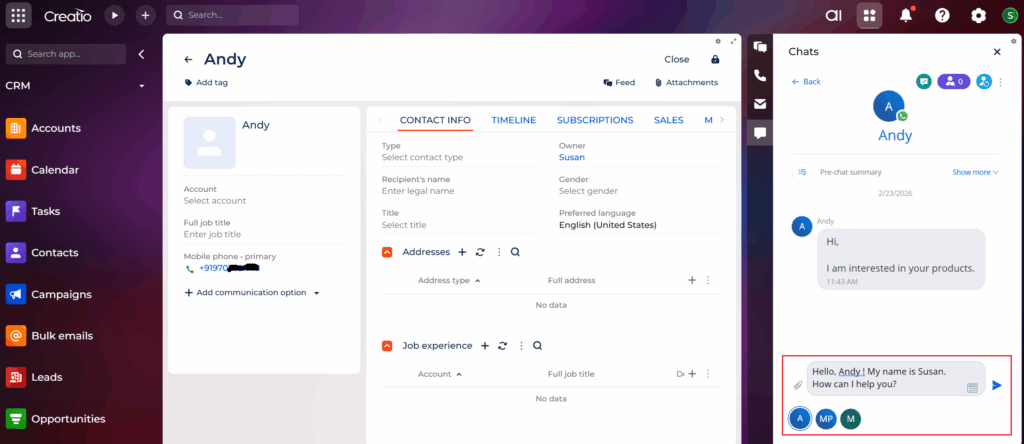
Once a template is selected, the system automatically merges the relevant fields and auto-populates the message with the appropriate data, allowing the user to review and send it instantly.
Automatic Chat Capture as Activities
In addition to Contact creation, Creatio automatically logs WhatsApp conversations as Activities within the TIMELINE tab. Each incoming and outgoing message is recorded in the communication history of the Contact.
This delivers several operational benefits:
- Full visibility of conversation history
- Centralized communication tracking
- Better collaboration between teams
- Clear audit trail of customer interactions
Since chats are stored as Activities, managers can monitor response times, measure engagement quality, and ensure compliance with communication standards.
In our upcoming blog, we will explore and discuss additional Creatio and WhatsApp integration features that further enhance productivity, streamline communication, and enable faster, more efficient actions for users.
Final Thoughts
Integrating Creatio CRM with WhatsApp is more than just enabling messaging it embeds conversational communication directly into your CRM processes. If your organization is already using Creatio, WhatsApp integration can significantly enhance your sales performance, service efficiency, and customer satisfaction.