
In any CRM system, having a complete view of customer interactions is essential. In Creatio, the Timeline tab makes this quite easy. It shows the complete history of emails, calls, meetings, tasks, and notes.
Now, when we create a custom object in Creatio, we usually build it for a specific business need. But if activities are not connected to that custom object, the Timeline will not show related emails or tasks. That means users must search manually, and important communication can be missed.
By connecting Activities to your custom object, you make sure that all related interactions automatically appear in the Timeline tab of that record. This keeps everything organized and gives users a clear and complete picture just like standard objects in Creatio.
In this blog, we will see how to properly connect Activities to a custom object so you can use the Timeline feature effectively for your custom records as well.
Below are the steps one need to follow to connect activities to custom objects.
- Go to Data Models in your respective application.
- Click on “Activity” object, you will be navigated to below screen.
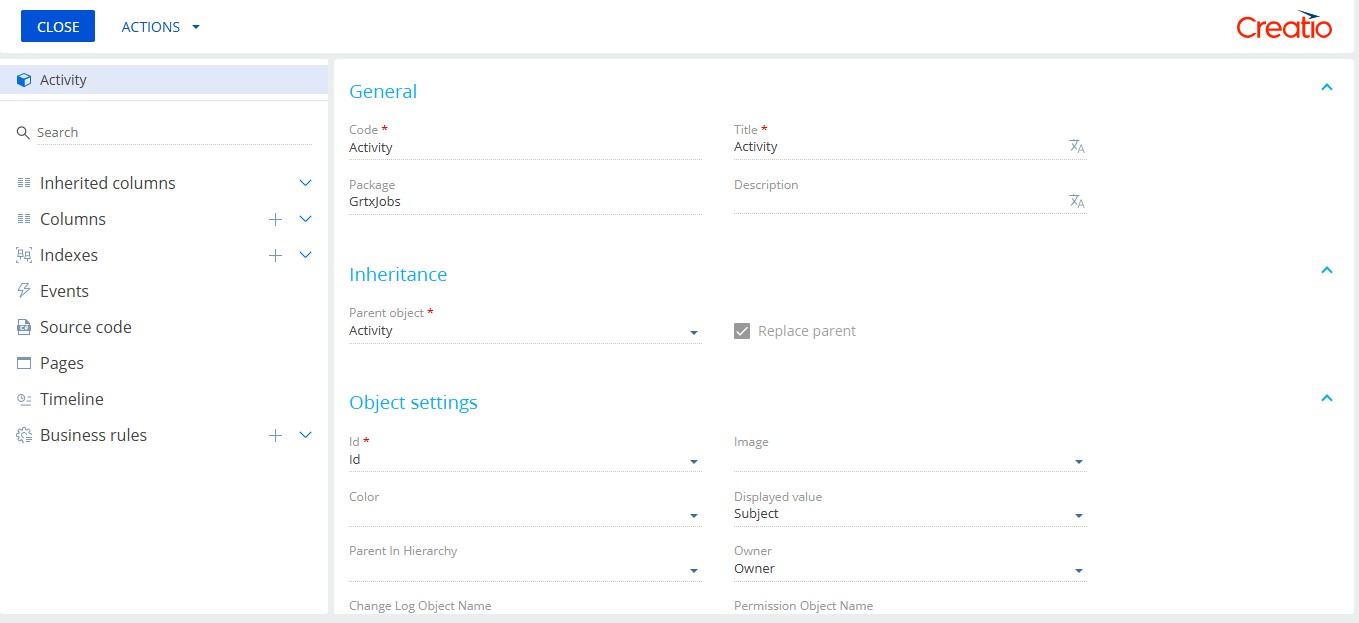
- Click on Plus (+) sign beside “Columns” to add custom field for your custom entity. Make sure to follow Creatio standards for lookup field.
Code: Prefix + Custom Entity Code
Data type: Lookup
Lookup: Custom entity.
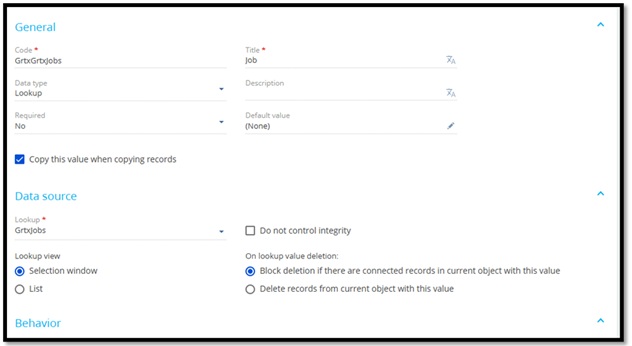
- Click on “SAVE AND PUBLISH” button.
- Now if you check in “Send email” element in business process, despite of adding a custom field the lookup choice of custom entity is not available in “Select connection” window. Refer below:
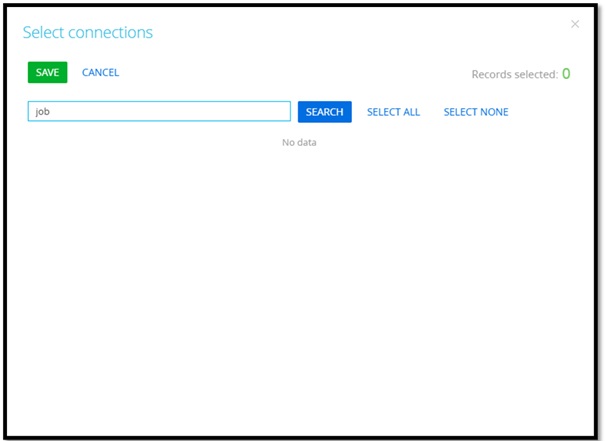
- This is because for now we only have added custom field to activity but have not established connection with custom entity. In Creatio, it is mandatory to define the connection in “EntityConnection” to get your custom object in connected tab.
- Do so, we need to add connection using SQL’s insert command.
- First, run below query to your SQL console to get Id of “Activity” schema.
select uid from SysSchema where Name = ‘activity’ and ExtendParent=0 - Now, we need to find the column Id of our custom field i.e., “GrtxGrtxJobs.” Get the same run below query on SQL console.
select ColumnUId from SysEntitySchemaReference where ColumnName like ‘%GrtxGrtxJobs%’. - Now, to establish connection run below insert command on SQL console.
insert into EntityConnection
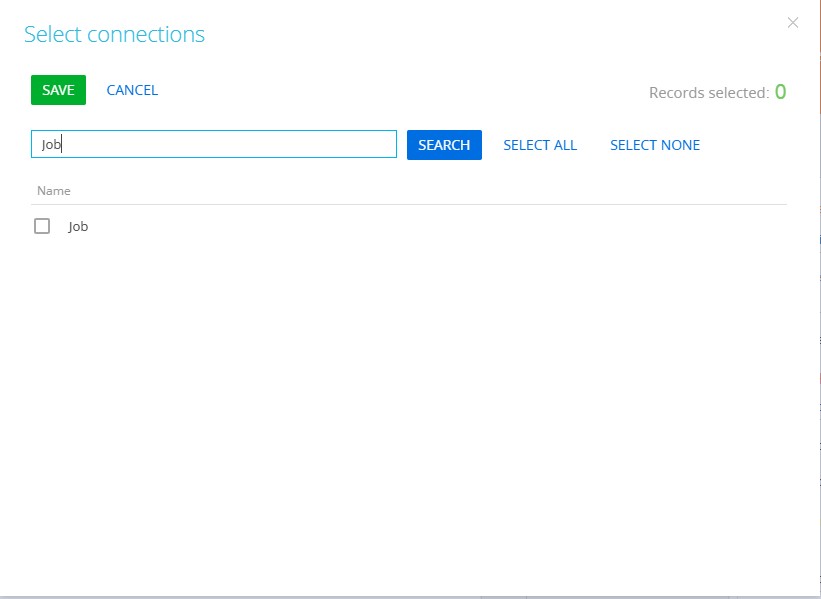
values (newid(), getdate(), NULL, getdate(), NULL, 0, ‘UID from step 8’, ‘Column Id from step 9’, 0) - Now, as the connection is established, you will be able to see your custom object into “Select connection” window. Refer below:
By enabling Timeline tracking for your custom objects, you make your custom module work just like the standard ones in Creatio simple, structured, and easy to manage.
About Us
Greytrix is a globally recognized consulting and development partner with 25+ years of expertise in delivering industry-relevant CRM and ERP solutions tailored to business needs. Over the years, we have built strong proficiency in providing end-to-end services, including consultation, implementation, migration, integration, and custom development for Sage ERP, Salesforce, and Sage CRM. With our native cloud integration framework, GUMU™, we power seamless real-time connectivity between leading ERPs and CRMs, helping organizations unlock efficiency and scale. Our solutions have supported businesses across industries, enabling them to modernize legacy systems and keep pace with fast-changing digital demands.
Expanding our capabilities, Greytrix is also a trusted Creatio CRM Consulting and Implementation Partner. Creatio is a leading AI-native, no-code CRM platform that enables businesses to streamline workflows, enhance customer experiences, and accelerate digital transformation. Leveraging our industry experience and in-house innovation, including GUMU™ Copilot AI, we help organizations adopt Creatio CRM with confidence. We ensure the platform supports automation, compliance, and scalability, while tailoring it to unique business needs to deliver measurable results.
Our commitment goes beyond technology; we believe in being a long-term partner. From designing CRM roadmaps to delivering analytics and automation, we help businesses simplify operations, drive growth, and achieve tangible outcomes.
For more information on our Creatio CRM services and solutions, contact us at creatio@greytrix.com. We will be glad to assist you.