
Creatio CRM is a powerful low-code platform that helps organizations automate workflows, manage customer relationships, and streamline business processes. Its flexible customization capabilities allow businesses to easily adapt the system as their requirements evolve. One of the key advantages of Creatio CRM is the ability to improve the user experience through simple UI customizations.
While working on a customization request in Creatio CRM, we received a requirement to highlight mandatory fields on the screen so users can quickly identify and complete them during data entry.
In Creatio, this can be implemented in two ways.
- Highlight mandatory fields for a specific section (for example, only in Cases).
- Highlight mandatory fields globally across all sections.
In this blog, we will review both approaches step by step.
Highlight mandatory fields for a specific section (for example, only in Cases)
Step 1: Create a Module in the Case Package
1. Navigate to Settings → Admin Area → Advanced Settings.
2. Find the package related to Cases: CrtCaseManagementApp.
3. Make sure the package is unlocked for a hotfix. Unlock it if required.
4. Click Add → Module.
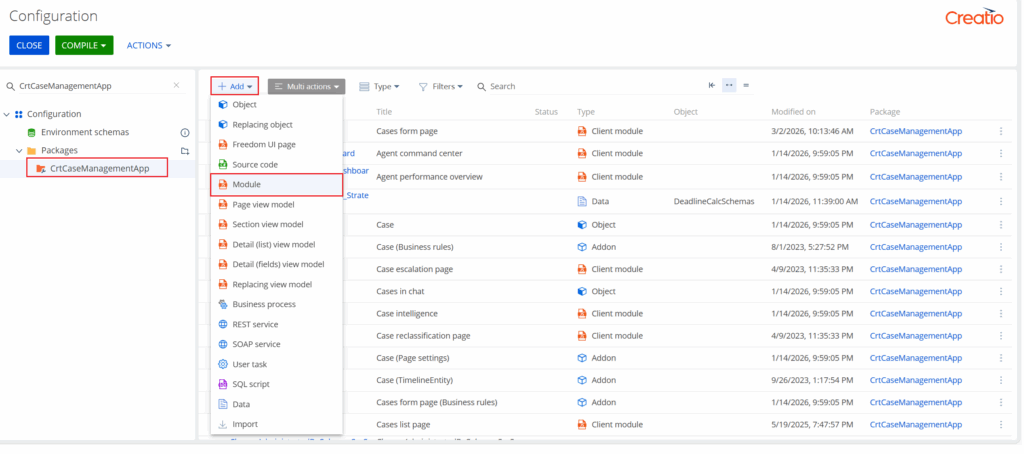
5. Provide a name (for example: UsrCustomCSS) and save.
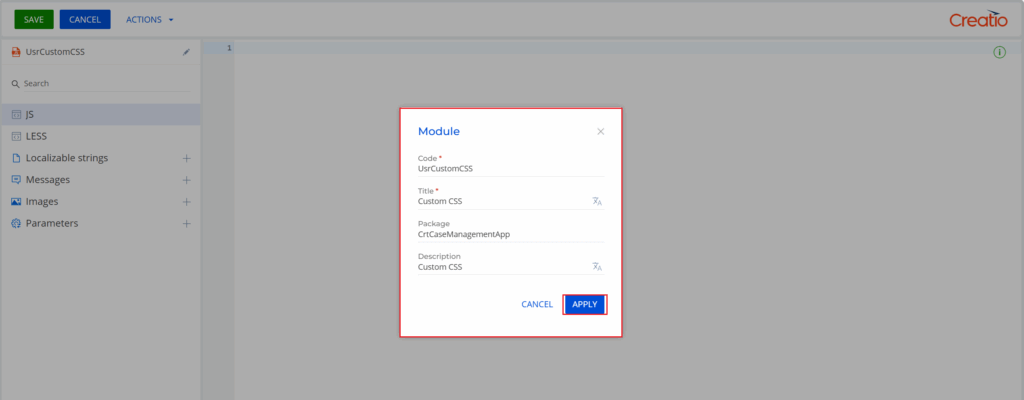
Step 2: Add CSS Code
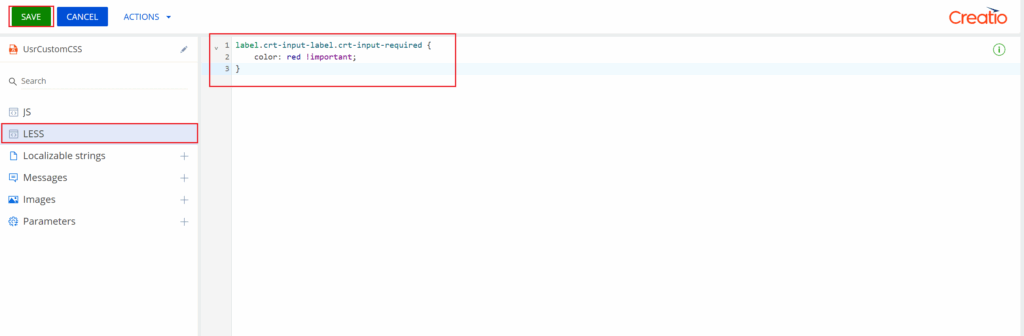
Open the newly created module and navigate to the LESS tab. Add the following code and Save the changes.
label.crt-input-label.crt-input-required {
    color: red !important;
}
Step 3: Attach CSS to the Case Form
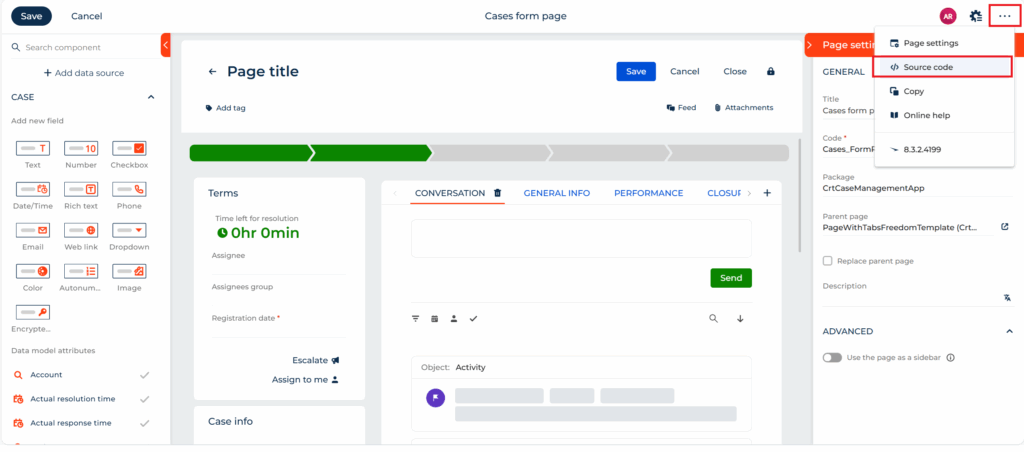
Navigate to the Case form page. Click on the three dots (⋯) and select Source Code. Add the CSS module to the imports section by adding: css!UsrCustomCSS
Your module definition will look like this:
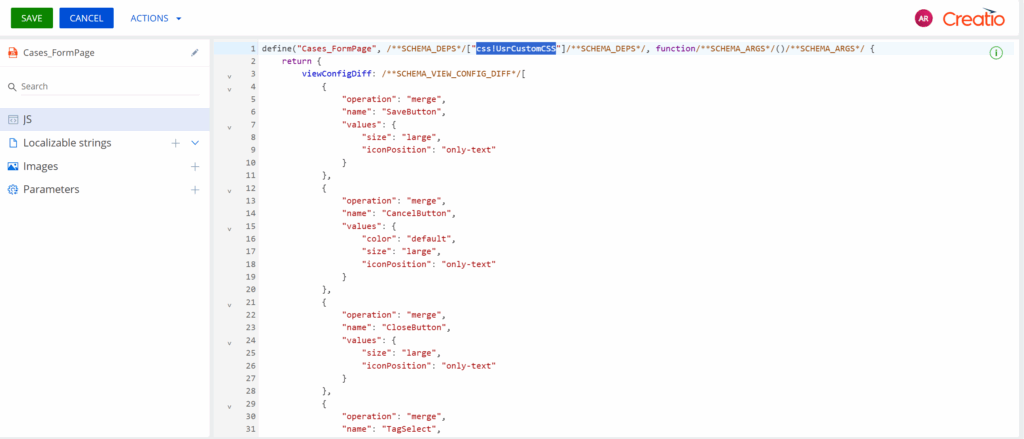
Save and Refresh Creatio and navigate to Cases. All mandatory fields will now be highlighted in red.
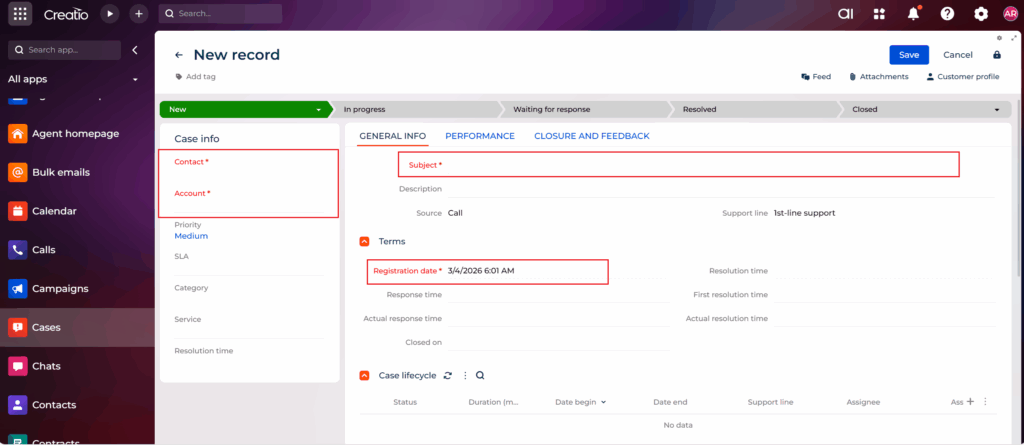
Highlight mandatory fields globally across all sections.
If you want to apply the highlight functionality across all sections, follow this approach. Since this change is global, we will use the Custom package.
Step 1: Create CSS Module in a Custom Package
1. Navigate to Settings → Admin Area → Advanced Settings.
2. Select the Custom package.
3. Click Add → Module.
4. Name it (e.g., UsrCustomCSS) and save.
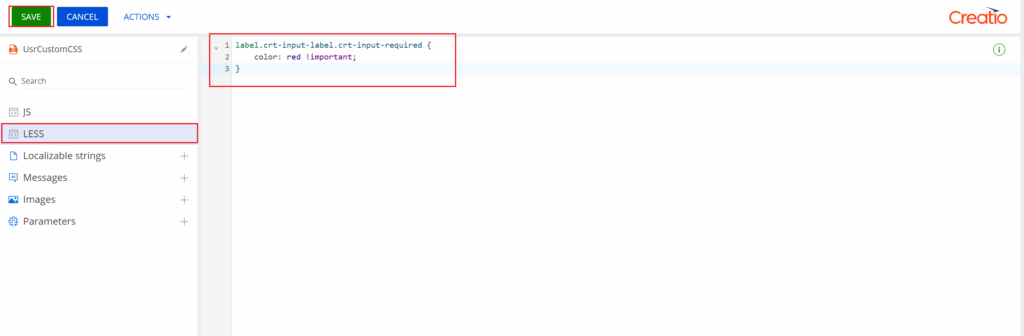
5. Go to the LESS tab and add the same CSS code mentioned earlier.
label.crt-input-label.crt-input-required {
    color: red !important;
}
Step 2: Create a Replacing View Module
1. Navigate to Settings → Admin Area → Advanced Settings.
2. Select the Custom package.
3. Click Add → Replacing view module.
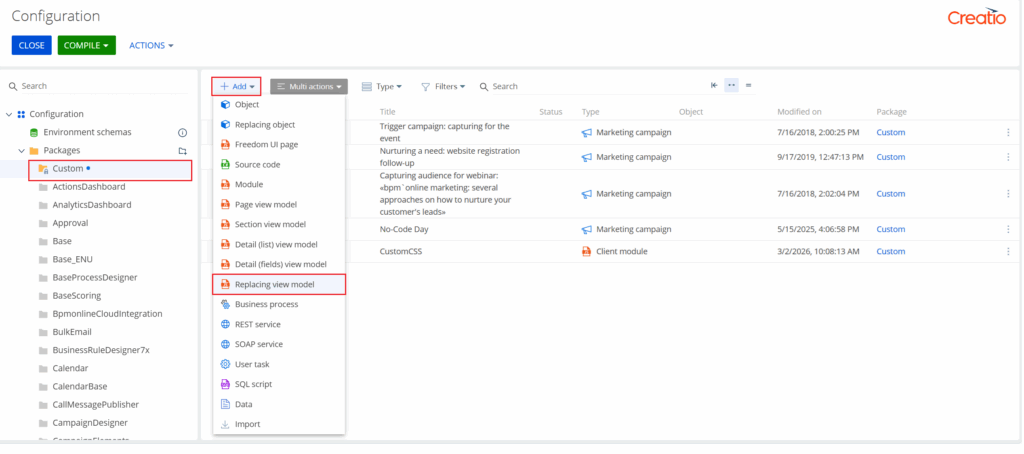
4. Set Parent Object = MainHeaderSchema and click on Save.
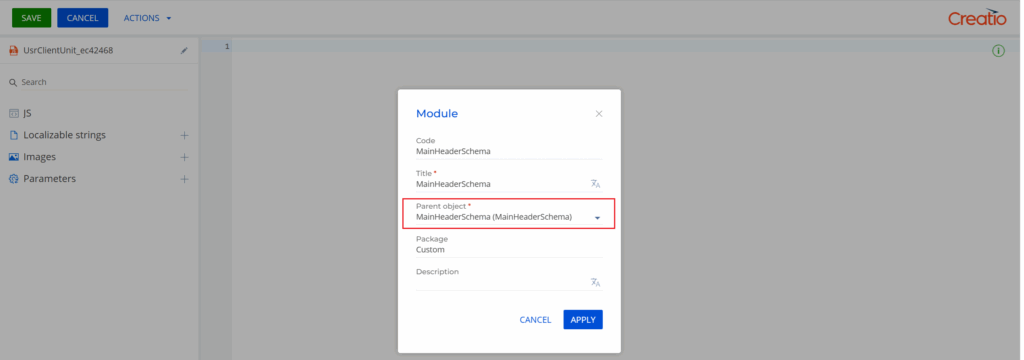
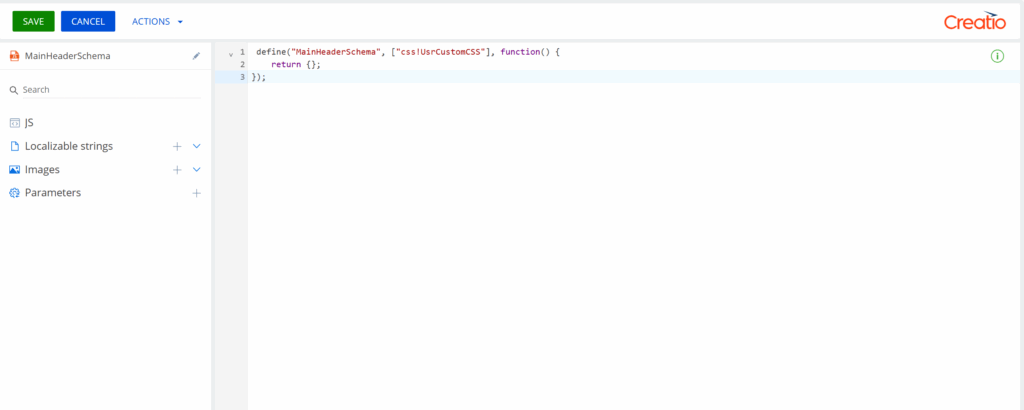
Add the following code in the replacing view module:
define("MainHeaderSchema", ["css!UsrCustomCSS"], function() {
    return {};
});
Save the changes and refresh Creatio CRM. Now all mandatory fields across all sections will be highlighted in red. Navigate to any section (Cases, Accounts, Contacts, Leads, etc.).
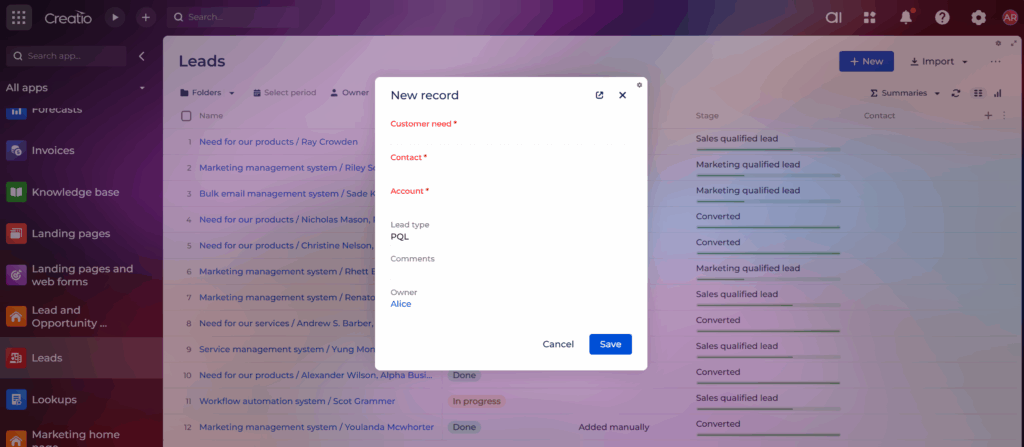
Now, all mandatory fields across all sections will be highlighted in red.
Conclusion
Highlighting mandatory fields improves the user experience and helps reduce the chances of users missing required information during data entry. This flexibility allows organizations to implement the solution either for a specific area of the application or across the entire system, depending on their requirements.
About Us
Greytrix is a globally recognized consulting and development partner with 25+ years of expertise in delivering industry-relevant CRM and ERP solutions tailored to business needs. Over the years, we have built strong proficiency in providing end-to-end services, including consultation, implementation, migration, integration, and custom development for Sage ERP, Salesforce, and Sage CRM. With our native cloud integration framework, GUMU™, we power seamless real-time connectivity between leading ERPs and CRMs, helping organizations unlock efficiency and scale. Our solutions have supported businesses across industries, enabling them to modernize legacy systems and keep pace with fast-changing digital demands.
Expanding our capabilities, Greytrix is also a trusted Creatio CRM Consulting and Implementation Partner. Creatio is a leading AI-native, no-code CRM platform that enables businesses to streamline workflows, enhance customer experiences, and accelerate digital transformation. Leveraging our industry experience and in-house innovation, including GUMU™ Copilot AI, we help organizations adopt Creatio CRM with confidence. We ensure the platform supports automation, compliance, and scalability, while tailoring it to unique business needs to deliver measurable results.
Our commitment goes beyond technology; we believe in being a long-term partner. From designing CRM roadmaps to delivering analytics and automation, we help businesses simplify operations, drive growth, and achieve tangible outcomes.
For more information on our Creatio CRM services and solutions, contact us at creatio@greytrix.com. We will be glad to assist you.