
We recently introduced our WooCommerce – Sage 300c integration to automate orders and customers from WooCommerce to Sage 300c. This integration makes sure that data flows smoothly between your store and business system without anyone having to do it manually.
The powerful WooCommerce – Sage 300c integration provides encrypted security that protects the information and transfers the data between both systems. In this blog, we’ll discuss into the working and explore how Orders from WooCommerce to Sage 300c are integrated.
First let’s discuss the benefits:
- Orders can be processed quickly to the Sage 300c system.
- Reduce manual entry and human error.
- Improved customer experiences.
- Faster Processing, Real time syncing and reduce human efforts.
Integrating WooCommerce and Sage 300c—Configuration
GUMU™ simplifies the integration process by integrating WooCommerce and Sage 300c ERP, providing an easy-to-use configuration user interface. Users can define synchronization rules and set up automatic data execution workflows effortlessly.
Users subscribed to GUMU™ can access the GUMU™ portal to configure the necessary connections for WooCommerce and Sage 300c ERP. This setup ensures smooth communication between the two applications. User can register for GUMU™ from the link

Sage 300 Configuration
Web Service URL: The ERP connection will be happened through Sage 300c Web URL, and we need to specify here the Sage 300 URL that has been setup on the Static IP.
Company ID: Enter Code, which is used to distinguish one Sage 300 ERP Company from one another. For instance, Demo company in Sage 300 ERP as SAMINC etc
User ID: Sage 300 USER ID.
Password: Password of the Sage 300 ERP Company code to which the connection needs to be made.

WooCommerce Configuration
Web Service URL: WooCommerce instance URL to configure the Integration.
Consumer Key: This value is generated in WooCommerce.
Consumer Secret Key: This value is generated in WooCommerce.
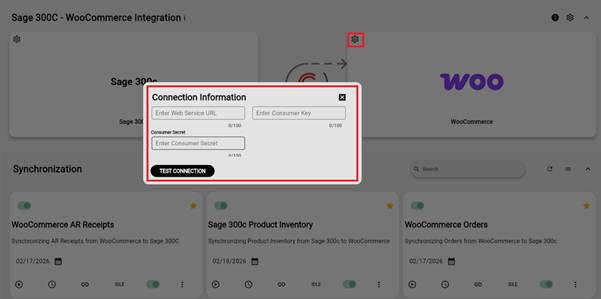
Scheduling or Data Integration process in GUMU™.
Once the connection of the systems WooCommerce and Sage 300 is authenticated successfully, data will start flowing between these two systems. Let’s look at how Orders placed in WooCommerce can be integrated into Sage 300 using the GUMU™ process. On the integration portal, the user can see the process defined under the integration tab.
- The customer places the order in WooCommerce.
- GUMU™ reads the order and order details and filters the order based on the requirement.
- GUMU™ will sync the orders then from WooCommerce to Sage 300c with proper customers, products, and quantity.
Once created the order in the WooCommerce, Login to your GUMU™ account using your credentials. Set the last sync date and run the process manually, GUMU™ allow you to run process manually and even you can automate it using GUMU™ schedule.
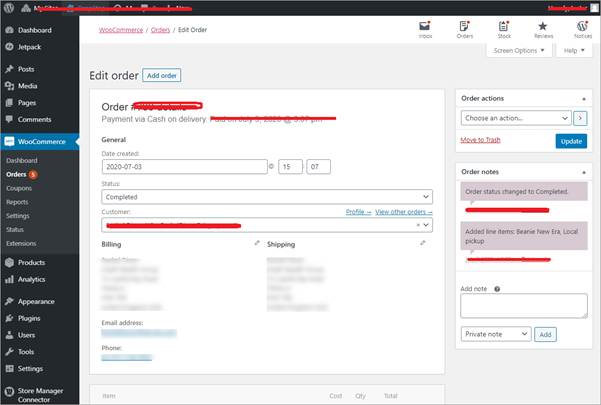
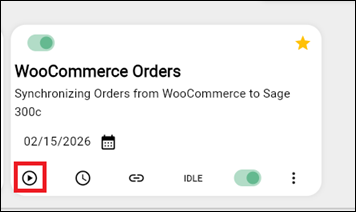
Once sync is completed you can view the added records or error (if any) in GUMU™ Logs.
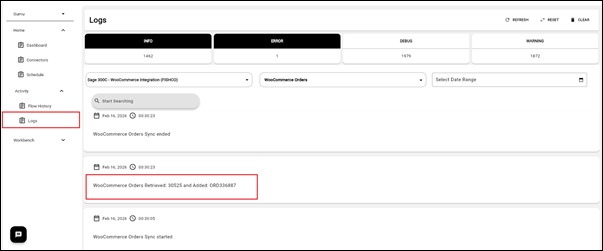
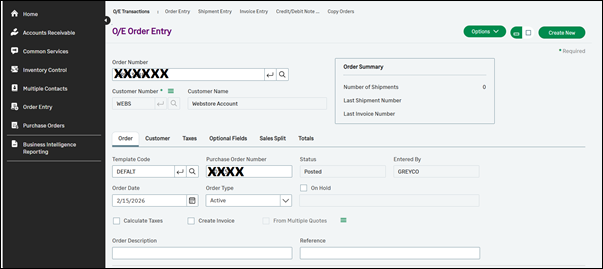
Once record has been added successfully, you can verify the synced record in your sage 300c target system.
Conclusion
The Order Sync feature makes the WooCommerce. Sage 300c integration stronger by enabling data flow, between the two systems. Orders are processed faster data accuracy is. Real-time synchronization reduces manual effort.
With GUMU businesses can make their store and business operations more efficient improve productivity and deliver a smoother experience to customers.
To learn how GUMU™ can help your business automate end-to-end eCommerce and ERP workflows, reach out to Greytrix at gumucloud@greytrix.com.