
In this blog, we’ll explore how Shopify tags can be effectively used when integrating Shopify with ERP systems such as Sage X3, Sage 100, or Sage Intacct.
When orders are transferred between two systems, it is important to know exactly at what point the order is in the process. For instance, users often wish to very quickly confirm if an order has been processed in the ERP or is still waiting. A very easy and yet very effective method of showing this information in Shopify is through the use of Shopify tags—without any extra effort.
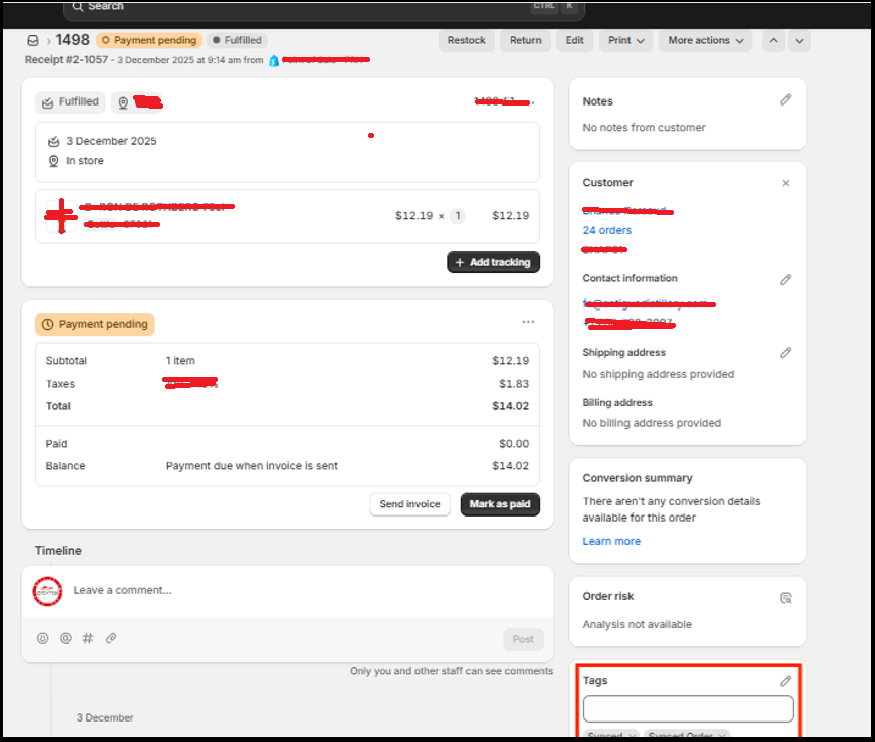
In our GUMU™ integration of Shopify and Sage X3, every order is given a specific tag automatically after it has been synced successfully. This means customers do not have to sign in to Sage X3 or check GUMU logs to find out the order status. With the tags, users are able to search, filter, and manage orders in Shopify by their sync status more easily than ever, which greatly increases the efficiency of daily operations.
The process can be described in the following very simple steps:
- A customer makes an order in Shopify.
- The GUMU integration reads (pulls) the new order from Shopify.
- The order is properly posted into Sage X3.
- After the posting is done, the integration does a follow-up call to Shopify.
- Shopify marks the order with a predetermined tag like “Synced”, “Synced
- Order”, or “Pending”, according to the configured status.
- This tag makes it instantly clear to the users if the order has been processed or still needs to be taken care of.
Conclusion:
The use of Shopify tags to indicate the order sync status is a very simple but highly effective way to increase visibility in ERP integrations. No more users will have to go through the ERP screens or technical logs to know the current status of the order—they can see the status right away.
To learn how GUMU™ can help your business achieve operational efficiency and growth, reach out to Greytrix at gumucloud@greytrix.com.