
As a Salesforce user, you may not always want to import all data from your Sage 100 system into Salesforce. In many scenarios, only records created within a specific time period such as Customers created between June and October 2025 are required.
GUMU makes this easy by allowing you to apply date range filters during the import process. This helps reduce unnecessary data imports, improves synchronization performance, and keeps your Salesforce org clean and relevant.
This guide explains how to configure and use date range filtering for Sage 100 ProvideX systems using GUMU.
Initial Configuration: Identifying the ERP as ProvideX
Before applying any date range filters, it is essential to specify the correct Sage 100 system type.
Navigate to GUMU Settings → Configuration tab, then click the Settings icon next to the Action icons.
In the ERP configuration popup, set the DB Type field to PROVIDEX and save the configuration.
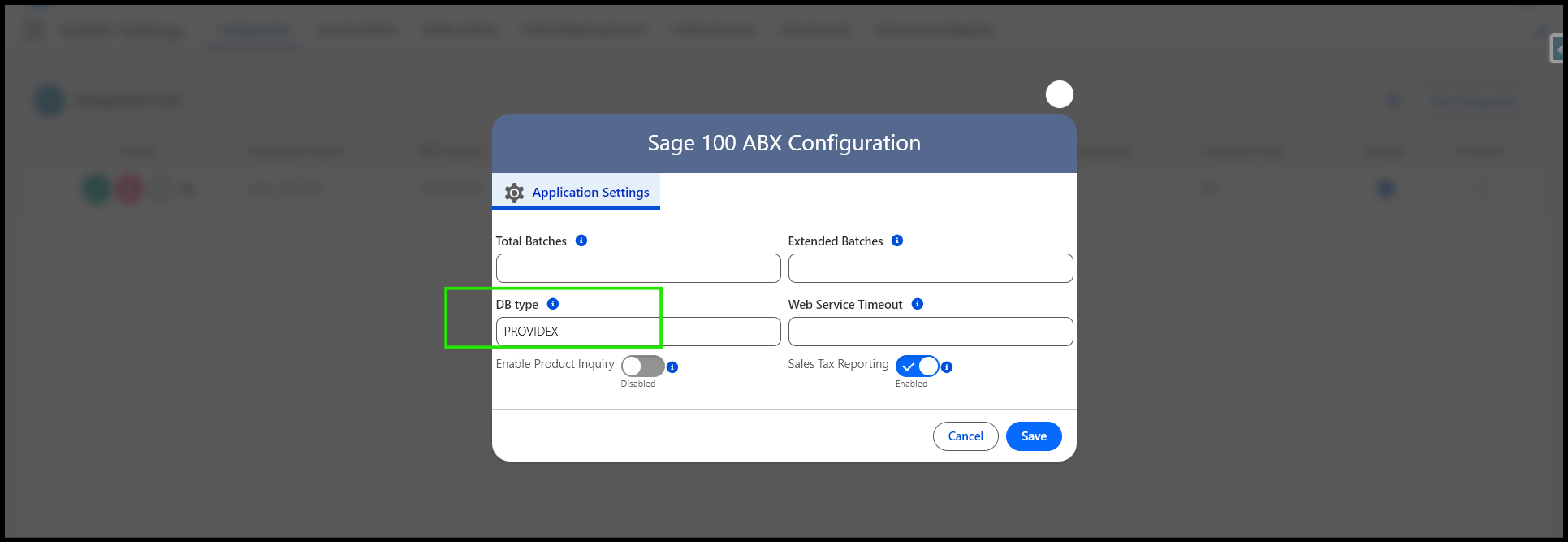
This step is mandatory, as it ensures GUMU correctly interprets date fields and processes data accurately for Sage 100 ProvideX systems.
How Date Range Filtering Works in GUMU
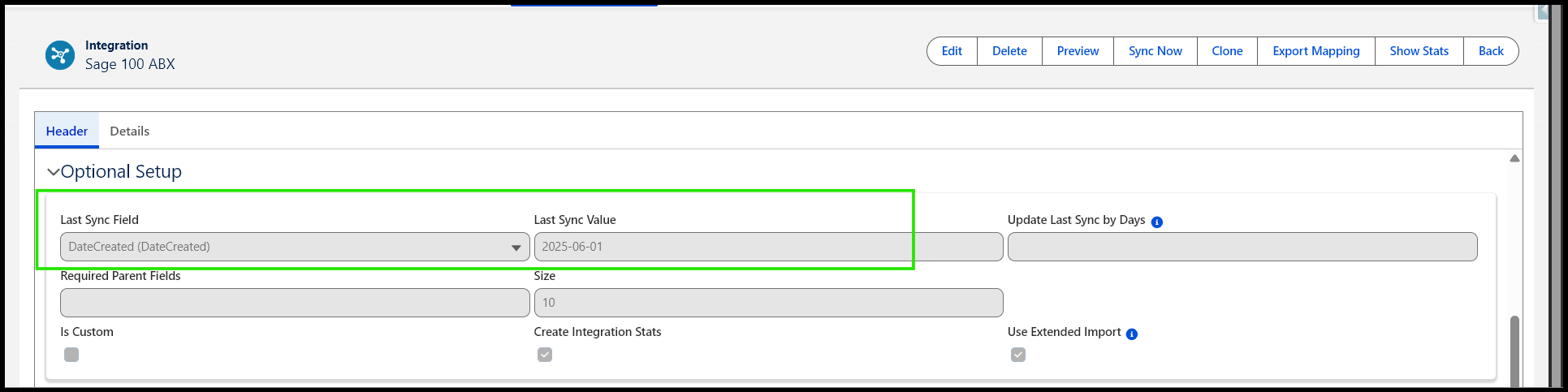
GUMU controls data imports using date-based logic available within each import routine. This is managed through the following components found in the Entity Mapping/Import section:
- Last Sync Field
- Last Sync Value
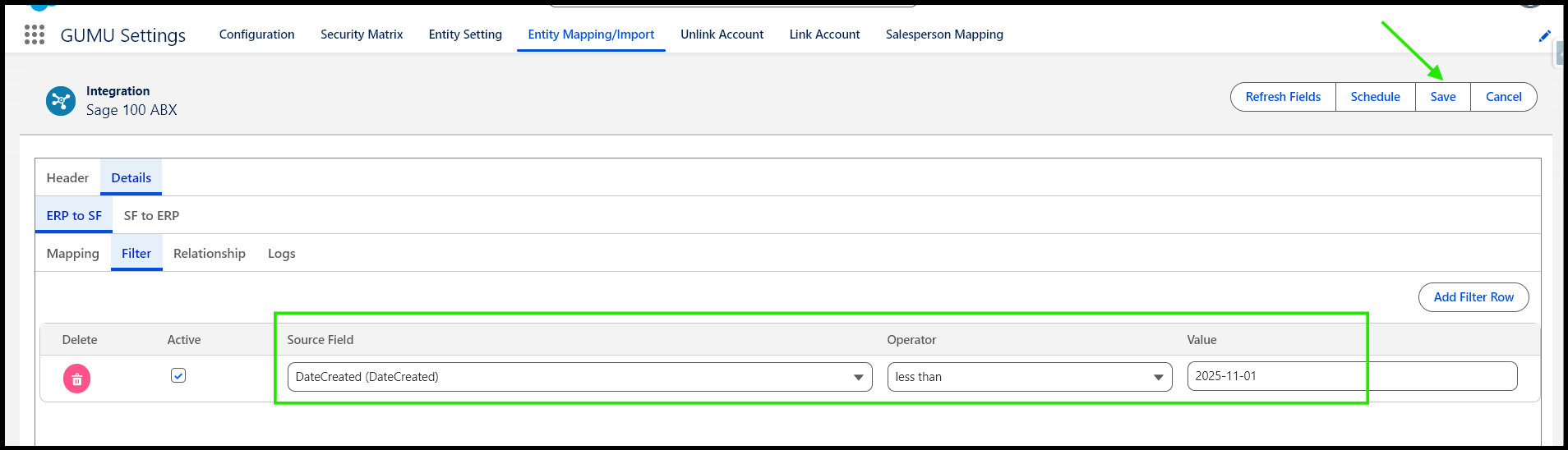
- Filters tab
Together, these options allow you to preview and synchronize only those records that fall within a defined date range.
Method 1: Date Range Using Last Sync Field and Filters Tab
In this approach, the Last Sync Field (for example, DateCreated) and Last Sync Value are used to define the start date.
An additional condition is then applied in the Filters tab to specify the end date.
This method is useful when you want to track incremental data imports while still restricting records to a fixed date range.
Method 2: Date Range Using Only the Filters Tab
This method relies entirely on the Filters tab, where two conditions are defined:
- One filter for the start date
- One filter for the end date
It is ideal when you want a static date range and do not want to depend on the Last Sync Field.
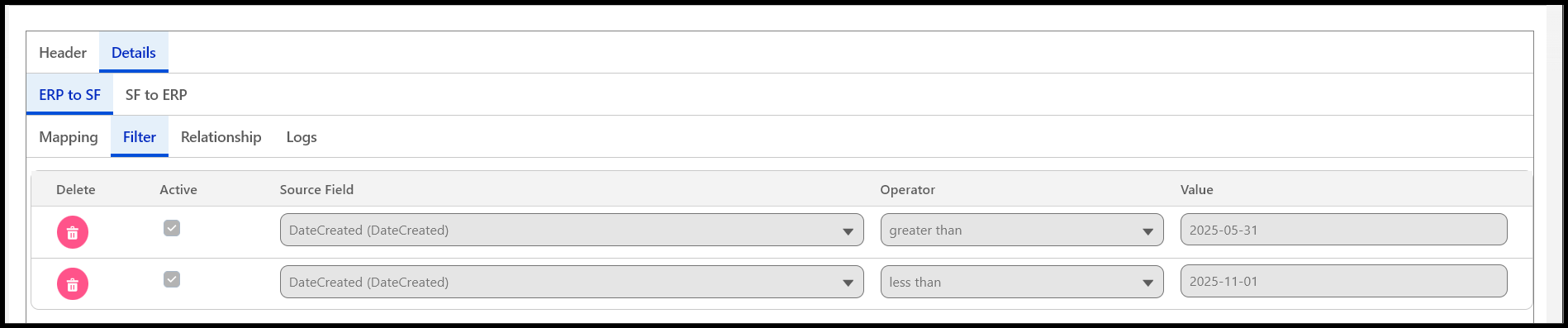
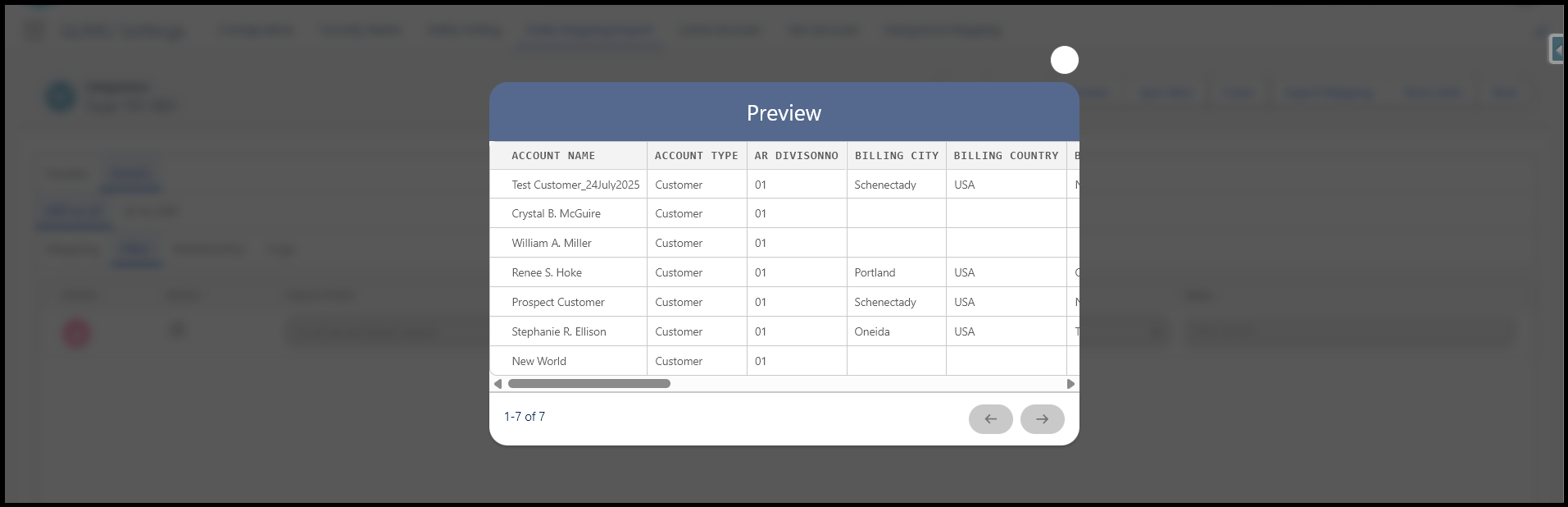
You can use the Preview button in the Import routine to verify the filtered data before running the sync.
Why Date Range Filtering Matters
Applying date range filters in GUMU offers several benefits:
- Reduces unnecessary data imports
- Improves synchronization performance
- Keeps Salesforce data clean and relevant
- Supports phased migrations and testing
- Simplifies troubleshooting and data validation
Conclusion
Date range filtering in GUMU provides precise control over the data synced from Sage 100 ProvideX into Salesforce. By leveraging the available filtering options, you can ensure faster synchronizations, cleaner Salesforce data, and more efficient integration management. This approach allows Salesforce teams to focus only on the data that truly matters while maintaining optimal system performance.
By following the above blog instructions, you will be able to learn “How to Set a Date Range Filter in GUMU Sage 100 WEAPI for ProvideX Systems“. If you still have queries or any related problems, don’t hesitate to contact us at salesforce@greytrix.com. More details about our integration product are available on our website and Salesforce AppExchange.
We hope you may find this blog resourceful and helpful. However, if you still have concerns and need more help, please contact us at salesforce@greytrix.com.
About Us
Greytrix – a globally recognized and one of the oldest Sage Development Partner and a Salesforce Product development partner offers a wide variety of integration products and services to the end users as well as to the Partners and Sage PSG across the globe. We offer Consultation, Configuration, Training and support services in out-of-the-box functionality as well as customizations to incorporate custom business rules and functionalities that require apex code incorporation into the Salesforce platform.
Greytrix has some unique solutions for Cloud CRM such as Salesforce Sage integration for Sage X3, Sage 100 and Sage 300 (Sage Accpac). We also offer best-in-class Cloud CRM Salesforce customization and development services along with services such as Salesforce Data Migration, Integrated App development, Custom App development and Technical Support business partners and end users. Salesforce Cloud CRM integration offered by Greytrix works with Lightning web components and supports standard opportunity workflow. Greytrix GUMU™ integration for Sage ERP – Salesforce is a 5-star rated app listed on Salesforce AppExchange.
The GUMU™ Cloud framework by Greytrix forms the backbone of cloud integrations that are managed in real-time for processing and execution of application programs at the click of a button.
For more information on our Salesforce products and services, contact us at salesforce@greytrix.com. We will be glad to assist you.
Related Posts