
When integrating Salesforce with ERP systems using the GUMU connector, Salesforce performs external web service callouts to preview or synchronize data. In real-world ERP environments – especially those running extensive background business processes – these callouts can sometimes take longer than expected.
By default, Salesforce enforces a 10-second read timeout for synchronous Apex callouts. If the ERP system does not respond within this timeframe, Salesforce throws a Read Timeout error, which can interrupt data previews and bulk synchronization operations.
Although Salesforce allows a maximum cumulative callout time of up to 120 seconds per Apex transaction, this limit must be explicitly configured at the connector level. This blog explains how administrators can extend the GUMU Web Service Timeout beyond the default limit while still remaining within Salesforce governor limits.
Initial Configuration
To configure this setting:
- Navigate to GUMU Settings App in Salesforce.
- Open the Configuration tab.
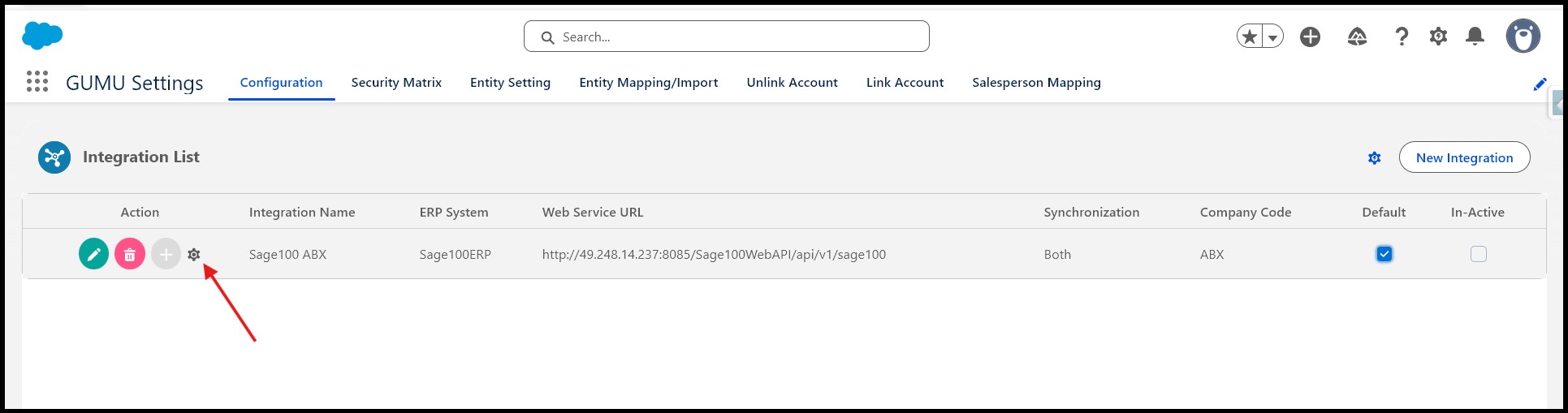
- Locate the required ERP integration in the integration list.
- Click the Settings (⚙️) icon next to the integration to open the ERP configuration window.
- Under the Application Settings subtab, locate the field Web Service Timeout.
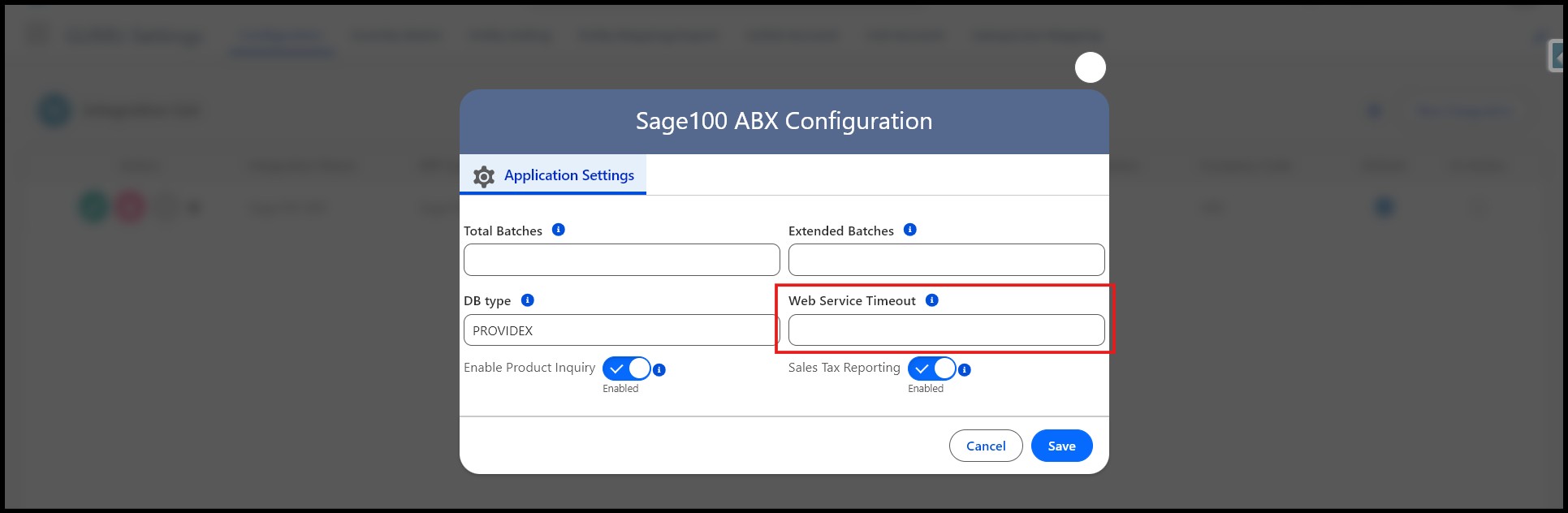
By default, this field is blank, which means GUMU uses Salesforce’s default read timeout of 10 seconds for external callouts.
How It Works
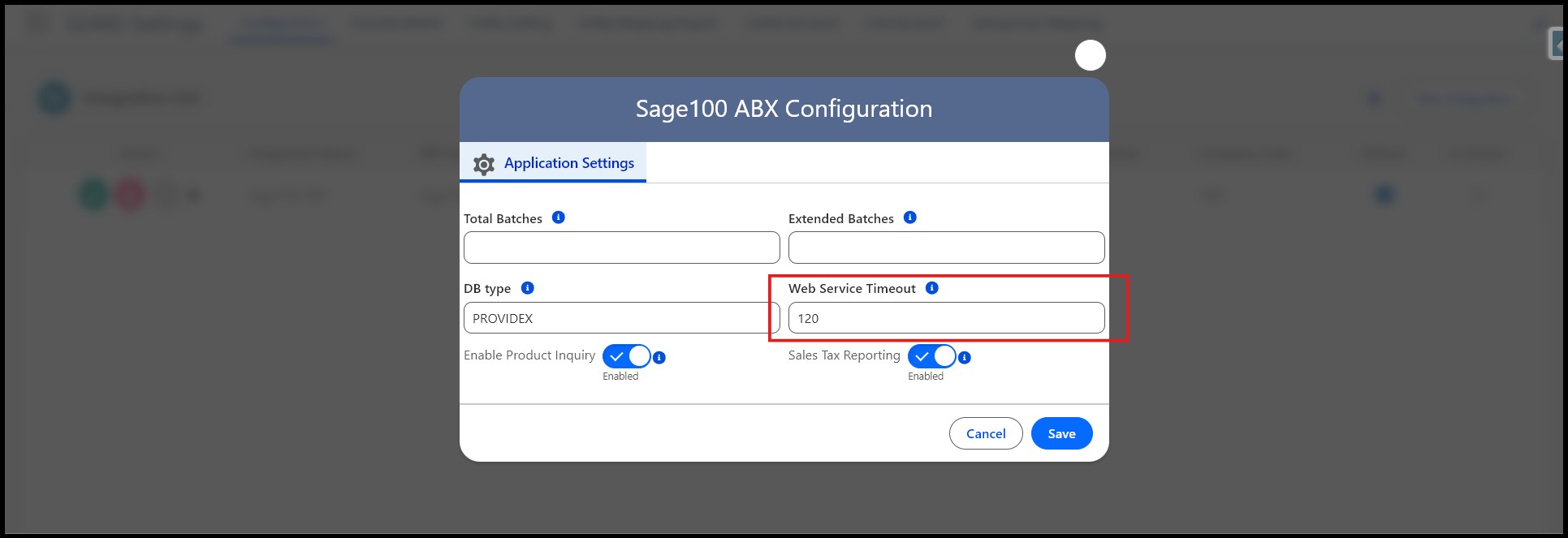
When a value is entered in the Web Service Timeout field, GUMU uses this value to control how long Salesforce waits for a response from the external ERP system.
For example:
- Entering 120 sets the timeout to 120 seconds.
- This allows the GUMU connector to wait longer for ERP responses during data preview, import, or synchronization operations.
Why This Matters
Extending the Web Service Timeout is critical for stable integrations in the following scenarios:
- ERP systems with heavy business logic
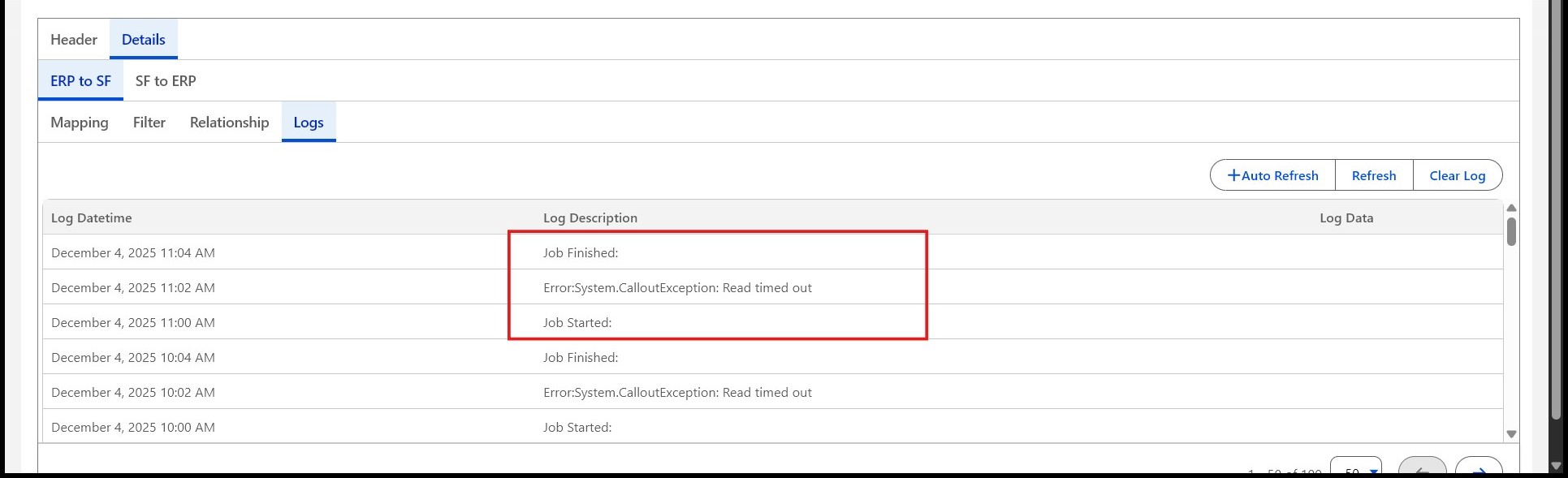
Some ERP systems execute validations, calculations, or posting processes before returning a response, which can exceed the default 10-second timeout and can result in errors such as below.
- Bulk data operations
Previewing or synchronizing large datasets often requires more processing time on the ERP side. - Legacy or high-latency systems
Systems such as ProvideX-based ERP environments may respond more slowly due to architecture or infrastructure constraints.
By increasing the timeout, administrators can significantly reduce Read Timeout errors, improve data reliability, and ensure smoother Salesforce–ERP communication without redesigning the integration.
Conclusion
Extending the GUMU Web Service Timeout beyond Salesforce’s default limit is a simple yet powerful configuration that enhances integration stability. By allowing Salesforce to wait longer for ERP responses, administrators can prevent unnecessary synchronization failures, support large data operations, and ensure seamless communication with complex or legacy ERP systems.
This approach enables reliable, scalable integrations while staying fully compliant with Salesforce governor limits.
By following the above blog instructions, you will be able to learn “How to Extend GUMU Web Service Timeout for Reliable Salesforce-ERP Integration“. If you still have queries or any related problems,
don’t hesitate to contact us at salesforce@greytrix.com. More details about our integration product are available on our website and Salesforce AppExchange.
We hope you may find this blog resourceful and helpful. However, if you still have concerns and need more help, please contact us at salesforce@greytrix.com.
About Us
Greytrix – a globally recognized and one of the oldest Sage Development Partner and a Salesforce Product development partner offers a wide variety of integration products and services to the end users as well as to the Partners and Sage PSG across the globe. We offer Consultation, Configuration, Training and support services in out-of-the-box functionality as well as customizations to incorporate custom business rules and functionalities that require apex code incorporation into the Salesforce platform.
Greytrix has some unique solutions for Cloud CRM such as Salesforce Sage integration for Sage X3, Sage 100 and Sage 300 (Sage Accpac). We also offer best-in-class Cloud CRM Salesforce customization and development services along with services such as Salesforce Data Migration, Integrated App development, Custom App development and Technical Support business partners and end users. Salesforce Cloud CRM integration offered by Greytrix works with Lightning web components and supports standard opportunity workflow. Greytrix GUMU™ integration for Sage ERP – Salesforce is a 5-star rated app listed on Salesforce AppExchange.
The GUMU™ Cloud framework by Greytrix forms the backbone of cloud integrations that are managed in real-time for processing and execution of application programs at the click of a button.
For more information on our Salesforce products and services, contact us at salesforce@greytrix.com. We will be glad to assist you.