
The Salesforce Spring ’26 release introduces a powerful enhancement that significantly simplifies PDF generation for developers. With the new Blob.toPdf() capability in Apex, Salesforce now allows developers to generate PDF documents directly from Apex code – without relying on Visualforce pages or third-party tools.
This update modernizes document automation in Salesforce and enables cleaner, more scalable solutions for Sales Cloud and custom implementations.
PDF Generation in Salesforce: Before Spring ’26
Historically, generating PDFs in Salesforce required one of the following approaches:
- Visualforce pages with renderAs=”pdf”
- PageReference.getContentAsPDF()
- Email templates or external document generation tools
While effective, these methods came with several limitations:
- Tight dependency on Visualforce UI components
- Limited support in asynchronous contexts such as batch or scheduled Apex
- Increased maintenance overhead for UI-based templates
- Reduced flexibility for backend-driven automation
What’s New in Spring ’26?
Salesforce has enhanced the Apex Blob class by introducing the ability to convert HTML directly into PDF using:
Blob.toPdf()
Behind the scenes, Salesforce uses the same trusted PDF rendering engine previously available through Visualforce. However, it is now accessible natively in Apex, eliminating the need for Visualforce pages in many common use cases.
Key Benefits of Blob.toPdf()
This enhancement provides several advantages for Salesforce developers:
- No Visualforce dependency
PDFs can now be generated entirely without UI templates or Visualforce pages. - Improved automation support
Works seamlessly with Apex services, batch jobs, scheduled Apex, and flow-invoked Apex. - Cleaner and more maintainable code
Document generation logic stays fully within Apex. - Expanded font and language support
Improved rendering for international and multilingual content. - Consistent and reliable output
Uses Salesforce’s native PDF rendering engine for stable results.
How It Works: Apex Example
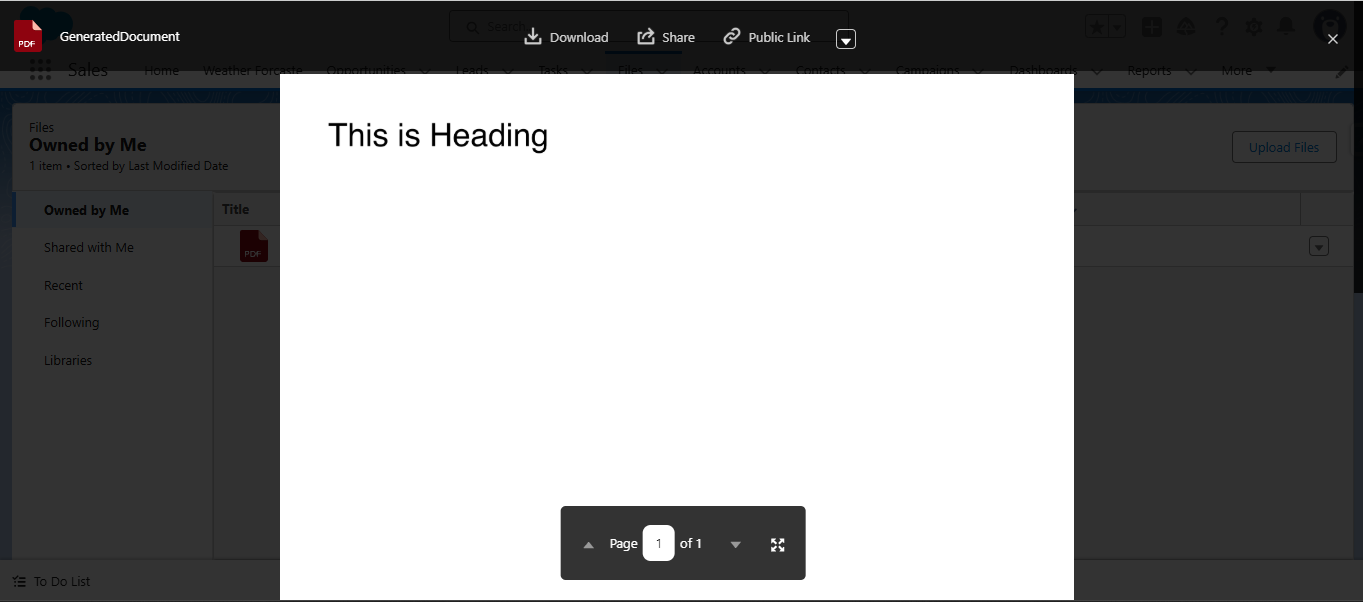
The following Apex example demonstrates how to generate a PDF and save it as a Salesforce File using ContentVersion.
Apex Class: PDF Generator
public class PDFGenerator {
public static void generatePdfForRecord() {

    Blob pdf = Blob.toPdf('<h1>This is Heading</h1>');

    // Create a Salesforce File (ContentVersion)
    ContentVersion pdfFile = new ContentVersion();
    pdfFile.Title = 'GeneratedDocument';
    pdfFile.PathOnClient = 'GeneratedDocument.pdf';
    pdfFile.VersionData = pdf;
    pdfFile.IsMajorVersion = true;
    pdfFile.FirstPublishLocationId = UserInfo.getUserId();

    insert pdfFile;
}
}
This approach allows developers to generate dynamic documents programmatically and store them securely within Salesforce Files.
Common Use Cases for Blob.toPdf()
This new capability supports a wide range of real-world business scenarios:
- Automated Invoices
Generate and attach invoice PDFs to Opportunities, Accounts, or Orders. - Sales Documents and Reports
Programmatically create quotes, certificates, or summaries. - Email Attachments
Dynamically generate PDFs and attach them to outbound emails. - Scheduled or Triggered Automation
Generate documents in batch jobs, scheduled Apex, or record-triggered flows without user interaction.
Impact on Salesforce Development
The Spring ’26 update represents a significant improvement in the Salesforce developer experience. By removing the long-standing dependency on Visualforce for PDF generation, Salesforce enables developers to build:
- Fully server-side document workflows
- More scalable and maintainable automation
- Cleaner architectures with reduced UI coupling
While Visualforce-based PDFs remain useful for highly complex templates or legacy implementations, Blob.toPdf() is now the preferred solution for most standard document generation requirements.
Conclusion
The Salesforce Spring ’26 release introduces a powerful and developer-friendly approach to PDF generation. With Blob.toPdf(), developers can now convert HTML directly into PDFs using Apex – eliminating the need for Visualforce pages and simplifying document automation.
For Sales Cloud and custom Salesforce implementations, this enhancement enables faster development, cleaner code, and more flexible automation for invoices, quotes, reports, and other business documents.
Now is the ideal time to start adopting Blob.toPdf() and modernize your Salesforce PDF generation strategy.
By following the above blog instructions, you will be able to learn “Salesforce Spring ’26 PDF Generation Made Easy – Using Blob.toPdf in Apex“. If you still have queries or any related problems,
don’t hesitate to contact us at salesforce@greytrix.com. More details about our integration product are available on our website and Salesforce AppExchange.
We hope you may find this blog resourceful and helpful. However, if you still have concerns and need more help, please contact us at salesforce@greytrix.com.
About Us
Greytrix – a globally recognized and one of the oldest Sage Development Partner and a Salesforce Product development partner offers a wide variety of integration products and services to the end users as well as to the Partners and Sage PSG across the globe. We offer Consultation, Configuration, Training and support services in out-of-the-box functionality as well as customizations to incorporate custom business rules and functionalities that require apex code incorporation into the Salesforce platform.
Greytrix has some unique solutions for Cloud CRM such as Salesforce Sage integration for Sage X3, Sage 100 and Sage 300 (Sage Accpac). We also offer best-in-class Cloud CRM Salesforce customization and development services along with services such as Salesforce Data Migration, Integrated App development, Custom App development and Technical Support business partners and end users. Salesforce Cloud CRM integration offered by Greytrix works with Lightning web components and supports standard opportunity workflow. Greytrix GUMU™ integration for Sage ERP – Salesforce is a 5-star rated app listed on Salesforce AppExchange.
The GUMU™ Cloud framework by Greytrix forms the backbone of cloud integrations that are managed in real-time for processing and execution of application programs at the click of a button.
For more information on our Salesforce products and services, contact us at salesforce@greytrix.com. We will be glad to assist you.