
In some GUMU integration scenarios, certain fields are mapped by default within the integration code. Because these mappings are defined at the code level, users cannot remove or deactivate them directly from the Mapping UI. Even if a user attempts to delete or disable the mapping, it may still remain active because it is embedded in the promotion logic.
However, there is a simple configuration-based workaround that allows users to exclude these fields during promotion without making any code changes.
In this blog, we will explain how default mapped fields can be excluded from the promotion payload using the ERP Configuration object.
Problem
In some integration scenarios, users may not want certain ERP fields to be promoted even though they are included in the default mapping logic.
Some common examples include:
- FOB
- CustomerPONo
- TermsCode
Since these fields are generated as part of the default payload generation logic, they cannot be removed using standard mapping settings.
To resolve this, users can configure exclusions using the ERP Configuration object, which dynamically removes these fields from the promotion payload.
Example Scenario
Object: Sales Order Header
Suppose you want to exclude fields like FOB or CustomerPONo from the Sales Order Header promotion payload.
Step-by-Step Solution
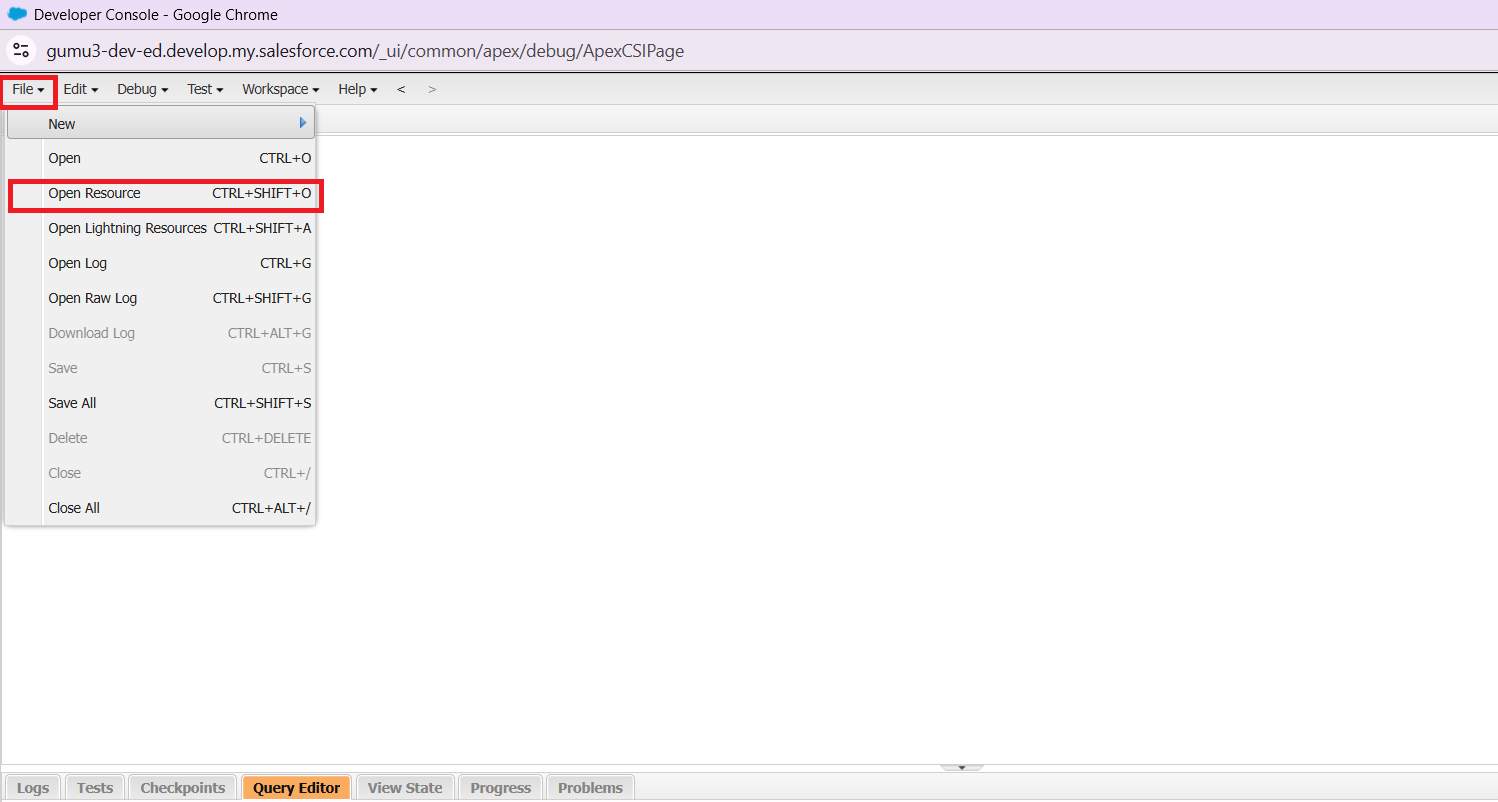
Step 1 : Open Developer Console
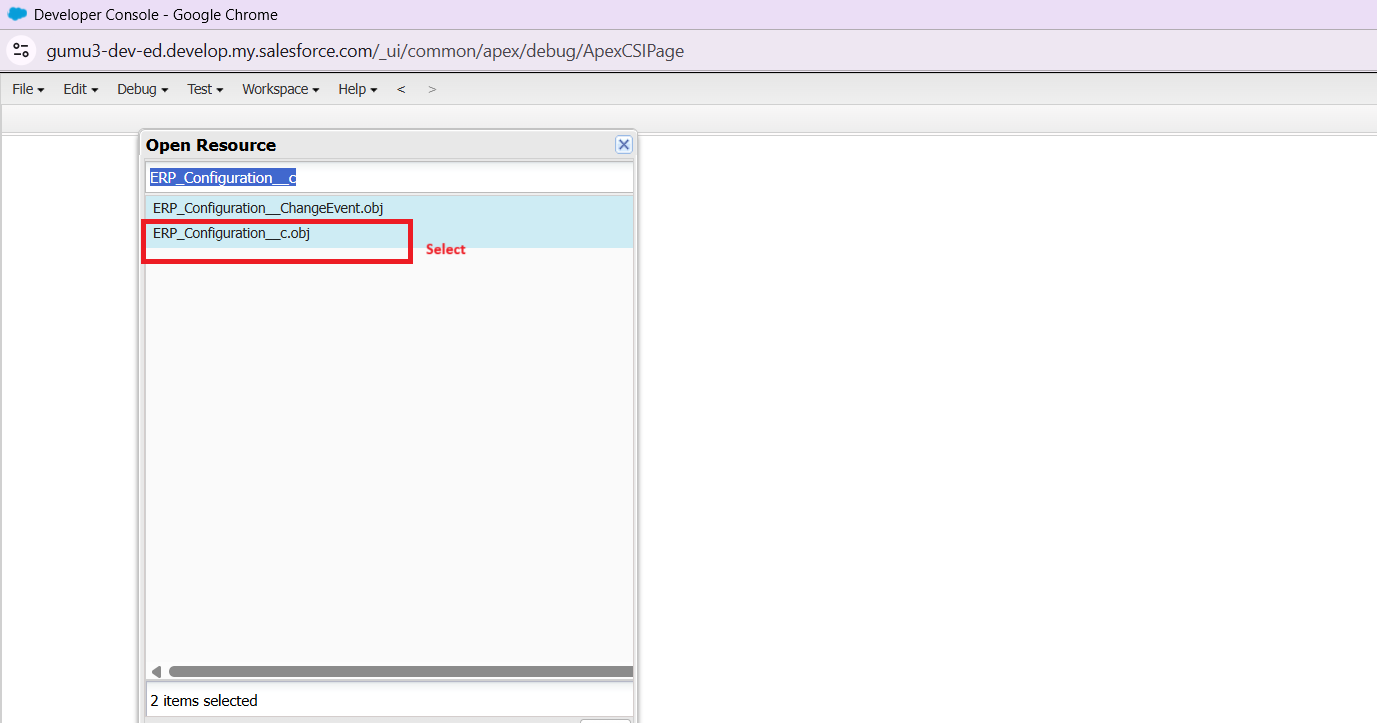
Step 2 : Inside the Developer Console:
- Click File
- Select Open Resource
- Search for the object: ERP_Configuration__c
Step 3 : Run Query
Execute the following query to review the existing configuration records:
SELECT Id,
GUMU__Integration_Key__c,
GUMU__Read_Header__c,
GUMU__Read_Payload__c,
Name
FROM GUMU__ERP_Configuration__c
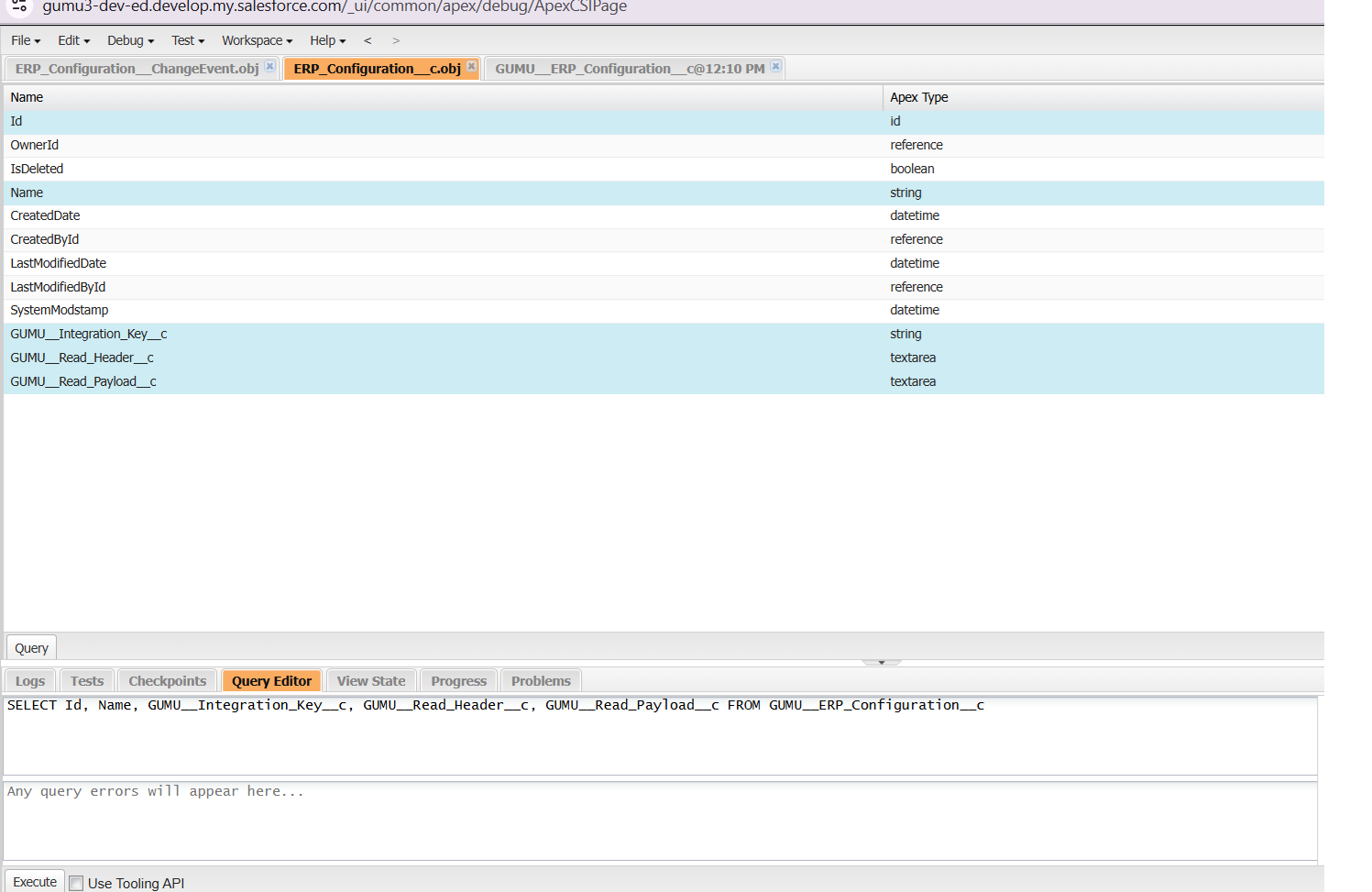
This query helps review the configuration records that control payload behavior.
Step 4 : Create a New Record
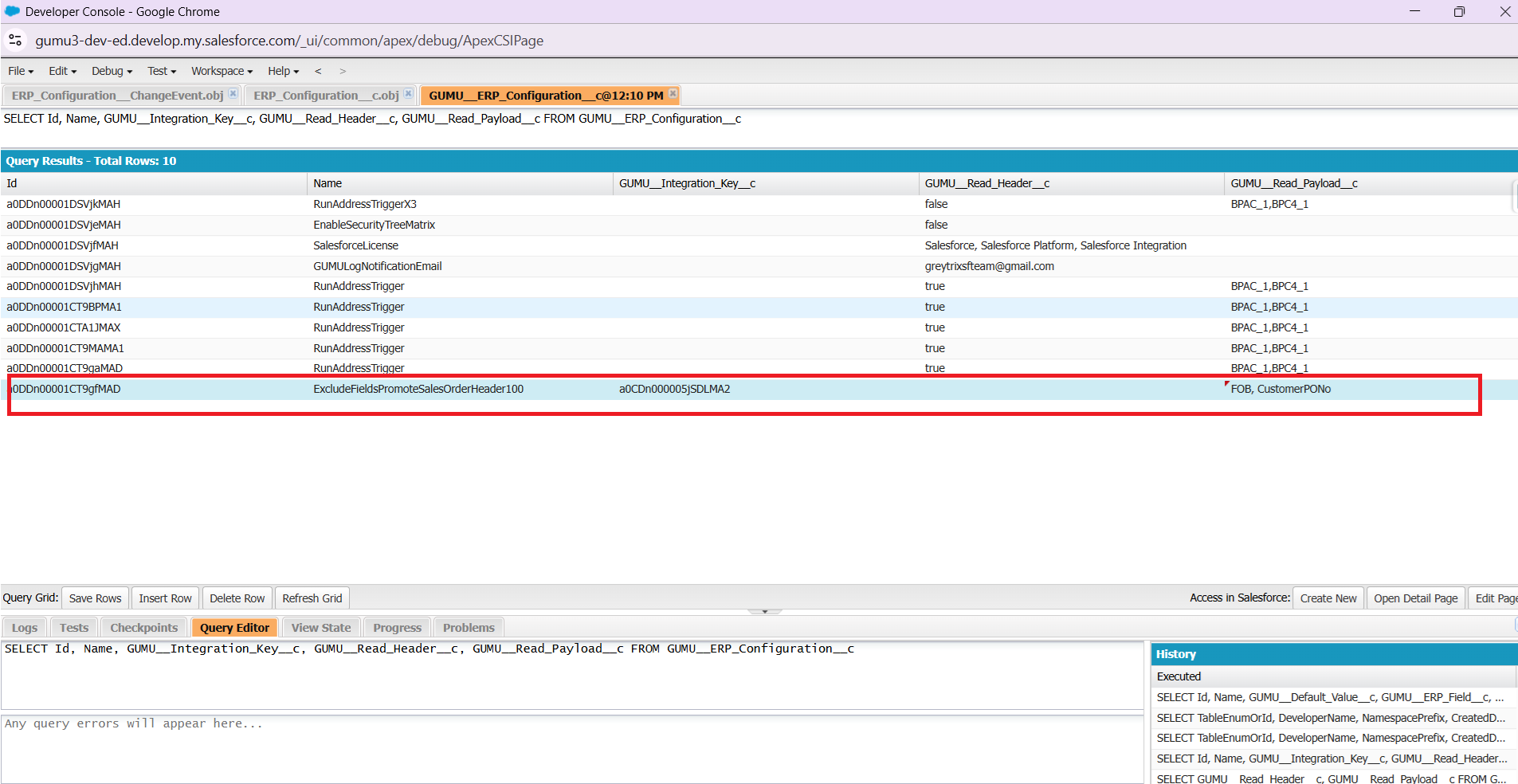
Create a new record in GUMU__ERP_Configuration__c with the following details:
Name : ExcludeFieldsPromoteSalesOrderHeader100
Integration Key : Associated
Read_Payload__c : Add the ERP fields that should be excluded from promotion.
Example
FOB
CustomerPONo
Naming Rule for Other Mappings
For other mappings, follow the naming format below:
ExcludeFieldsPromote(MappingName + ERP)
Example:
If the mapping name is:
SalesOrderDetail
And the ERP is Sage 100, the record name should be:
ExcludeFieldsPromoteSalesOrderDetail100
How It Works
The record created in ERP Configuration stores:
- ERP field names
- Associated Integration Key
During the promotion process, the system performs the following steps:
- The promotion logic retrieves records from ERP_Configuration__c.
- It reads the fields listed in Read_Payload__c.
- The system checks the generated promotion payload.
- If an excluded field is found, the system removes the corresponding XML tag from the payload.
Example
Before Exclusion
<TermsCode>NET30</TermsCode>
<FOB>Origin</FOB>
<CustomerPONo>12345</CustomerPONo>
After Exclusion
<TermsCode>NET30</TermsCode>
The excluded fields are automatically removed from the payload.
Conclusion
After applying this configuration:
- The selected fields are removed from the payload.
- The fields will not be promoted to the ERP system.
- No changes are required in the existing integration code.
It is important to note that this configuration works only for the Salesforce → ERP (SF → ERP) tab. The exclusion applies only when records are promoted from Salesforce to the ERP system.
This approach allows users to exclude default mapped fields while keeping the integration logic unchanged
By following the above blog instructions, you will be able to learn “How to Exclude Default Mapped Fields in GUMU Without Code Changes in SF to ERP tab“. If you still have queries or any related problems, don’t hesitate to contact us at salesforce@greytrix.com. More details about our integration product are available on our website and Salesforce AppExchange.
We hope you may find this blog resourceful and helpful. However, if you still have concerns and need more help, please contact us at salesforce@greytrix.com.
About Us
Greytrix – a globally recognized and one of the oldest Sage Development Partner and a Salesforce Product development partner offers a wide variety of integration products and services to the end users as well as to the Partners and Sage PSG across the globe. We offer Consultation, Configuration, Training and support services in out-of-the-box functionality as well as customizations to incorporate custom business rules and functionalities that require apex code incorporation into the Salesforce platform.
Greytrix has some unique solutions for Cloud CRM such as Salesforce Sage integration for Sage X3, Sage 100 and Sage 300 (Sage Accpac). We also offer best-in-class Cloud CRM Salesforce customization and development services along with services such as Salesforce Data Migration, Integrated App development, Custom App development and Technical Support business partners and end users. Salesforce Cloud CRM integration offered by Greytrix works with Lightning web components and supports standard opportunity workflow. Greytrix GUMU™ integration for Sage ERP – Salesforce is a 5-star rated app listed on Salesforce AppExchange.
The GUMU™ Cloud framework by Greytrix forms the backbone of cloud integrations that are managed in real-time for processing and execution of application programs at the click of a button.
For more information on our Salesforce products and services, contact us at salesforce@greytrix.com. We will be glad to assist you.