
In Today’s digital business environment, customers expect more than simply viewing their account information through a website. They want to browse products, check prices, select quantities, place orders, and track their purchases without having to contact a sales representative for every transaction.
For businesses that already use Salesforce, enabling this experience can help streamline order management and improve customer engagement.
Salesforce provides multiple ways to achieve this functionality. Sales Cloud supports internal order management, while Experience Cloud enables businesses to expose selected Salesforce functionality through customer-facing portals. For organizations looking for a complete e-commerce experience, Salesforce B2B Commerce provides dedicated storefront, cart, and checkout capabilities.
At Greytrix, we help businesses evaluate these capabilities and implement solutions based on their customer ordering requirements. Let’s understand how this process works and how Salesforce can connect customer-facing websites with internal order management.
Understanding the Role of Experience Cloud in Customer Order Placement
Salesforce Experience Cloud allows businesses to create secure websites and portals where external users can interact with Salesforce data.
Consider a manufacturing business that sells products to registered customers. Instead of contacting the sales team to place every order, customers can access a dedicated portal and submit their requirements online.
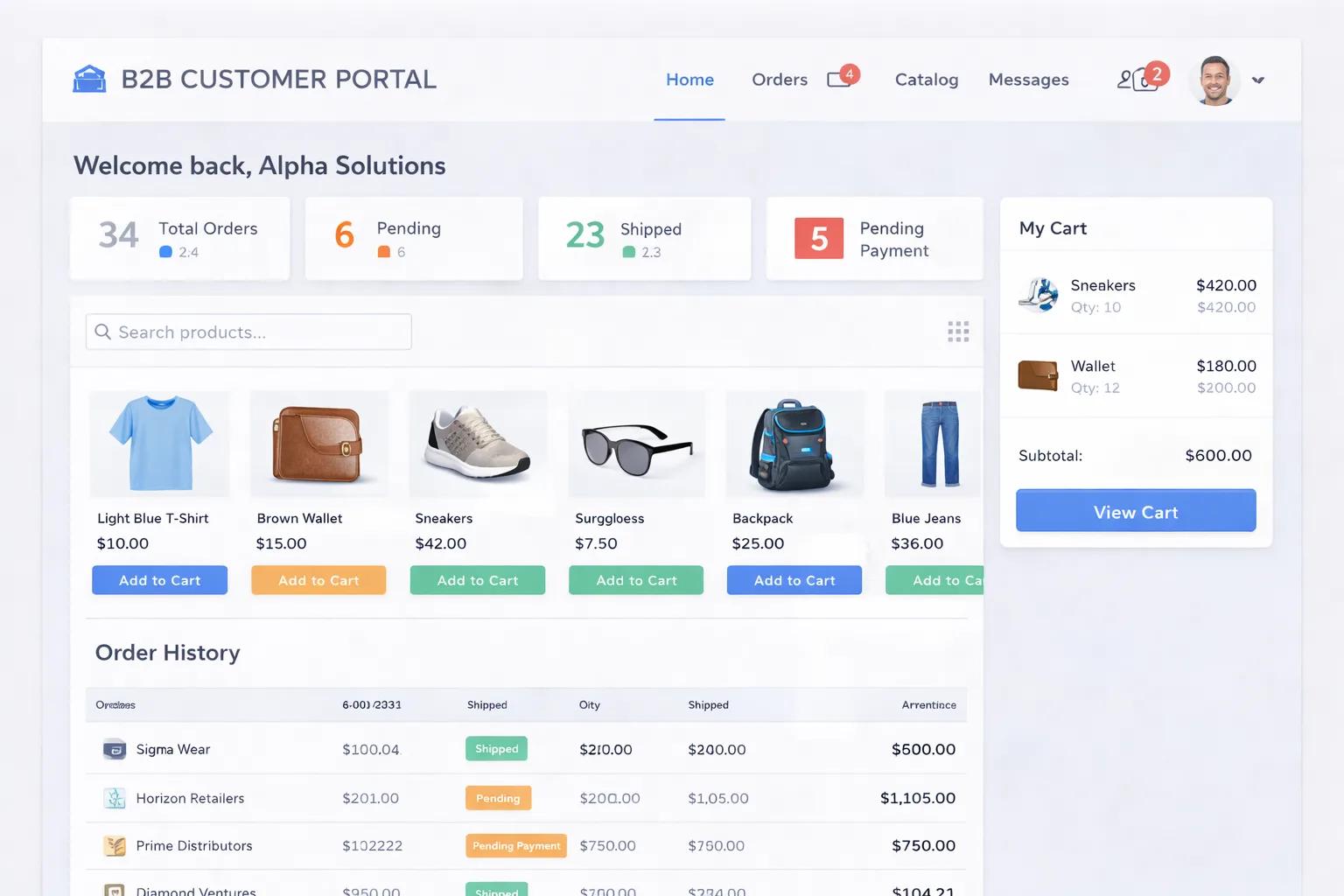
A customer-facing ordering experience can include:
- Customer login and authentication.
- Product catalogue and product details.
- Product pricing and availability.
- Product selection and quantity management.
- Shopping cart and order summary.
- Billing and shipping information.
- Order submission and order status tracking.
Experience Cloud provides the customer-facing platform. The ordering functionality can be developed using Salesforce components and Apex or implemented using Salesforce B2B Commerce, depending on the complexity of the business requirements.
How Does the Customer Order Placement Process Work?
A typical customer order workflow can be designed as follows:
Customer Login
Customers access the Experience Cloud portal using their registered external user credentials. The portal identifies the associated customer account and provides access to authorized information.
Product Selection
The portal displays products available to the customer. Product information can be retrieved from Salesforce Product records, while pricing can be determined using the applicable Price Book and Price Book Entries.
For businesses with customer-specific pricing, the solution can incorporate the required pricing rules and access restrictions.
Add Products to Cart
Customers select products, specify quantities, and review their selections before proceeding.
A custom Experience Cloud implementation can use Lightning Web Components (LWC) and Apex to manage the cart functionality. Alternatively, Salesforce B2B Commerce provides standard commerce cart capabilities.
Checkout and Order Submission
During checkout, customers confirm the required information, including billing details, shipping address, quantities, and applicable pricing.
After successful validation, the system processes the order according to the configured business workflow.
Order Creation in Salesforce
For a custom implementation, Apex or supported Salesforce APIs can create the required Order and Order Item records.
The Order record represents the overall customer transaction, while Order Items represent the individual products, quantities, and prices.
The order can then proceed through the organization’s approval, activation, and fulfillment processes.
Order Tracking
Customers can access their submitted orders through the portal and view relevant information such as order numbers and processing statuses, based on their permissions.
How Greytrix Approaches Customer Order Implementation
Greytrix approaches customer ordering requirements by evaluating the existing Salesforce environment, business processes, and expected customer experience.
Depending on the requirements, the implementation can follow either a custom Experience Cloud approach or a Salesforce B2B Commerce approach.
Custom Experience Cloud Development
For businesses requiring a tailored ordering interface, Greytrix can leverage Salesforce development capabilities such as:
- Lightning Web Components for product displays, cart interfaces, and checkout screens.
- Apex for server-side processing, validations, and order creation.
- Salesforce Flows for approvals and business process automation.
- Salesforce APIs for communication with external applications.
This approach is suitable when the organization needs specific ordering workflows that align with its existing CRM processes.
Salesforce B2B Commerce Implementation
For businesses requiring a complete B2B shopping experience, Salesforce B2B Commerce provides dedicated commerce functionality.
Its capabilities include:
- Product catalogues and categories.
- Customer-specific pricing and entitlements.
- Shopping cart management.
- Checkout and order placement.
- Shipping and payment configuration.
- Order management.
B2B Commerce uses Experience Cloud as its customer-facing storefront, while providing dedicated commerce services to support the purchasing journey.
Greytrix can help businesses assess the appropriate approach based on their commerce requirements, customization needs, and existing Salesforce architecture.
Can We Create Orders Using Sales Cloud Without Experience Cloud?
Yes. Salesforce Sales Cloud supports internal order creation and management without requiring Experience Cloud.
Sales representatives can create Orders, associate them with Accounts and applicable Contracts, and add Order Products through the Salesforce interface.
Businesses can also create orders through Salesforce APIs or custom applications.
However, if customers need to log in to a company website and place orders independently, an external-facing interface is required.
Experience Cloud provides a secure portal experience for this purpose, while B2B Commerce provides additional standard e-commerce functionality.
Therefore, the distinction is not whether Salesforce can create an order, but how customers interact with the ordering process.
Connecting Customer Orders with ERP Systems
Order creation is often only one part of the complete business process. Many organizations also need to transfer customer orders to their ERP systems for further processing.
For example, a business using Salesforce and Sage Intacct may require the following workflow:
- A customer submits an order through the Experience Cloud portal.
- Salesforce creates the corresponding Order and Order Items.
- The order is validated and processed according to the configured workflow.
- GUMU™ integration can facilitate the transfer of supported order information to the ERP.
- The ERP processes the order and generates relevant transaction information.
- Relevant ERP references and processing updates can be synchronized back to Salesforce for customer visibility.
Greytrix’s GUMU™ integration capabilities help businesses connect Salesforce with ERP platforms and streamline data exchange between business applications.
References
- Salesforce B2B Commerce Overview
- Salesforce B2B Commerce Cart and Checkout
- Salesforce Guidelines for Creating Orders
- Salesforce B2B Commerce Data Model
Conclusion
Salesforce provides businesses with multiple ways to manage customer ordering processes. While Sales Cloud supports internal order management, Experience Cloud extends selected CRM capabilities to external customers through secure digital portals. Salesforce B2B Commerce further enhances this experience with dedicated e-commerce functionality.
At Greytrix, we help businesses evaluate these options and implement customer-facing solutions through Salesforce consulting, customization, development, and integration services.
Whether the requirement involves a customized customer ordering portal or a complete B2B commerce storefront, the right Salesforce architecture can help simplify order placement, improve customer accessibility, and connect front-end purchasing activities with back-end business operations.
Looking to enable online customer order placement through Salesforce?
Connect with Greytrix to explore the right Experience Cloud and Salesforce Commerce implementation approach for your business.
By following the above blog instructions, you will be able to learn “Salesforce Experience Cloud Order Placement: Build a Self-Service Customer Ordering Portal“. If you still have queries or any related problems, don’t hesitate to contact us at [email protected]. More details about our integration product are available on our website and Salesforce AppExchange.
We hope you may find this blog resourceful and helpful. However, if you still have concerns and need more help, please contact us at [email protected].
About Us
Greytrix – a globally recognized and one of the oldest Sage Development Partner and a Salesforce Product development partner offers a wide variety of integration products and services to the end users as well as to the Partners and Sage PSG across the globe. We offer Consultation, Configuration, Training and support services in out-of-the-box functionality as well as customizations to incorporate custom business rules and functionalities that require apex code incorporation into the Salesforce platform.
Greytrix has some unique solutions for Cloud CRM such as Salesforce Sage integration for Sage X3, Sage 100 and Sage 300 (Sage Accpac). We also offer best-in-class Cloud CRM Salesforce customization and development services along with services such as Salesforce Data Migration, Integrated App development, Custom App development and Technical Support business partners and end users. Salesforce Cloud CRM integration offered by Greytrix works with Lightning web components and supports standard opportunity workflow. Greytrix GUMU™ integration for Sage ERP – Salesforce is a 5-star rated app listed on Salesforce AppExchange.
The GUMU™ Cloud framework by Greytrix forms the backbone of cloud integrations that are managed in real-time for processing and execution of application programs at the click of a button.
For more information on our Salesforce products and services, contact us at [email protected]. We will be glad to assist you.