
In Salesforce development, hardcoding configuration values such as approval limits or thresholds can quickly become unmanageable. Any change often requires modifying Apex code and redeploying it, which increases risk, slows down operations, and creates unnecessary dependency on developers.
Build Flexible, Admin-Friendly Configuration Without Hardcoding
Custom Metadata Types (CMDTs) solve this problem by allowing configuration to be stored as metadata instead of code. This makes configuration declarative, enabling admins to update values without touching Apex. CMDTs are also deployable, meaning configuration can move easily between orgs using change sets or managed packages. Since records are read-only during transactions, they are inherently safe and prevent accidental runtime changes. Additionally, CMDT queries are efficient and can be cached in Apex, reducing the risk of hitting governor limits.
Custom Metadata Types are ideal whenever configuration needs to be centralized, deployable, secure, and easy to maintain.
Business Scenario: Department-Specific Validation Thresholds
Consider a company with multiple departments, each having different expense approval thresholds.
- Finance: Maximum approval limit of $50,000
- HR: Maximum approval limit of $10,000
- Sales: Maximum approval limit of $5,000
Admins need the flexibility to update these limits quickly without changing or redeploying Apex code. Using custom objects for this purpose would be risky, as frequent queries could impact governor limits, accidental data changes could break approval logic, and deployment would be more complex.
With a Custom Metadata Type named Approval_Threshold__mdt, admins can create and manage records for each department in a controlled and declarative way.
Creating the Custom Metadata Type
To implement this solution, start by creating a Custom Metadata Type in Salesforce.
- Navigate to Setup → Custom Metadata Types and create a new Custom Metadata Type.
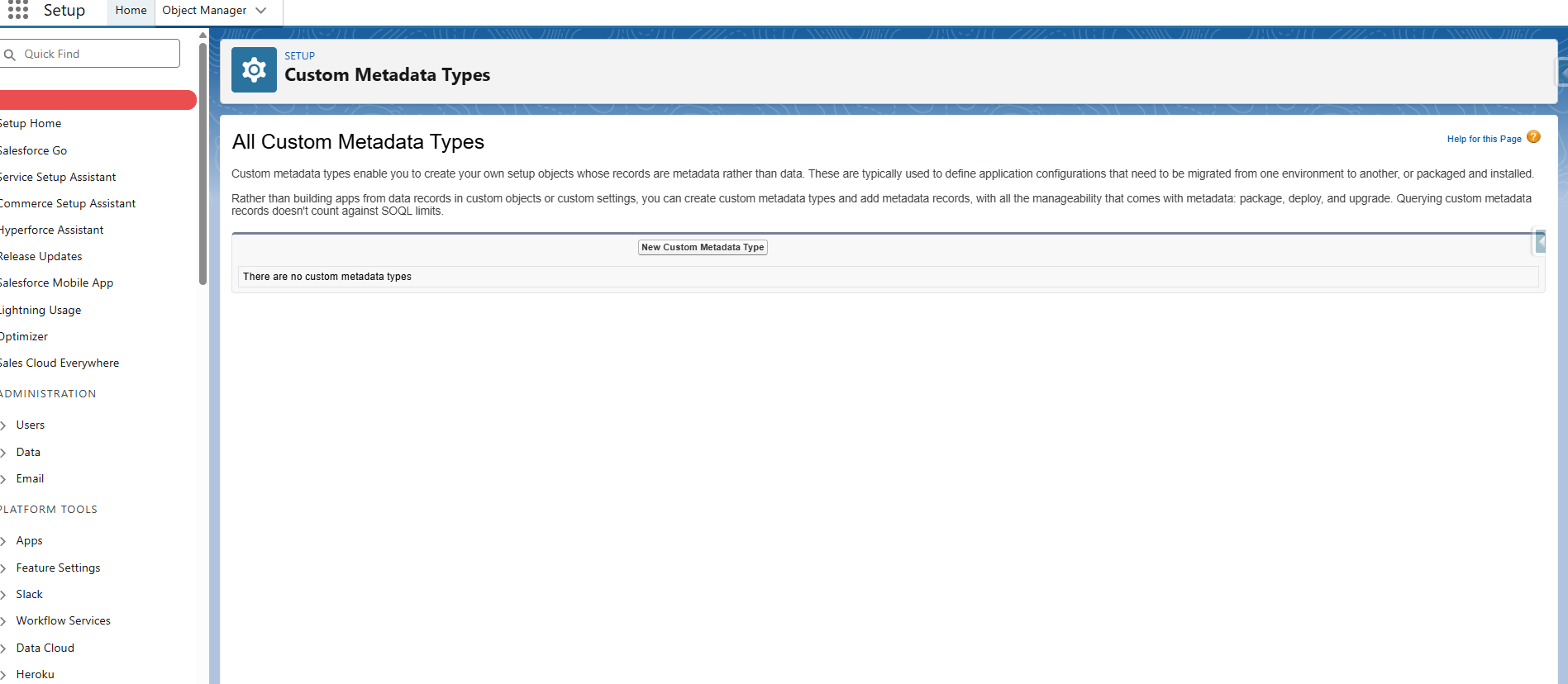
- Set the label as Approval Threshold and the object name as Approval_Threshold__mdt.
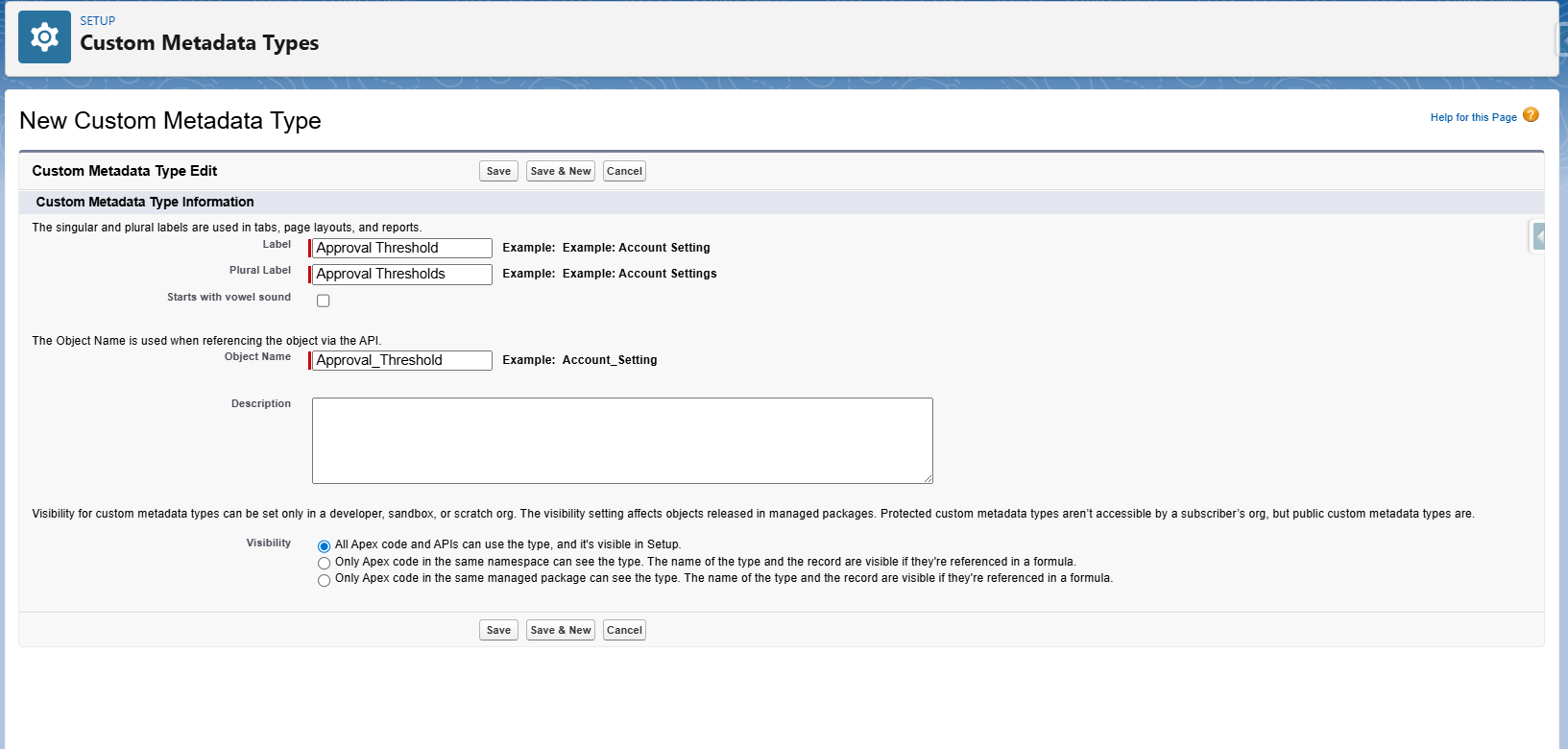
After saving, create the required custom fields:
- Department__c as a Picklist
- MaxAmount__c as a Currency field
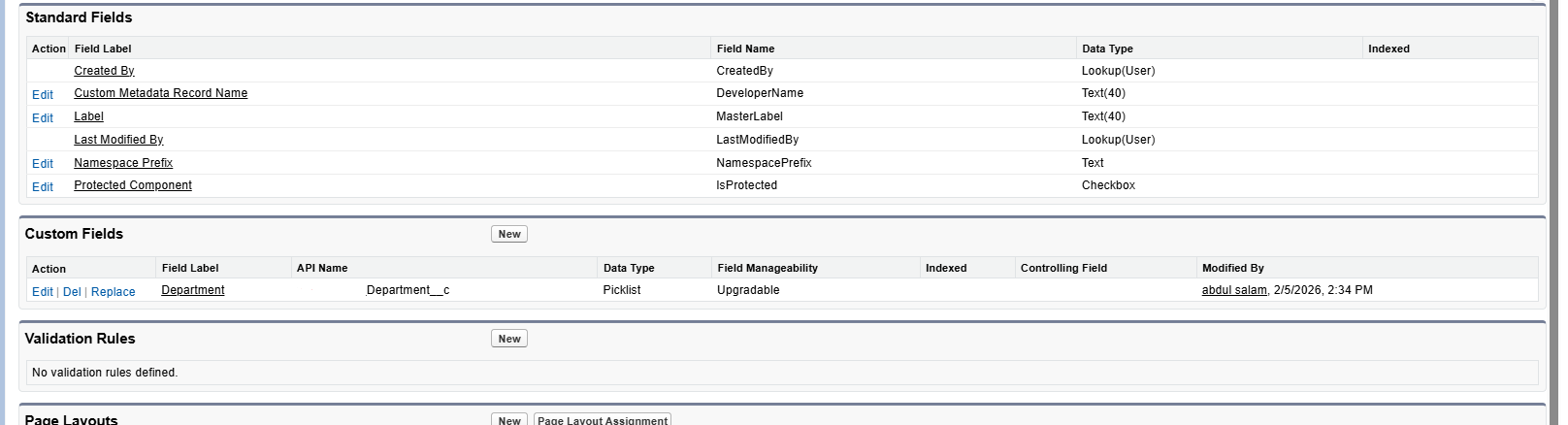
Once the fields are created, use Manage Records to add individual records for Finance, HR, and Sales with their respective threshold values.
Using CMDTs in Apex
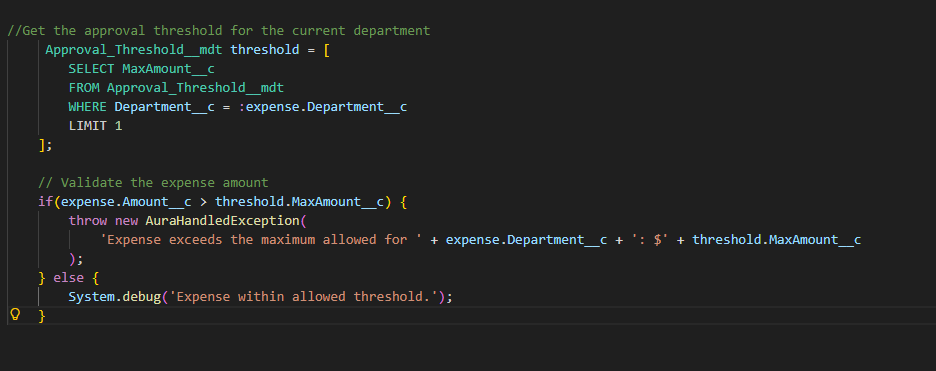
When using CMDTs in Apex, the logic simply reads the configured values and enforces the business rules. Admins can update thresholds declaratively, and the Apex logic automatically adapts without requiring redeployment.
Because CMDT records are cached efficiently, this approach avoids governor limit issues and provides a clean separation between configuration and logic.
Conclusion
Even in a simple scenario like department-specific validation thresholds, Custom Metadata Types provide a flexible, maintainable, and scalable solution. They eliminate the risks associated with hardcoded values, reduce deployment overhead, and empower admins to manage business rules independently.
By leveraging CMDTs, Salesforce developers can build configurable, enterprise-ready applications that adapt quickly as business requirements evolve.
By following the above blog instructions, you will be able to learn “Configurable Apex in Salesforce Using Custom Metadata Types“. If you still have queries or any related problems, don’t hesitate to contact us at salesforce@greytrix.com. More details about our integration product are available on our website and Salesforce AppExchange.
We hope you may find this blog resourceful and helpful. However, if you still have concerns and need more help, please contact us at salesforce@greytrix.com.
About Us
Greytrix – a globally recognized and one of the oldest Sage Development Partner and a Salesforce Product development partner offers a wide variety of integration products and services to the end users as well as to the Partners and Sage PSG across the globe. We offer Consultation, Configuration, Training and support services in out-of-the-box functionality as well as customizations to incorporate custom business rules and functionalities that require apex code incorporation into the Salesforce platform.
Greytrix has some unique solutions for Cloud CRM such as Salesforce Sage integration for Sage X3, Sage 100 and Sage 300 (Sage Accpac). We also offer best-in-class Cloud CRM Salesforce customization and development services along with services such as Salesforce Data Migration, Integrated App development, Custom App development and Technical Support business partners and end users. Salesforce Cloud CRM integration offered by Greytrix works with Lightning web components and supports standard opportunity workflow. Greytrix GUMU™ integration for Sage ERP – Salesforce is a 5-star rated app listed on Salesforce AppExchange.
The GUMU™ Cloud framework by Greytrix forms the backbone of cloud integrations that are managed in real-time for processing and execution of application programs at the click of a button.
For more information on our Salesforce products and services, contact us at salesforce@greytrix.com. We will be glad to assist you.
Related Posts