
Let’s be honest plain text fields can get boring. When users scan records, they do not want to read; they want to see. That’s where Image Formula Fields in Salesforce come in.
In this blog, we’ll build a simple yet powerful use case: displaying Gold, Silver, and Bronze medals on the Account Rating field using images stored in Salesforce.
Salesforce Image Formula Fields allow you to display visual icons based on record values instead of plain text or numbers. This is extremely useful for:
- Status indicators
- KPI tracking
- Priority flags
- Rating systems
- Approval indicators
Visual cues help users understand information faster and improve the overall Salesforce user experience.
How Image Formula Fields Work in Salesforce
Step 1: Upload Medal Images as Static Resources
These images will be used inside the formula field.
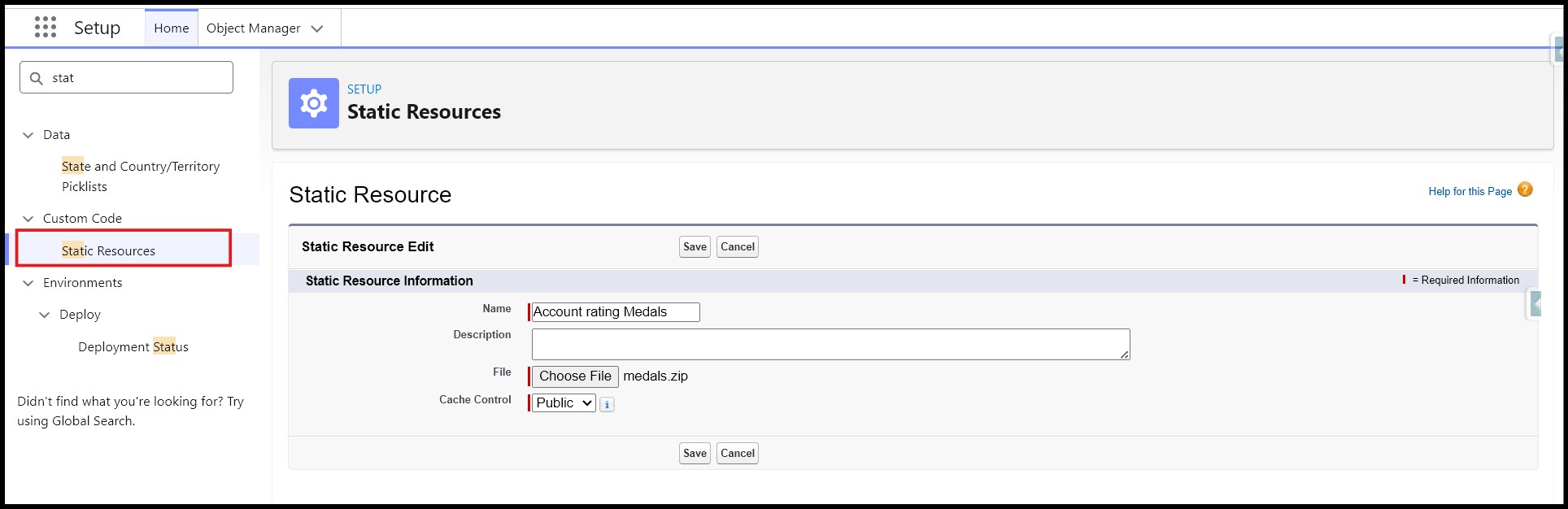
- Go to Setup → Static Resources
- Upload a ZIP file containing the medal images:
- Gold
- Silver
- Bronze
- Set Cache Control = Public
Step 2: Create the Formula Field
Navigate to:
Object Manager → Account → Fields & Relationships → New
Configure the Field:
- Data Type → Formula
- Return Type → Text
Build the Formula
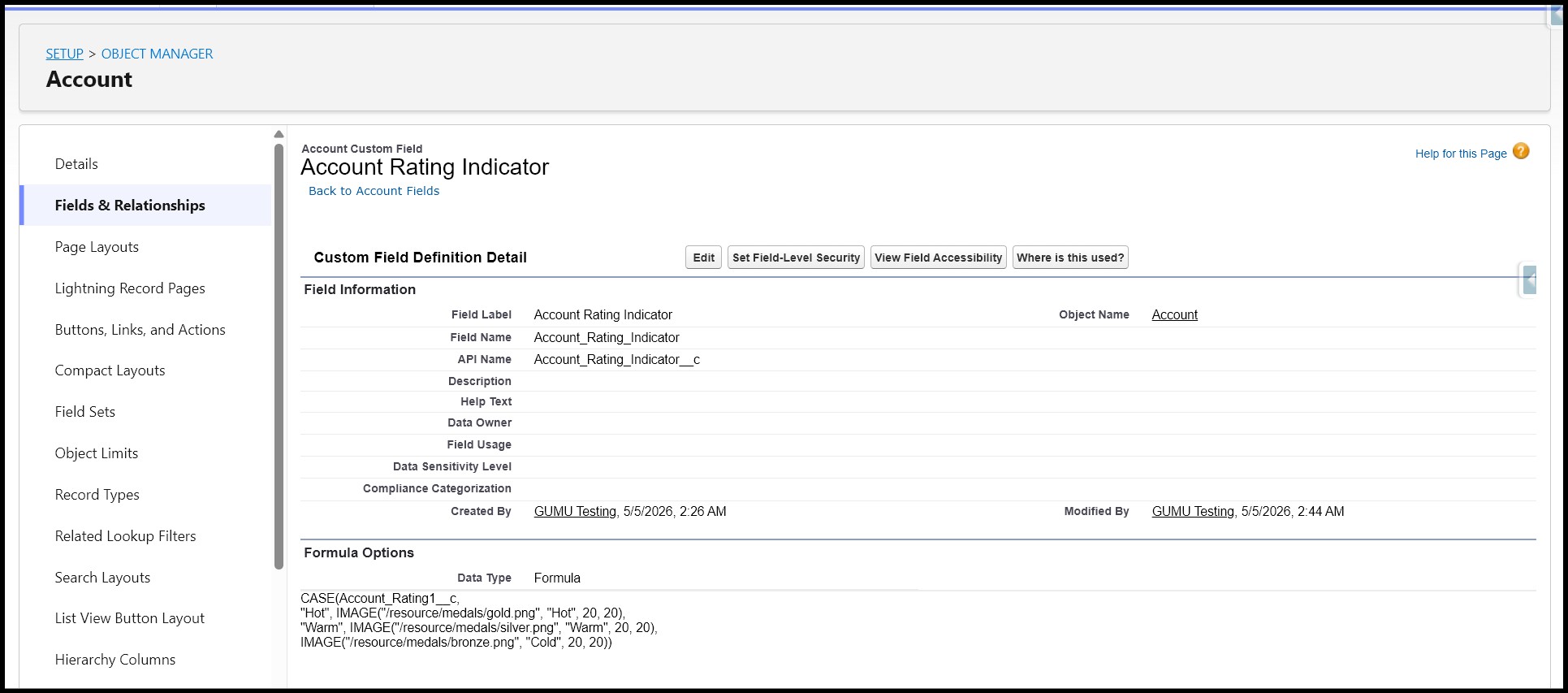
The formula checks the Account Rating field:
- If the Rating is Hot → display the Gold image
- If the Rating is Warm → display the Silver image
- If the Rating is Cold → display the Bronze image
This creates a visual rating indicator directly on the record.
Step 3: Test the Logic
Evaluate all scenarios by selecting each picklist value at a time, clicking save, and checking the icon you expect appears on the record.
Note: the icon will not change until you save the record.
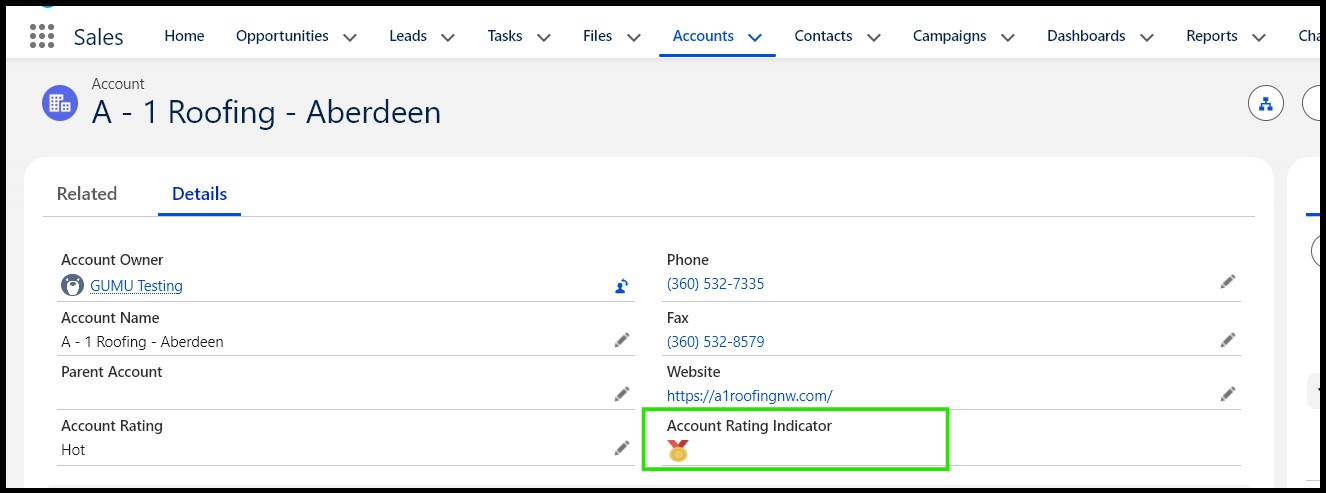
Step 4: Add the icons where users need them
You can add the Image Formula Field to:
- Record pages
- Highlights panel
- List views
- Related lists
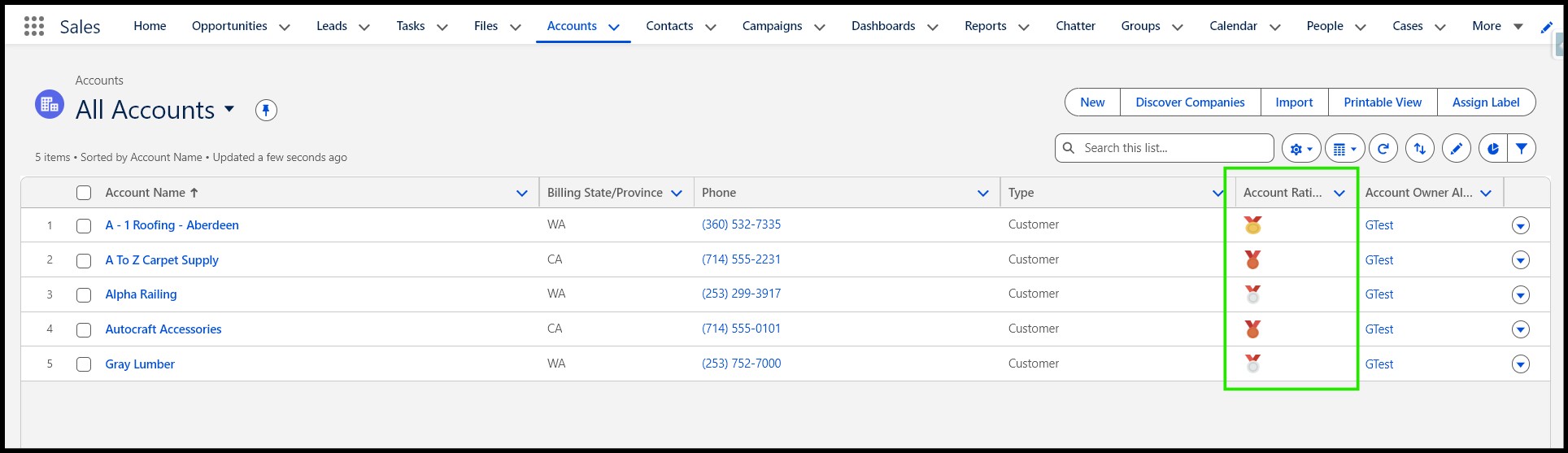
Example:
Image Formula Field in List Views
This makes important information visible instantly without opening the full record.
Why Image Formula Fields Matter
Users do not enjoy scanning large amounts of text. Visual indicators make records easier to understand and help users make decisions faster.
Benefits of Image Formula Fields:
- Faster record scanning
- Better UI experience
- Improved readability
- Cleaner layouts
- Easier prioritization
- More intuitive Salesforce screens
Best of all, these visuals can be customized based on your business requirements.
Conclusion
Image Formula Fields in Salesforce are a simple yet powerful way to improve the user experience by replacing plain text with meaningful visual indicators. Whether you are displaying ratings, priorities, statuses, or KPIs, these fields help users quickly understand record information without extra clicks or reading.
By using static resources and formula logic together, you can create dynamic, visually engaging Salesforce pages that improve productivity and make your CRM easier to use.
By following the above blog instructions, you will be able to learn “How to Create Image Formula Fields in Salesforce for Better Visual Record Indicators“. If you still have queries or any related problems, don’t hesitate to contact us at salesforce@greytrix.com. More details about our integration product are available on our website and Salesforce AppExchange.
We hope you may find this blog resourceful and helpful. However, if you still have concerns and need more help, please contact us at salesforce@greytrix.com.
About Us
Greytrix – a globally recognized and one of the oldest Sage Development Partner and a Salesforce Product development partner offers a wide variety of integration products and services to the end users as well as to the Partners and Sage PSG across the globe. We offer Consultation, Configuration, Training and support services in out-of-the-box functionality as well as customizations to incorporate custom business rules and functionalities that require apex code incorporation into the Salesforce platform.
Greytrix has some unique solutions for Cloud CRM such as Salesforce Sage integration for Sage X3, Sage 100 and Sage 300 (Sage Accpac). We also offer best-in-class Cloud CRM Salesforce customization and development services along with services such as Salesforce Data Migration, Integrated App development, Custom App development and Technical Support business partners and end users. Salesforce Cloud CRM integration offered by Greytrix works with Lightning web components and supports standard opportunity workflow. Greytrix GUMU™ integration for Sage ERP – Salesforce is a 5-star rated app listed on Salesforce AppExchange.
The GUMU™ Cloud framework by Greytrix forms the backbone of cloud integrations that are managed in real-time for processing and execution of application programs at the click of a button.
For more information on our Salesforce products and services, contact us at salesforce@greytrix.com. We will be glad to assist you.
Related Posts