
What if your Microsoft D365 CRM could do more than manage your pipeline — and actually help your business grow faster?
When Microsoft D365 and an ERP like Sage aren’t connected, sales end up re-entering orders manually and losing visibility into invoices, stock, and account status that already exist in Sage. Connecting the two gives sales direct access to that data right inside D365 CRM, without switching systems.
This guide covers Microsoft Dynamics CRM integration — how GUMU™ connects D365 CRM to Sage X3, Sage 300, and Sage Intacct.
GUMU™ vs. Custom API integration vs. Native tools: What’s the best way to connect D365 CRM with Sage?
There are three real paths to CRM integration with ERP, and the right one depends less on what’s technically possible and more on how much ongoing maintenance your team can actually absorb.
| Approach | How It Works | Setup Effort | Ongoing Maintenance | Best Fit | Main Limitation |
| Native Microsoft tools (Power Automate, Dataverse connectors) | Low-code flows move data between D365 and other systems using Microsoft’s built-in connectors | Low to moderate | Moderate — flows can break with schema or licensing changes | Simple, low-volume syncs on standard fields | Sage isn’t a native Microsoft product, so deeper ERP logic (multi-entity, tax, inventory) often isn’t supported out of the box |
| Custom API development | A developer builds a bespoke integration against each system’s APIs from scratch | High | High — Sage or D365 updates risk breaking custom code, and the original developer may have moved on | Highly specific, non-standard workflows with dedicated dev resources | Expensive to build and maintain, with a single point of failure |
| Pre-built connector (e.g., GUMU™) | A purpose-built product connects D365 and Sage via APIs and web services, with entity mapping already configured | Low to moderate — configuration, not ground-up development | Low — built to work within supported platform boundaries, so updates usually mean validation, not rebuilding | Teams that want a working integration without building or maintaining code | Less flexible than a full custom build for highly unconventional workflows |
GUMU™ specifically runs on an API and web-service-led architecture rather than direct database synchronization — it talks to both systems through their supported APIs, not by reaching into either database directly. That’s the same principle Microsoft and Sage themselves recommend for anything meant to stay secure and stable over time.
How does GUMU™ integrate Dynamics 365 CRM with each Sage ERP?
If a pre-built connector is the direction you’re leaning toward, the next question is simple: what does that actually look like for the Sage platform you’re on?
The entity map is nearly identical across all three; what changes is the environment each one shows up in. Below is a dedicated breakdown for each Sage product — GUMU™ for Sage X3, GUMU™ for Sage 300, and GUMU™ for Sage Intacct — so you can see exactly what syncs, how it connects, and whether it fits your setup.
1. GUMU™ for D365 CRM + Sage X3
| Entity | Sync Direction |
| Customers | Bi-directional |
| Contacts | Bi-directional |
| Products | Sage X3 → D365 |
| Warehouses / Sites | Sage X3 → D365 |
| Sales Person | Sage X3 → D365 |
| Sales Quote | D365 → Sage X3 |
| Sales Order | Bi-directional |
| Sales Invoice | Sage X3 → D365 |
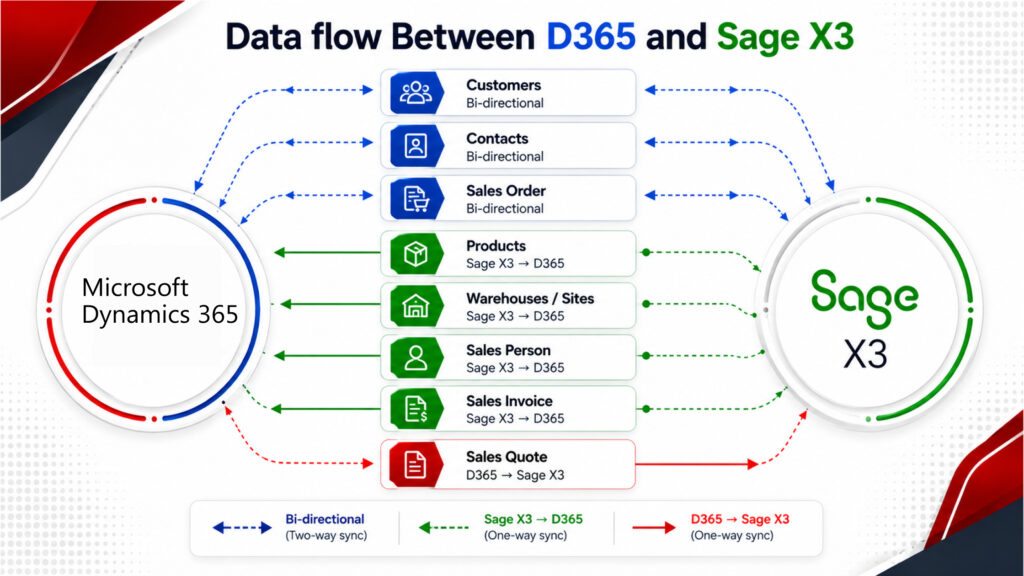
How it connects:
GUMU™ connects to Sage X3 through a dedicated connector governed by structured synchronization rules, operating within each platform’s supported boundaries rather than syncing at the database level.
Best fit for:
Mid-size to large manufacturing and distribution businesses running multiple entities, where sales can’t afford to wait on someone else for accurate inventory or order data.
2. GUMU™ for D365 CRM + Sage 300
What syncs:
| Entity | Sync Direction |
| Customers | Bi-directional |
| Contacts | Bi-directional |
| Products | Sage 300 → D365 |
| Warehouses / Sites | Sage 300 → D365 |
| Sales Person | Sage 300 → D365 |
| Sales Quote | D365 → Sage 300 |
| Sales Order | Bi-directional |
| Sales Invoice | Sage 300 → D365 |
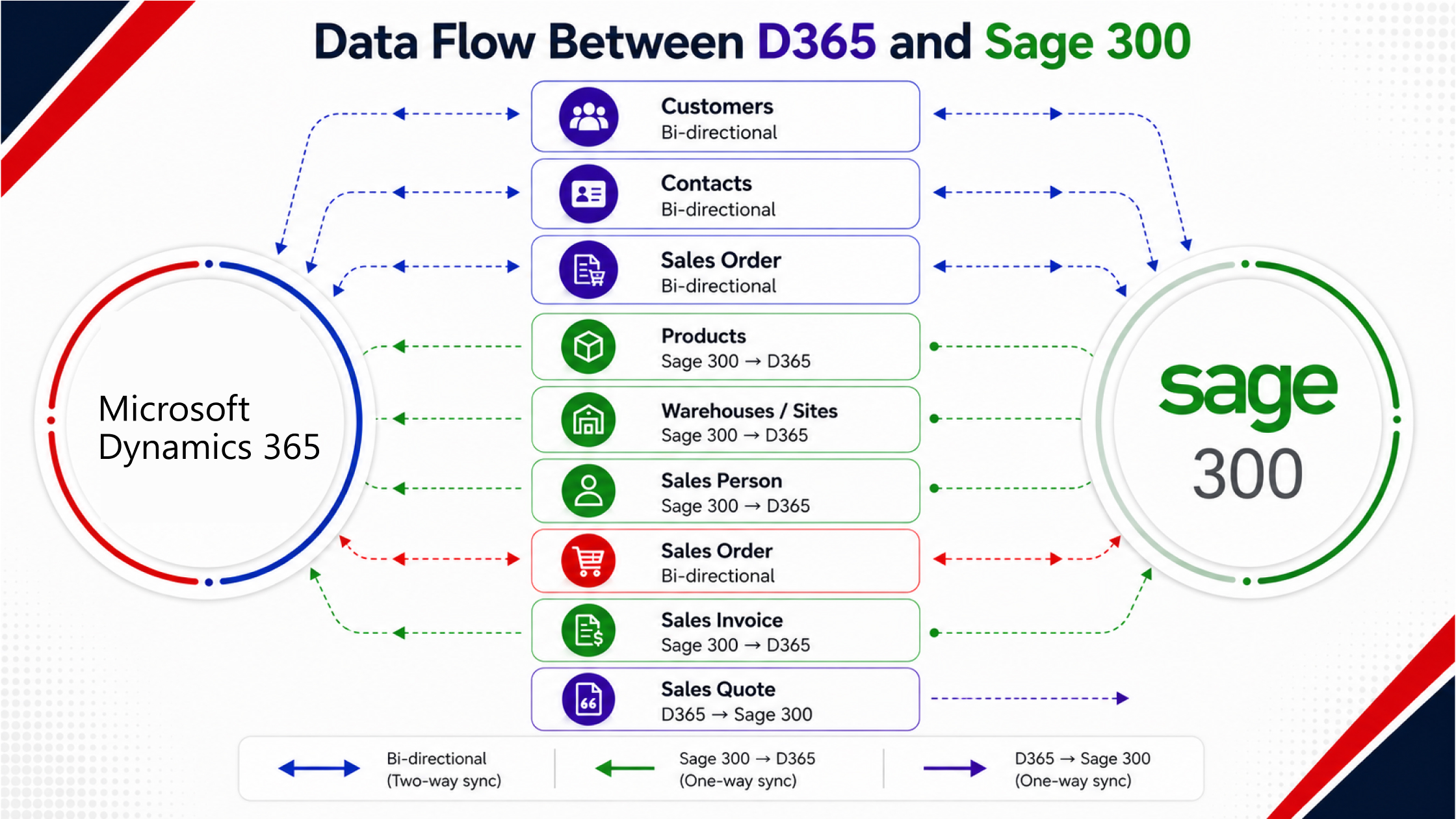
How it connects:
GUMU™ connects to Sage 300 through a secure, IIS-hosted web-service endpoint using Sage’s SData/Web API — a credentialed, governed layer rather than a direct database connection.
Best fit for:
Mid-market distribution, services, and light manufacturing businesses that need solid financial and inventory control without the footprint of a larger ERP.
3. GUMU™ for D365 CRM + Sage Intacct
What syncs:
| Entity | Sync Direction |
| Customers | Bi-directional |
| Contacts | Bi-directional |
| Products | Sage Intacct → D365 |
| Warehouses / Sites | Sage Intacct → D365 |
| Sales Person | Sage Intacct → D365 |
| Sales Quote | D365 → Sage Intacct |
| Sales Order | Bi-directional |
| Sales Invoice | Sage Intacct → D365 |
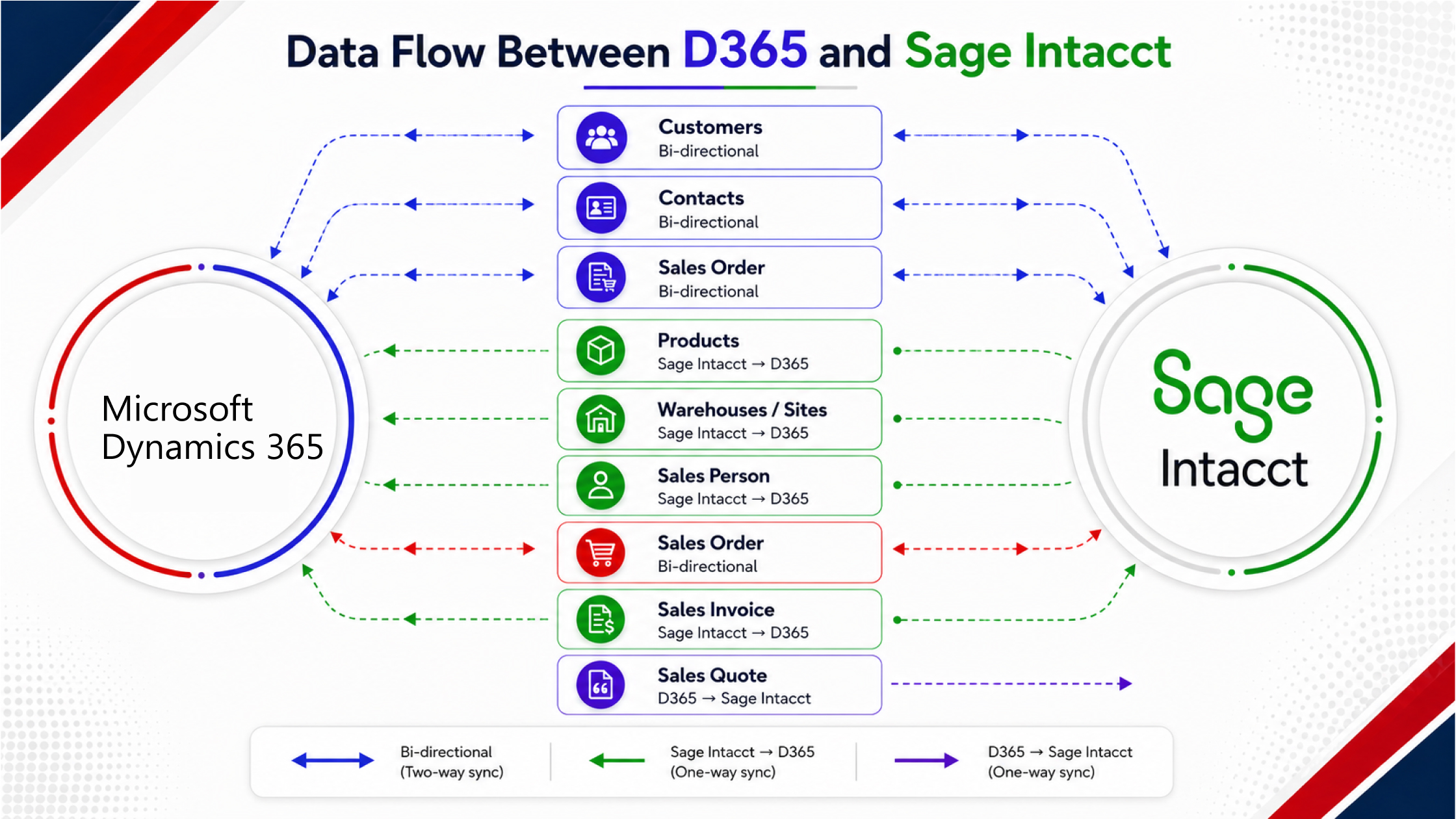
How it connects:
GUMU™ connects to Sage Intacct through an API-led cloud connector — a natural fit, since Intacct itself is cloud-native — moving data between the two systems without reaching into either database directly.
Best fit for:
Finance-forward, cloud-first organizations — SaaS companies, professional services firms, multi-entity nonprofits — that need strong financial reporting alongside CRM-driven sales.
How do you choose the right approach for your business?
Ask yourself these three questions — the answers tend to point toward one approach more clearly than any feature comparison can.
- How deep does the sync actually need to go? A few fields updated occasionally is a native-tools job. Orders, invoices, inventory, and customer records staying current continuously is a pre-built connector or custom build — and that’s a different conversation entirely.
- Who’s going to maintain it when Sage or D365 ships an update? Custom APIs tend to work well on day one; the real cost shows up twelve to eighteen months later, often after the developer who built it has moved on. A connector designed to work within supported platform boundaries typically needs validation after an update, not a rebuild. That difference alone has decided more than a few of these projects.
- Is multi-company support a real requirement, or just an assumption? Sage 300 and Sage X3 both support connecting multiple ERP companies into a single D365 CRM environment through centralized administration — but confirm any approach you’re evaluating actually handles this before you assume it does.
There’s no single right answer to these three questions — only the one that fits your order volume, your team’s capacity, and how much risk you’re willing to carry forward. For most D365 CRM users running Sage, though, the pattern holds: businesses that need continuous sync, can’t dedicate a developer to maintaining custom code indefinitely, and require multi-company support without building it themselves are typically better served by a purpose-built connector than by a custom integration.
Final thoughts
Connecting Dynamics 365 CRM with your Sage ERP is a meaningful step toward a business that runs on one version of the truth — where sales, finance, and operations are working from the same data instead of three different pictures of it. Whether you’re on Sage X3, Sage 300, or Sage Intacct, the value of that connection only grows as your order volume does.
With a purpose-built connector like GUMU™, built and maintained by Greytrix, that integration doesn’t have to mean months of custom development or years of maintenance risk.
For more on Microsoft Dynamics 365 integration with Sage, explore Greytrix’s GUMU™ integrations.
FAQ’s:
1. Can a CRM be integrated with an ERP?
Yes. Most modern CRMs, including Dynamics 365 CRM, can connect to ERP systems like Sage through native platform tools, custom-built APIs, or pre-built connectors such as GUMU™ — the right method depends on how much data needs to stay in sync and who’s maintaining it long-term.
2. How do you integrate CRM with ERP system?
There are three common paths: native low-code tools for simple, low-volume syncs; custom API development for highly specific workflows; or a pre-built connector with the entity mapping and sync logic already configured. For Dynamics 365 CRM and Sage specifically, GUMU™ is built as that third option.
3. What is GUMU™?
GUMU™ is Greytrix’s native integrator built specifically for Microsoft Dynamics 365 integration with Sage — covering Sage X3, Sage 300, and Sage Intacct. It runs on an API and web-service-led architecture — not middleware — so customer, order, and invoice data moves between the two systems through a quick, two-way sync without compromising data integrity, whether you’re in manufacturing, distribution, or services.
4. How long does it take to implement D365 CRM and Sage integration with GUMU™?
Dynamics 365 CRM integration timelines vary by scope, but for GUMU™ specifically, expect around six weeks end-to-end, consistent across Sage X3, Sage 300, and Sage Intacct — roughly a week for discovery, three to four days each for configuration and data mapping, three weeks for UAT, and a week to go live.
5. Does integrating D365 CRM with Sage require custom development?
Microsoft Dynamics CRM integration with Sage doesn’t require custom development in most cases. Native Microsoft tools handle simple syncs, custom APIs handle highly specific workflows, and pre-built connectors like GUMU™ handle standard entity syncing without a from-scratch build.
6. Which Sage products integrate with D365 CRM through GUMU™?
Microsoft Dynamics Sage integration through GUMU™ covers Sage X3, Sage 300, and Sage Intacct — each with its own entity sync map covering customers, contacts, products, warehouses, sales orders, quotes, and invoices.
7. Can one D365 CRM instance connect to multiple Sage companies?
Yes. Sage 300 supports configuring multiple ERP companies under a single D365 CRM environment, and Sage X3 supports connecting multiple companies into one D365 CRM instance through centralized administration.
8. Does a Sage or D365 version upgrade break the integration?
Typically, not. An integration built to operate within supported platform boundaries generally needs validation after an upgrade rather than a full rebuild — unlike custom-coded integrations, which often need rework after major platform updates.
9. Does the integration access the Sage or D365 database directly?
No. Dynamics 365 integration with external systems typically avoids direct database access in favor of supported APIs — GUMU™ follows the same principle, connecting through each platform’s supported APIs and web services rather than the underlying database, which is the approach both Microsoft and Sage recommend for security and stability
About Us
Stay ahead of the curve with our latest insights, trends, and expert perspectives that decode technology’s role in shaping modern enterprises. From emerging market shifts to hands-on implementation strategies, Tech Talk brings you practical knowledge designed to help you make smarter, faster, and future-ready business decisions.
From consultation to implementation, migration, and custom development, we help organizations transform complex business processes into connected, data-driven workflows enabling smarter decisions, better collaboration, and sustainable growth.
At Greytrix, we blend human expertise with intelligent technology so your business can move faster, adapt quicker, and stay future-ready.
Ready to modernize your business stack? Talk to our experts today.