
Salesforce Apex allows developers to extend CRM capabilities by adding custom business logic and automation. However, most CRM records such as Leads and Cases contain unstructured text, making it difficult to quickly understand customer intent, priority, or business value.
By integrating Generative AI with Salesforce Apex, we can automatically:
- Summarize long text into meaningful insights
- Classify records based on importance or potential
- Improve decision-making speed for sales and support teams
In this blog, we’ll explore how to integrate AI (Google Gemini) with Salesforce Apex to build intelligent CRM automation.
Why Use AI with Salesforce Apex?
AI integration with Apex allows Salesforce to process unstructured data and return structured insights.
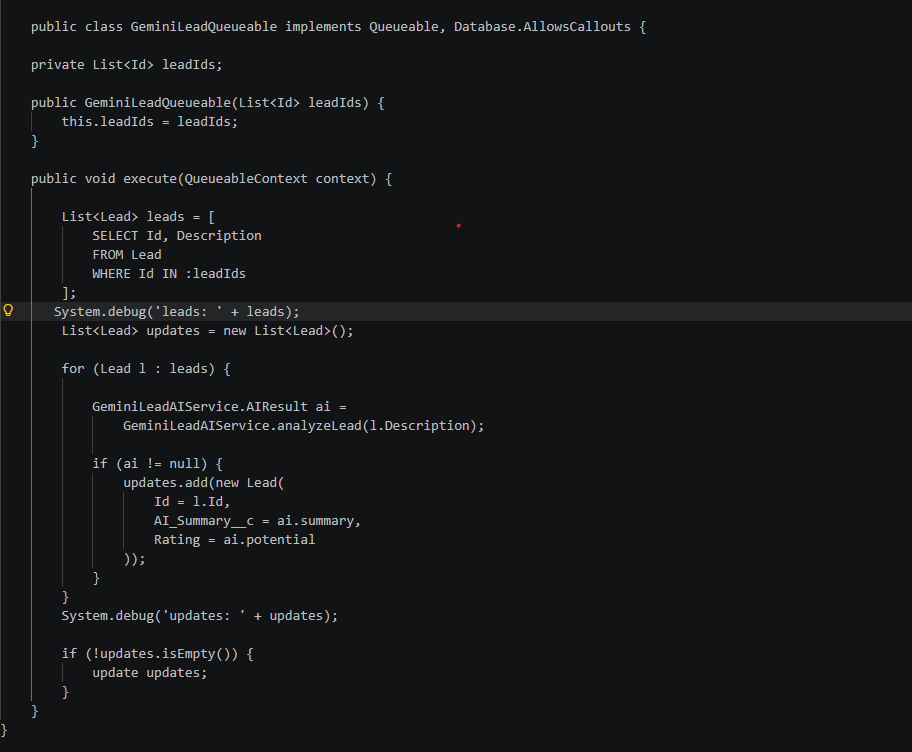
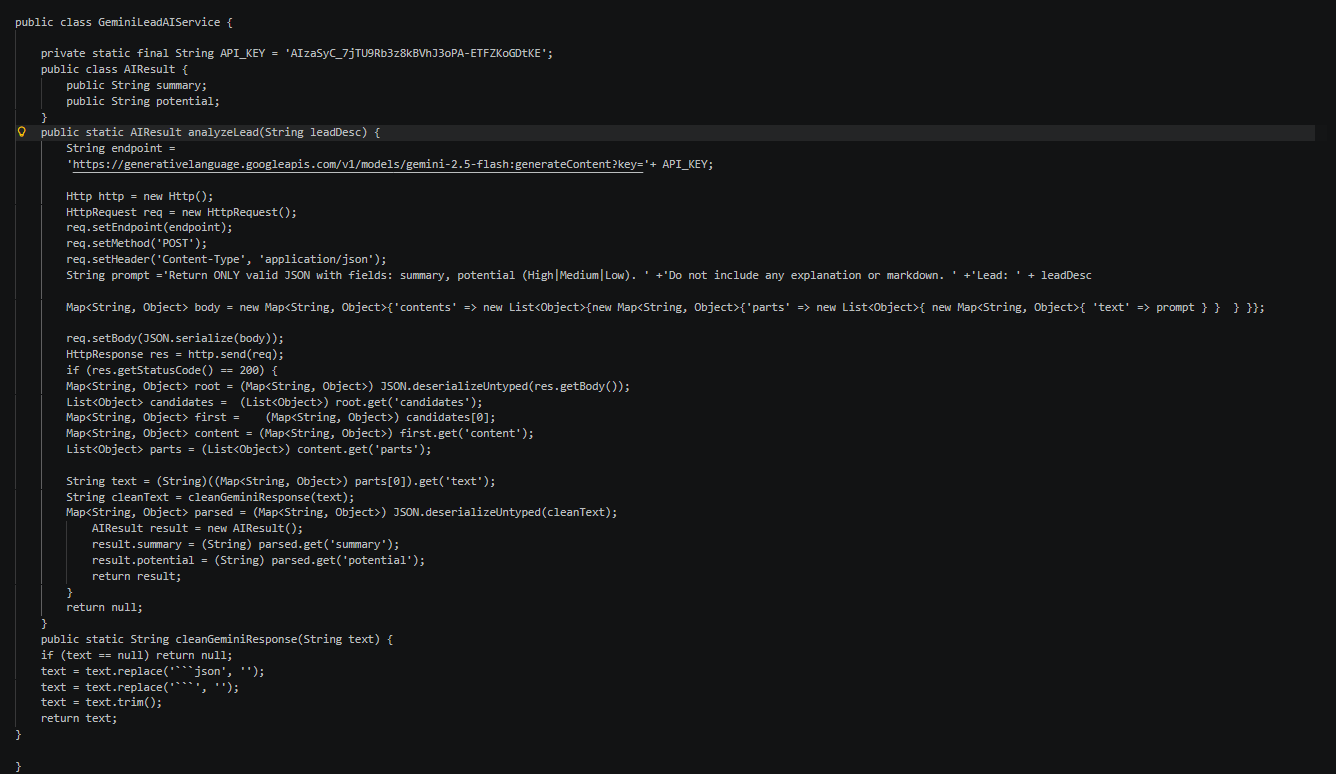
Instead of manually reading record descriptions, Apex sends the data to an AI model, which returns:
- A short human-readable summary
- Classified and structured data
This makes CRM systems smarter, faster, and more automated.
Real-World Use Case
Consider a Salesforce system where users create Leads with detailed descriptions.
Instead of manually analyzing every Lead:
- AI reads the description
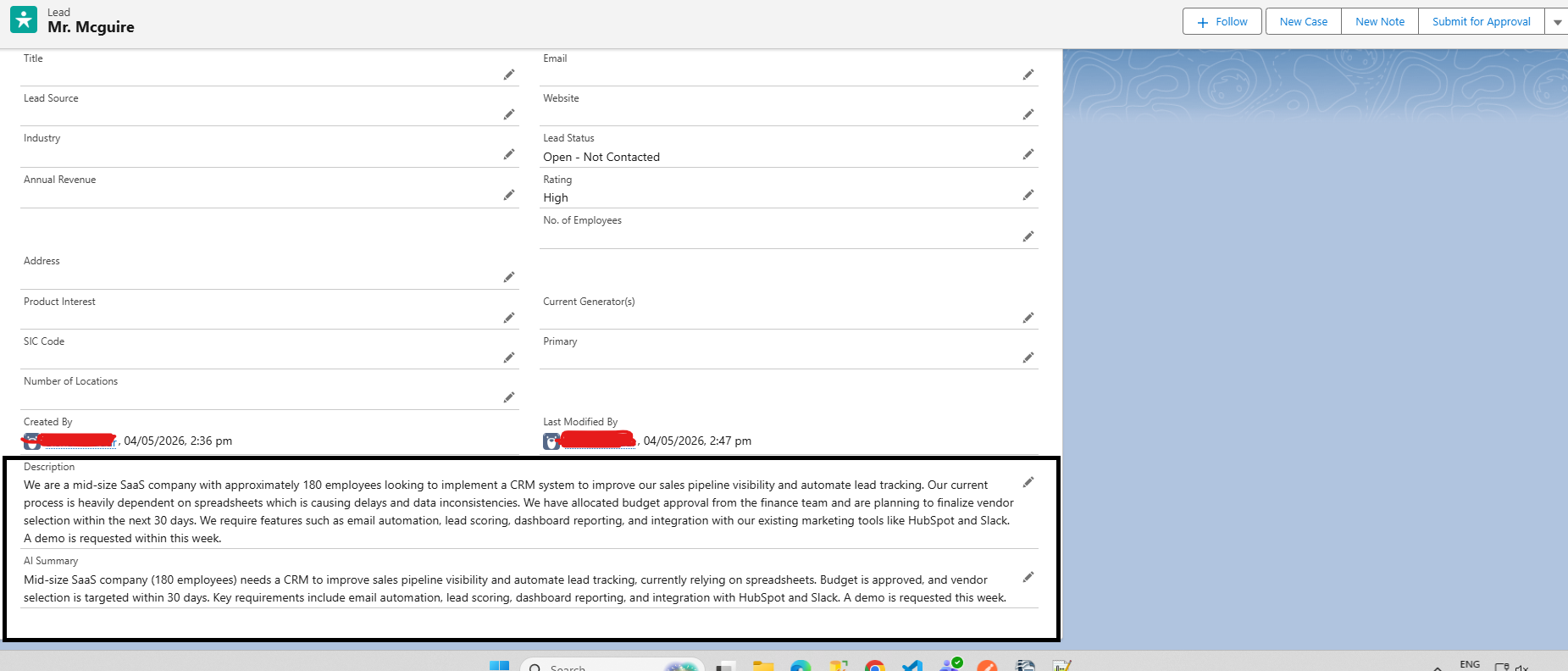
- Generates a clear summary
- Identifies business potential
- Updates Salesforce automatically
This helps sales teams focus only on high-value opportunities and improves productivity.
Step 1: Create a Custom Field to Store AI Response
Create a custom field:
AI_Summary__c on the Lead Object
This field will store the AI-generated summary or classification response.
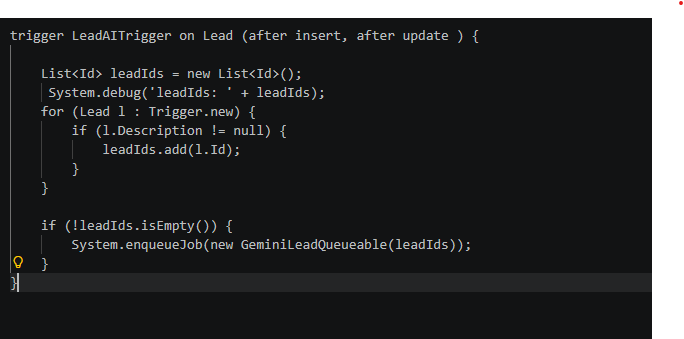
Step 2: Decide the Trigger Scenario
Choose when the AI processing should happen.
For example:
- On Lead Creation
- On Lead Update
This allows Salesforce to automatically process incoming Lead data in real time.
Secure API Configuration
Instead of hardcoding API keys inside Apex classes, store them securely using Custom Metadata Types.
Example:
AI_Config__mdt.getInstance(‘Gemini_API’).API_Key;
For API endpoints, use:
- Named Credentials
- Constants
This improves security and maintainability.
Below is the field updated by AI
Conclusion
Integrating Generative AI with Salesforce Apex transforms traditional CRM systems into intelligent automation platforms.
Instead of manually analyzing records, Salesforce can now:
- Understand customer intent
- Generate summaries automatically
- Prioritize leads and cases
- Improve business decision-making
By following best practices such as secure API key storage and asynchronous Apex design, developers can build scalable, production-ready AI solutions that enhance CRM efficiency and user productivity.
By following the above blog instructions, you will be able to learn “Using Generative AI in Salesforce Apex to Automate CRM Tasks“. If you still have queries or any related problems, don’t hesitate to contact us at salesforce@greytrix.com. More details about our integration product are available on our website and Salesforce AppExchange.
We hope you may find this blog resourceful and helpful. However, if you still have concerns and need more help, please contact us at salesforce@greytrix.com.