
In Salesforce, building scalable and flexible approval processes without relying on Apex triggers has always been a key requirement for administrators. With the introduction of Approval Orchestration using Auto-Launched Flows, Salesforce now provides a powerful, declarative way to automate approvals efficiently.
Approval Orchestration uses Auto-Launched Flows as its building blocks, where each stage in the orchestration calls a dedicated sub-flow that handles a specific approval step. This design ensures a clear separation of concerns, making each component:
- Independently testable
- Version-controlled
- Reusable across multiple orchestrations
For example, a manager approval sub-flow created today can be reused in a completely different orchestration in the future without any modification.
Step-by-Step Guide to Automating Approvals Using Auto-Launched Flow
Step 1: Open Approval App
- Click on the App Launcher
- Open the Approval App
Step 2: Create a Flow Approval Process
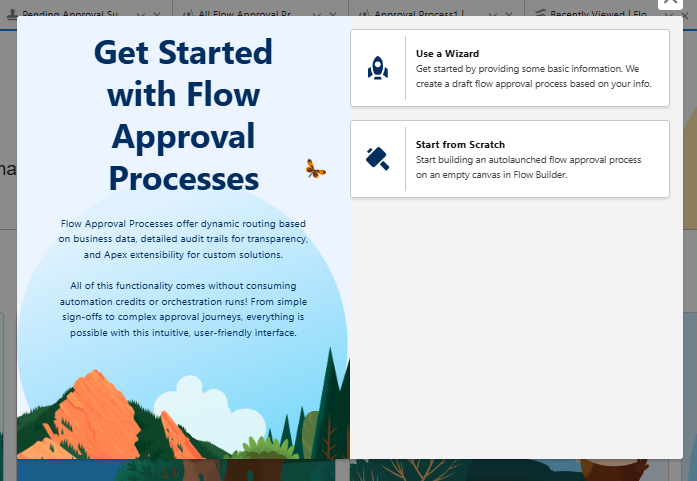
- Click on the “Create Flow Approval Process” button
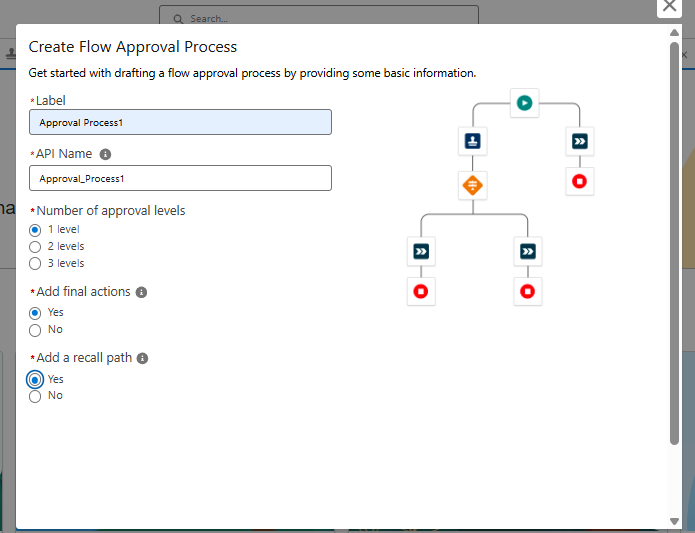
- Select one of the available options (for demo purposes, select the Wizard option)
- Enter the required details such as:
- Your name
- Number of approvals required
Step 3: Configure Flow Approval Process
By default, the system provides a base structure. You need to configure the Approval Step.
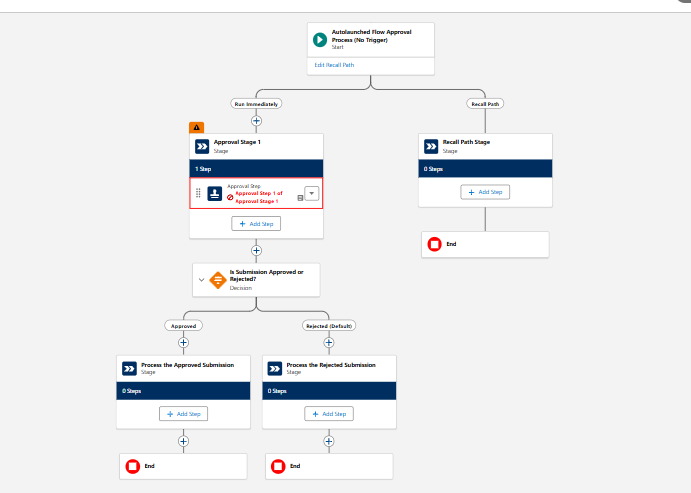
Configure Approval Step
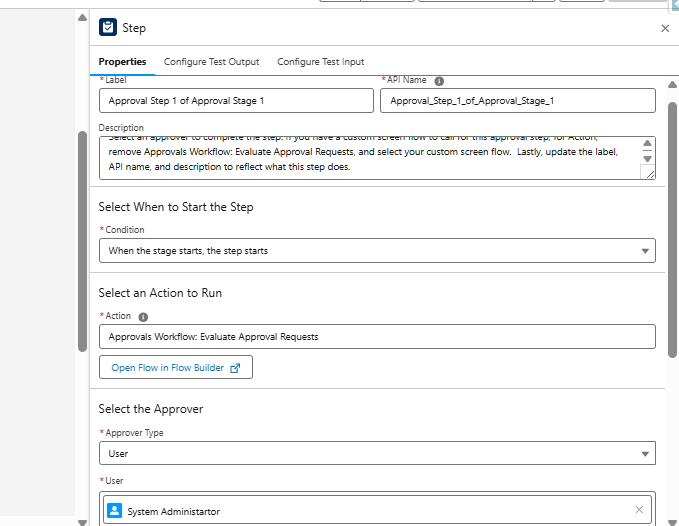
- Set the condition
- Select the action
- Select approver type and user
- Select the Record ID to approve
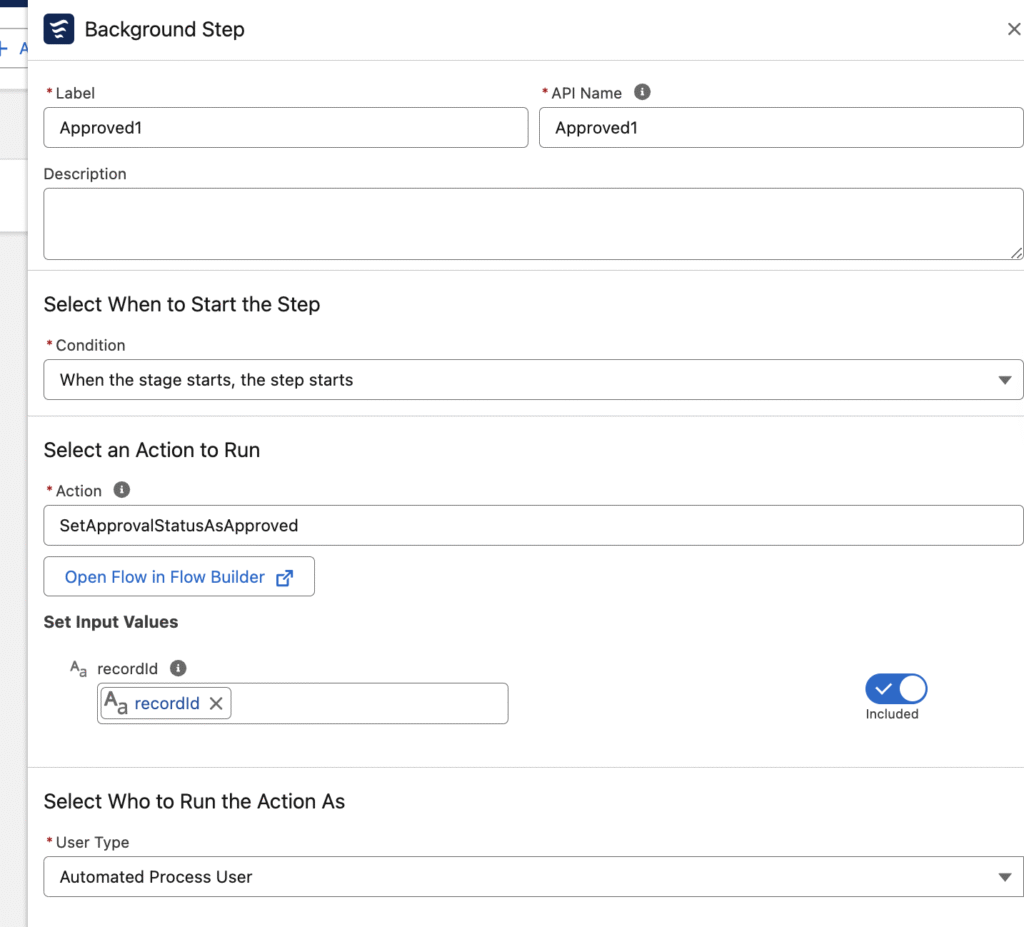
Step 4: Add Background Step and Activate Flow
- Add a background step
- Include an existing field update
- Activate your flow
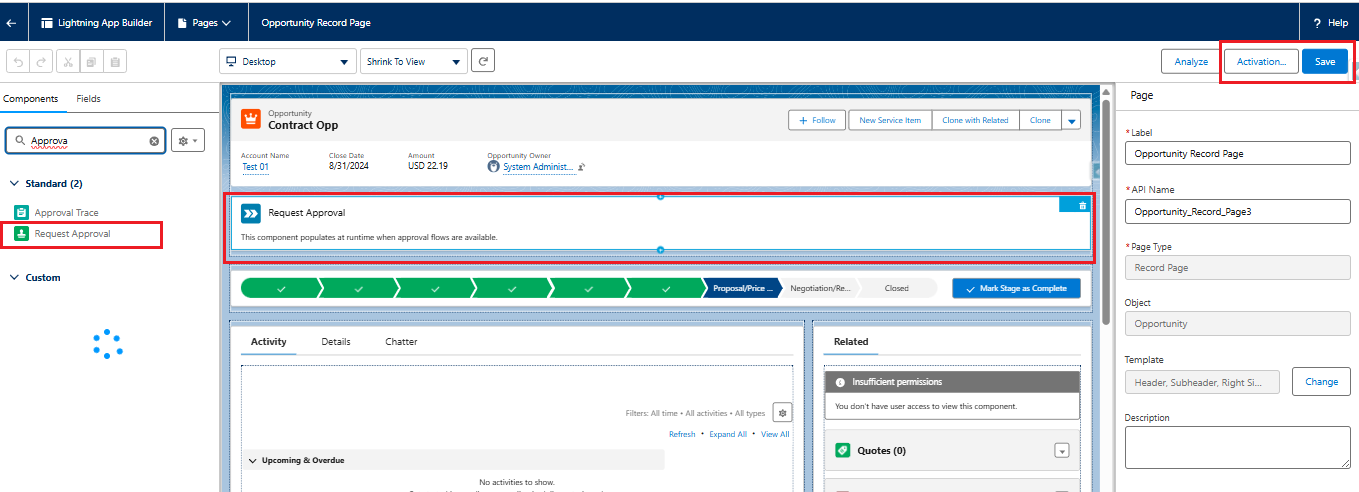
Step 5: Set the Approval Process Flow in Record Page
- Open the record page where you want to place the component
- Click on the Gear Icon → Edit Page
- Drag the Request Approval component to the desired location
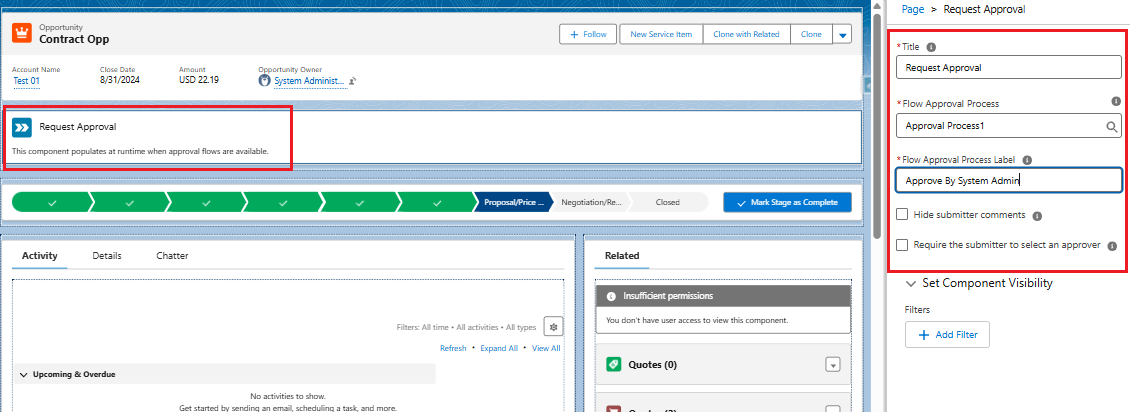
- The Request Approval panel will open
- (Optional) Update the Title to customize what users see
- Select the active auto-launched flow approval process
- Enter a Flow Approval Process Label
Step 6: Testing the Approval Workflow
- The component displays an Approval Request Comments field by default
- Click to Start the approval process
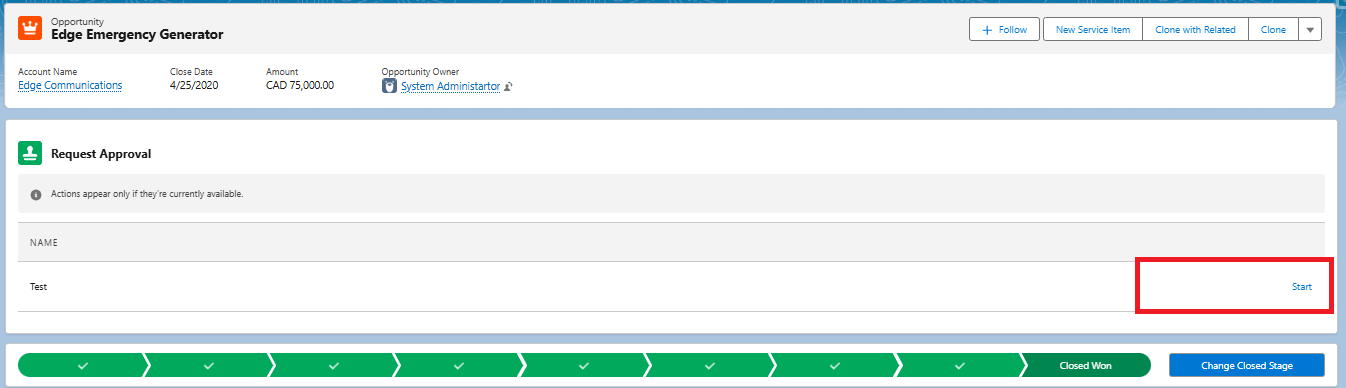
- Add comments for the approvers
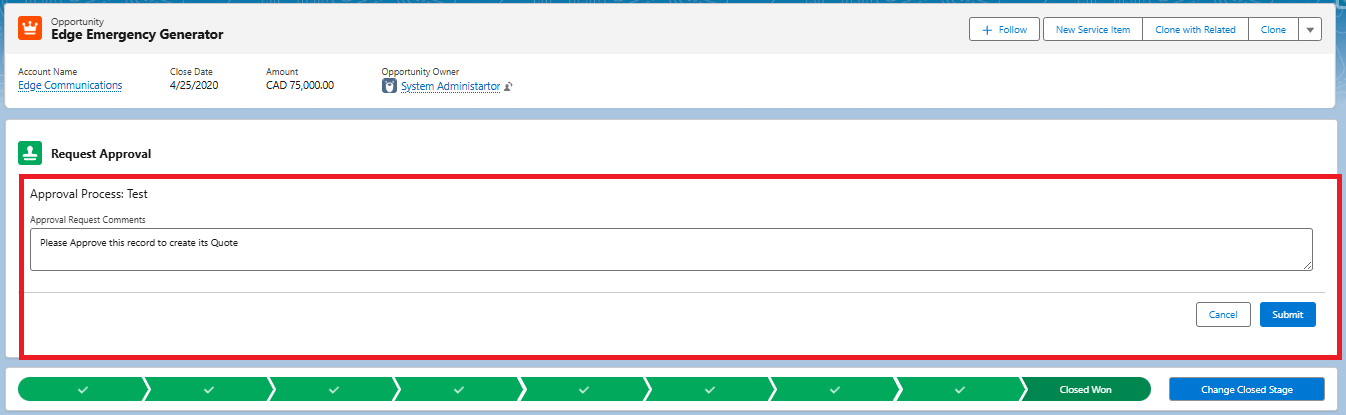
- Users can also recall the request if it has not yet been approved

Why Use Auto-Launched Approval Orchestration in Salesforce?
Flow Orchestration represents a significant advancement in Salesforce automation capabilities. With its declarative, stage-based interface, administrators can:
- Build scalable approval processes
- Configure parallel approvals
- Implement timed escalations
- Avoid writing Apex code
This makes it an ideal solution for organizations looking to simplify approval automation while maintaining flexibility and scalability.
Conclusion
Automating approvals using Auto-Launched Flow Orchestration in Salesforce provides a powerful and flexible way to manage approval processes without relying on triggers or Apex code. By breaking down the approval workflow into reusable sub-flows, organizations can build scalable and maintainable solutions that adapt to changing business requirements.
The step-by-step approach from creating the flow to configuring approval steps and deploying it on the record page ensures that administrators can implement approval automation with ease. Features such as approval comments, recall options, and configurable stages further enhance user experience and control.
Overall, Flow Orchestration enables organizations to streamline approval processes, improve efficiency, and maintain better governance all while leveraging Salesforce’s declarative capabilities.
By following the above blog instructions, you will be able to learn “Automating Approval Processes in Salesforce Using Auto-Launched Flow Orchestration (No Apex Required)”. If you still have queries or any related problems, don’t hesitate to contact us at salesforce@greytrix.com. More details about our integration product are available on our website and Salesforce AppExchange.
We hope you may find this blog resourceful and helpful. However, if you still have concerns and need more help, please contact us at salesforce@greytrix.com.
About Us
Greytrix – a globally recognized and one of the oldest Sage Development Partner and a Salesforce Product development partner offers a wide variety of integration products and services to the end users as well as to the Partners and Sage PSG across the globe. We offer Consultation, Configuration, Training and support services in out-of-the-box functionality as well as customizations to incorporate custom business rules and functionalities that require apex code incorporation into the Salesforce platform.
Greytrix has some unique solutions for Cloud CRM such as Salesforce Sage integration for Sage X3, Sage 100 and Sage 300 (Sage Accpac). We also offer best-in-class Cloud CRM Salesforce customization and development services along with services such as Salesforce Data Migration, Integrated App development, Custom App development and Technical Support business partners and end users. Salesforce Cloud CRM integration offered by Greytrix works with Lightning web components and supports standard opportunity workflow. Greytrix GUMU™ integration for Sage ERP – Salesforce is a 5-star rated app listed on Salesforce AppExchange.
The GUMU™ Cloud framework by Greytrix forms the backbone of cloud integrations that are managed in real-time for processing and execution of application programs at the click of a button.
For more information on our Salesforce products and services, contact us at salesforce@greytrix.com. We will be glad to assist you.
Related Posts
- One Click Approval in Salesforce: Automate Approval Processes Using Auto-Launched Flows
- Creating Dynamic Agreement Templates in Adobe Acrobat Sign for Salesforce with Screen Flows
- Effortlessly Customize Lightning Combo-box Labels in Salesforce LWC
- How to Create a Custom Button on Formstack for Salesforce Form
- How to Restrict System Administrator to Edit Read-Only Fields in Salesforce