
In 2026, Salesforce is strengthening platform security to better protect user accounts, sensitive business information, and company data. As cyber threats continue to evolve, Salesforce is introducing enhanced security measures to ensure safer access to CRM environments.
Security is no longer just an administrator concern – every Salesforce user plays an important role in keeping organizational data secure.
This guide explains the upcoming Salesforce security enhancements, including Multi-Factor Authentication (MFA), stronger login verification, phishing protection, and device-based security checks.
Why Salesforce Security Is Important
Protecting Salesforce accounts is critical because CRM systems often contain sensitive customer, financial, and operational data.
Key Reasons Security Matters
- Protects your account from hacking attempts
- Keeps company and customer data secure
- Prevents unauthorized system access
- Reduces risks from phishing and cyberattacks
- Improves compliance and data governance
Organizations using Salesforce should ensure that all users follow secure login practices and understand modern authentication requirements.
Key Salesforce Security Changes in 2026
1. Multi-Factor Authentication (MFA)
One of the most important Salesforce security upgrades in 2026 is the increased adoption of Multi-Factor Authentication (MFA).
With MFA enabled:
- Users must enter their password
- Users must also verify login using a mobile device or authentication app
- Password-only login will no longer be sufficient
This creates an additional security layer that helps prevent unauthorized access even if passwords are compromised.

2. Stronger Login Verification Checks
Salesforce will introduce smarter login verification mechanisms to identify suspicious activities and unusual access attempts.
Examples Include:
- Login attempts from new devices may require approval
- Unknown browser access may trigger additional verification
- Suspicious login activities may be blocked automatically
These checks help improve account protection without affecting normal user workflows.
3. Enhanced Phishing Protection
Cybercriminals often use fake login pages to steal usernames and passwords. Salesforce is improving phishing protection mechanisms to reduce these risks.
Security Improvements Include:
- Better detection of fake login pages
- Safer authentication methods
- Improved identity verification processes
Users should always access Salesforce using official login pages and avoid clicking suspicious login links.
4. Location and Device Verification
Salesforce will also enhance location-based and device-based authentication.
Examples:
- Login from a new location may require additional verification
- Access from an unrecognized device may trigger identity confirmation
- The system may request approval before granting access
This helps organizations detect unauthorized login attempts more effectively.
What Salesforce Users Should Do
To prepare for Salesforce security updates in 2026, users should follow these best practices:
- Set up MFA using a mobile authenticator app
- Keep your mobile device secure
- Never share OTPs or approval notifications
- Always use official Salesforce login pages
- Keep your email address and phone number updated
- Use strong and unique passwords
Proper security habits significantly reduce the risk of account compromise.
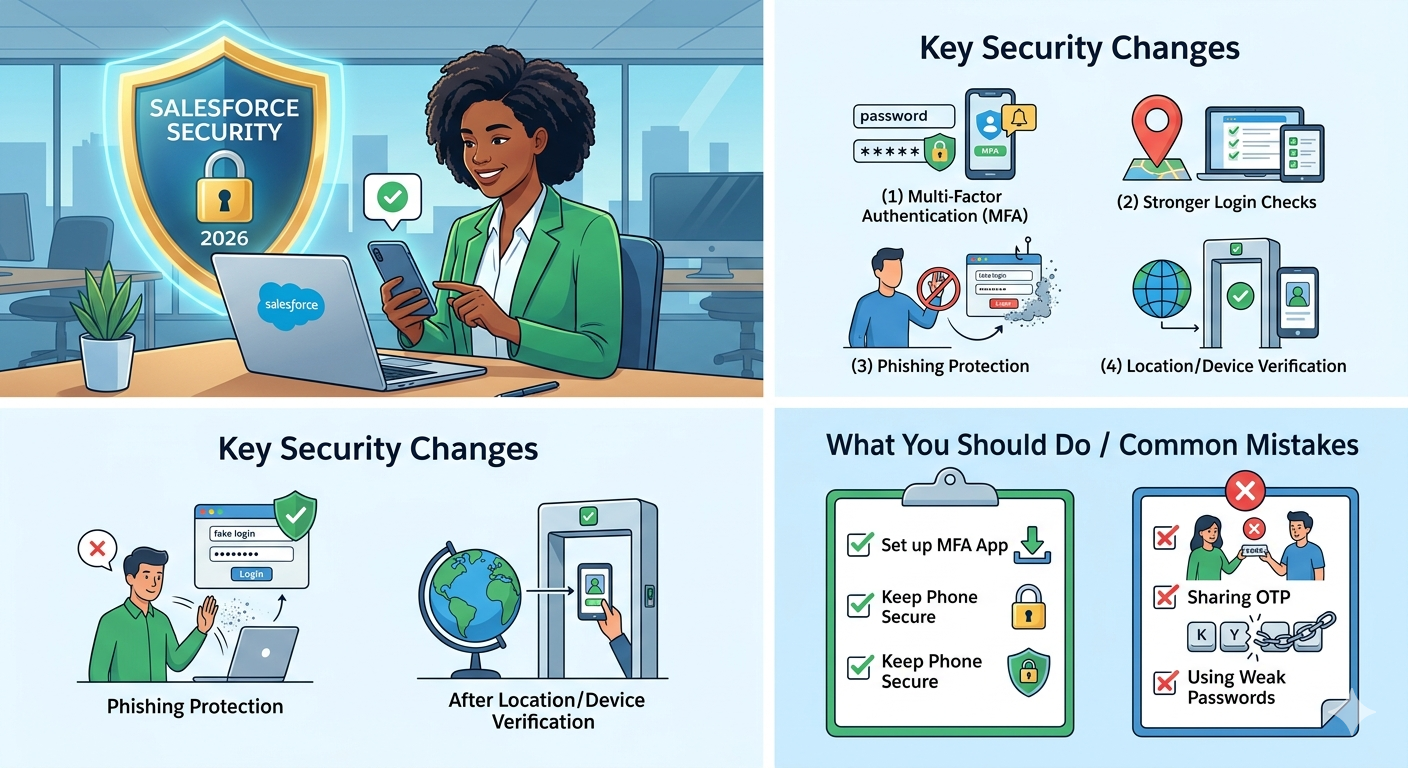
Common Security Mistakes to Avoid
Many security incidents happen because of simple mistakes that can easily be prevented.
Avoid These Common Issues
- Sharing OTPs or verification codes with others
- Ignoring Salesforce security alerts
- Using weak or reused passwords
- Delaying MFA setup completion
- Logging in through unofficial websites
Users should remain alert and follow standard cybersecurity practices while accessing Salesforce.
Simple Tip for Salesforce Users
Multi-Factor Authentication (MFA) acts like an extra security lock for your Salesforce account.
It takes only a few seconds during login but provides strong protection against unauthorized access.
Conclusion
The Salesforce Security Upgrade 2026 introduces stronger authentication and smarter security controls to help organizations better protect their CRM environments and sensitive business data.
Features such as Multi-Factor Authentication (MFA), enhanced login verification, phishing protection, and device-based authentication checks will improve account security while reducing the risk of unauthorized access. Although these updates add a few extra verification steps during login, they provide significantly stronger protection against modern cyber threats.
By enabling MFA, staying alert to suspicious activity, using secure login practices, and following Salesforce security recommendations, users can help maintain a safer and more secure Salesforce environment for their organization.
This will help keep your Salesforce account protected, secure, and compliant with modern security standards.
By following the above blog instructions, you will be able to learn “Salesforce MFA Security Upgrade 2026: Complete Multi-Factor Authentication Preparation Guide“. If you still have queries or any related problems, don’t hesitate to contact us at salesforce@greytrix.com. More details about our integration product are available on our website and Salesforce AppExchange.
We hope you may find this blog resourceful and helpful. However, if you still have concerns and need more help, please contact us at salesforce@greytrix.com.
About Us
Greytrix – a globally recognized and one of the oldest Sage Development Partner and a Salesforce Product development partner offers a wide variety of integration products and services to the end users as well as to the Partners and Sage PSG across the globe. We offer Consultation, Configuration, Training and support services in out-of-the-box functionality as well as customizations to incorporate custom business rules and functionalities that require apex code incorporation into the Salesforce platform.
Greytrix has some unique solutions for Cloud CRM such as Salesforce Sage integration for Sage X3, Sage 100 and Sage 300 (Sage Accpac). We also offer best-in-class Cloud CRM Salesforce customization and development services along with services such as Salesforce Data Migration, Integrated App development, Custom App development and Technical Support business partners and end users. Salesforce Cloud CRM integration offered by Greytrix works with Lightning web components and supports standard opportunity workflow. Greytrix GUMU™ integration for Sage ERP – Salesforce is a 5-star rated app listed on Salesforce AppExchange.
The GUMU™ Cloud framework by Greytrix forms the backbone of cloud integrations that are managed in real-time for processing and execution of application programs at the click of a button.
For more information on our Salesforce products and services, contact us at salesforce@greytrix.com. We will be glad to assist you.
Related Posts