
AI is no longer a future conversation — it’s already part of how businesses run today, and artificial intelligence in business is reshaping how companies access their own data.
According to Statista, 89% of organizations worldwide now use AI in at least one business function, up from 88% the year before. ERP software is part of that shift, and natural language is becoming a new way to work with Sage 100 ERP and similar systems — changing how teams access Finance, Inventory, and Sales data.
In this blog, we explore what AI-powered ERP means, and how GUMU™ Copilot brings that shift to Sage 100.
What ERP Conversational AI Truly Means
AI for ERP gives you a new way to work with your system — ask a direct question, and get a response built from your own live data: your actual inventory counts, your actual orders, your actual financials, unlike a generic chatbot response.
ERP systems have always held accurate, real-time records. What took time was the process around reaching them — knowing which module to open, which ERP reporting process to run, and waiting for it to generate.
For ERPs like Sage 100, conversational AI works alongside the system you already know. Finance, Inventory, and Sales still work the same way, with the same structure and records. What changes is how you reach that data — through a simple question, rather than a longer process.
What Is GUMU™ Copilot for Sage 100
GUMU™ Copilot is a conversational AI-powered ERP layer for Sage 100 that delivers insights using natural language.
It connects directly to your Sage 100 ERP system, drawing on live data to respond to your questions related to stock trends, order patterns, revenue by customer, and many more. Every response you receive is grounded in Sage 100 data.
Here’s what that looks like in practice, compared to how Sage 100 works today:
Traditional Sage 100 vs. Sage 100 with GUMU™ Copilot
| Aspect | Traditional Sage 100 | Sage 100 with GUMU™ Copilot |
| Data Access | Scattered across modules, needs multiple steps | Instant answers in plain language |
| Sage 100 Reporting | Manual process, time-consuming | Automated, real-time |
| User Experience | Requires familiarity with modules | Simple, conversational |
| Decision-Making | Based on past, static reports | Based on live, current data |
Core Capabilities of GUMU™ Copilot for Sage 100
Conversational Queries
Accepts questions typed or spoken in plain, everyday language — for example, “Show top 5 customers by revenue” — rather than requiring technical query syntax or predefined report filters. The system interprets the request, identifies the relevant Sage 100 data, and returns a direct response built from that data.
Automated Reporting
Generates financial, sales, and inventory reports directly from Sage 100 data on request, without the manual steps of building, exporting, and formatting a Sage 100 reporting process separately. A request like “Show AP aging by vendor” returns the report itself, not a set of instructions for creating one.
Prebuilt + Custom Prompts
Comes with a library of ready-made prompts built around common Sage 100 tasks — covering Finance, Inventory, and Sales — so teams can start asking questions immediately. These can also be tailored into custom prompts that match how a specific team phrases its own recurring questions.
Data-Driven Responses
Every response is generated from current Sage 100 records at the time of the question, not from a cached snapshot, an external source, or an estimate. This is AI business intelligence built directly into how you already work — not a separate business intelligence software to learn and maintain. If the underlying Sage 100 data changes, the next response reflects that change.
Benefits of GUMU™ Copilot for Sage 100
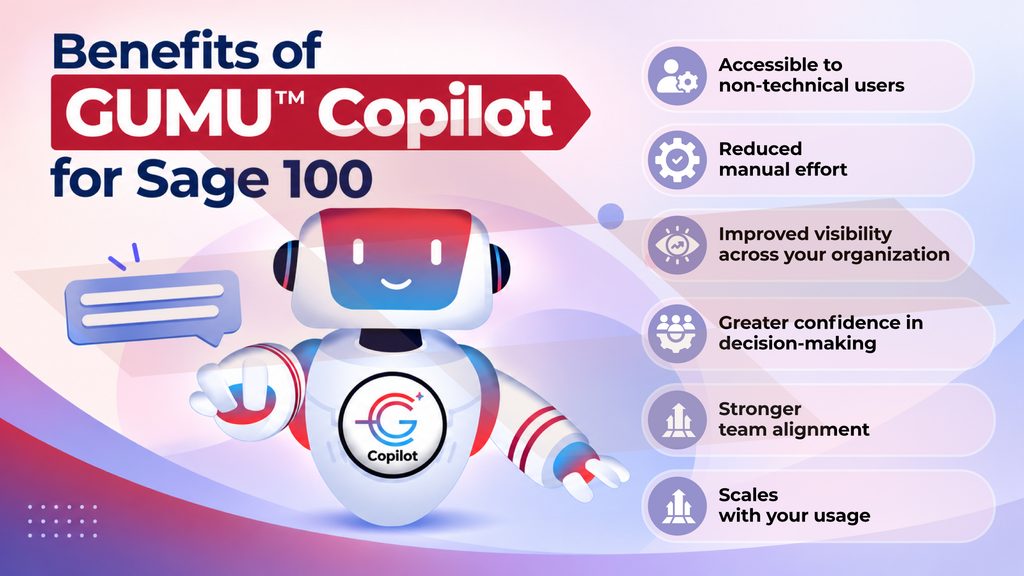
Accessible to non-technical users: Team members can retrieve Sage 100 data through plain-language questions, without needing to know which module holds the information.
Reduced manual effort: Data comes back structured and ready to use, cutting out the separate step of preparing a report for routine requests.
Improved visibility across your organization: Every response draws from the same live Sage 100 data, so your Finance, Inventory, and Sales teams see consistent numbers regardless of who’s asking or when. This is Sage 100 AI working the way artificial intelligence in business is meant to — grounded in your own records, not a generic model.
Greater confidence in decision-making: Every response GUMU™ Copilot generates is grounded in your current Sage 100 records, not an estimate or a cached export. This consistency helps you spot trends earlier, catch discrepancies sooner, and make decisions with fewer second-guesses.
Stronger team alignment: A single, consistent way of accessing data reduces the discrepancies that come from departments pulling separate reports.
Scales with your usage: As more users, questions, and data get added to your ERP software over time, the way your team accesses that information stays just as simple.
Addressing Data Security Concerns
Bringing AI for ERP into a system naturally raises a few questions — who can see what, where the data actually goes when you ask something, and whether it holds up to your organization’s compliance standards.
Role-Based Access & Masking
GUMU™ Copilot works with the same user permissions already set up in Sage 100, rather than introducing a separate access system to configure. If someone in Sales asks a question, they see Sales-related data — not Finance records they wouldn’t normally have access to. The access rules already in place carry over automatically, with no extra setup required.
RAG-Powered Accuracy
Pulls information directly from your Sage 100 records to generate each response, not from external sources or general knowledge. What you get back reflects what’s actually in your system.
Compliance-First Framework
Every interaction stays audit-ready and aligned with your organization’s existing policies, so nothing about how compliance is managed needs to change.
Getting Started with GUMU™ Copilot for Sage 100
For years, working with an ERP has meant going to it — opening it, searching through it, and stepping away once you’ve found what you needed. That’s starting to change. Increasingly, the system responds to you, instead of you having to go find what it holds.
GUMU™ Copilot for Sage 100 is part of that shift — a clear example of how AI-powered ERP is reshaping Sage 100 ERP for everyday use. It sits alongside Sage 100, ready to respond the moment a question comes up, rather than waiting for someone to come looking for an answer. As more businesses explore AI for ERP, this kind of conversational layer is quickly becoming a core part of modern ERP software.
If it sounds like something worth exploring for your own Sage 100 setup, feel free to reach out to our experts.
FAQs
1. Can I use GUMU™ Copilot with my existing Sage 100 setup?
Yes. It works alongside your current Sage 100 ERP structure, records, and permissions, without requiring any reconfiguration.
2. Can I customize the prompts GUMU™ Copilot uses?
Yes. Alongside the prebuilt prompt library, you can configure custom prompts tailored to how your team phrases its own recurring questions.
3. Is my Sage 100 data sent to an external AI model?
No. Every response is generated using Retrieval-Augmented Generation (RAG), which pulls directly from your Sage 100 records rather than sending data outside your system.
4. Will GUMU™ Copilot show me data I don’t already have access to in Sage 100?
No. Access follows the same Role-Based Access & Masking permissions already configured in Sage 100.
5. How much does GUMU™ Copilot for Sage 100 cost?
Pricing depends on your specific Sage 100 setup and usage needs. Reach out to our team for details tailored to your organization.
6. Can I export this information to a file, list, or report?
Yes. Responses from GUMU™ Copilot can be exported, giving you a usable file or report alongside the conversational answer — useful whenever you need to share Sage 100 reporting output with others.
7. Can GUMU™ Copilot identify sales opportunities based on a customer’s purchase history?
Yes. GUMU™ Copilot can surface patterns in a customer’s sales history — like repeat purchases or likely reorders — and turn them into actionable insights you can act on directly
About Us
Stay ahead of the curve with our latest insights, trends, and expert perspectives that decode technology’s role in shaping modern enterprises. From emerging market shifts to hands-on implementation strategies, Tech Talk brings you practical knowledge designed to help you make smarter, faster, and future-ready business decisions.
From consultation to implementation, migration, and custom development, we help organizations transform complex business processes into connected, data-driven workflows enabling smarter decisions, better collaboration, and sustainable growth.
At Greytrix, we blend human expertise with intelligent technology so your business can move faster, adapt quicker, and stay future-ready.
Ready to modernize your business stack? Talk to our experts today.