
The Acumatica mobile app has a built-in option to view Generic Inquiries. As long as the GI is added to the site map, it shows up in the mobile app automatically. But the GI on mobile behaves like a simple report – you can see the data, but you can’t take any action from it.
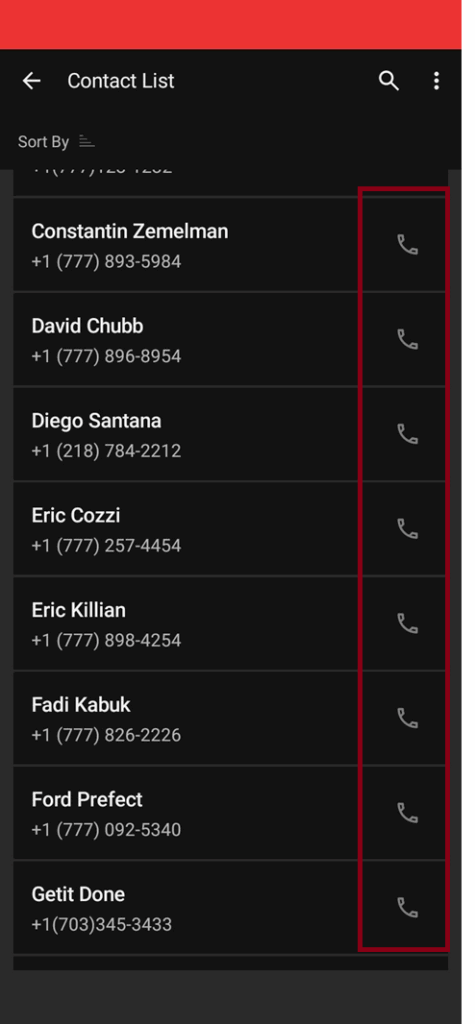
Once I added a small customization on the mobile side, the phone number in the GI turned into a tap-to-call link.
Open the Customization Screen (SM204505).
Create a new customization project, give it a name, and publish it.
publish the project.
Step 2:
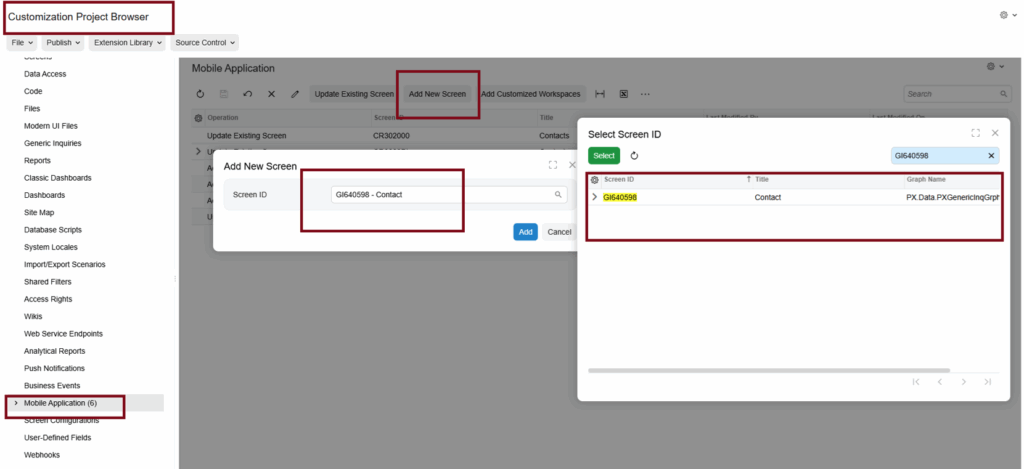
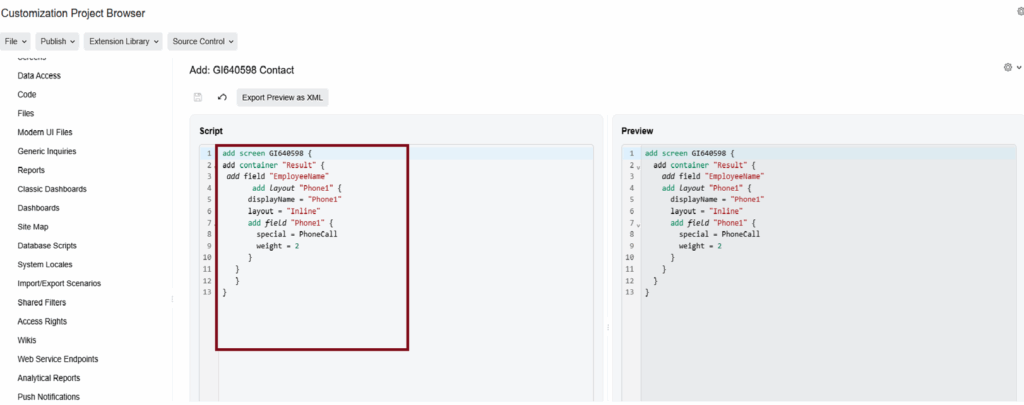
Open the customization project. Go to Mobile Application, click Add New Screen, and paste the required code for the call action. Publish the project once more.
After publishing, the GI on the mobile app will show a call option for the phone number.
Result:
Conclusion:
This small customization makes it easier for users to call contacts directly from Acumatica mobile, without switching apps.