In our previous blog, we have explained that, how to Open Popup screen using JavaScript.
In this blog, we will explain you how to Open Popup screen using Client side API. In Sage CRM some customer needs the functionality wherein they want some information to be shown on Popup window instead of displaying on same page.
With help of Sage CRM 7.2 client side API, we can open the Popup window in Sage CRM.
New Stuff: Displaying Organizational hierarchy in Sage CRM
Refer below code snippet to open the Popup window on button click.
You can add this code Custom Content Box of the Entry screen.
[code language=”javascript”]
<script>
crm.ready(function () {
var buttonimage = ‘..\\Themes/img/color/buttons/about.gif’;
var stringURL = crm.url(“test.asp”)+”&PopupWin=Y”;
var buttonaction = {
‘href’: ‘#’,
‘index’: 2,
click: function () { window.open(stringURL, ‘newwindow’, ‘toolbar=0 , scrollbars=0, location=0, statusbar=0, menubar=0 , resizable=0, width=800, height=400, left = 340, top = 200’); }
};
crm.addButton(buttonimage, ‘LPDataSourceTypes’, Display Company Record, buttonaction);
})
</script>
[/code]
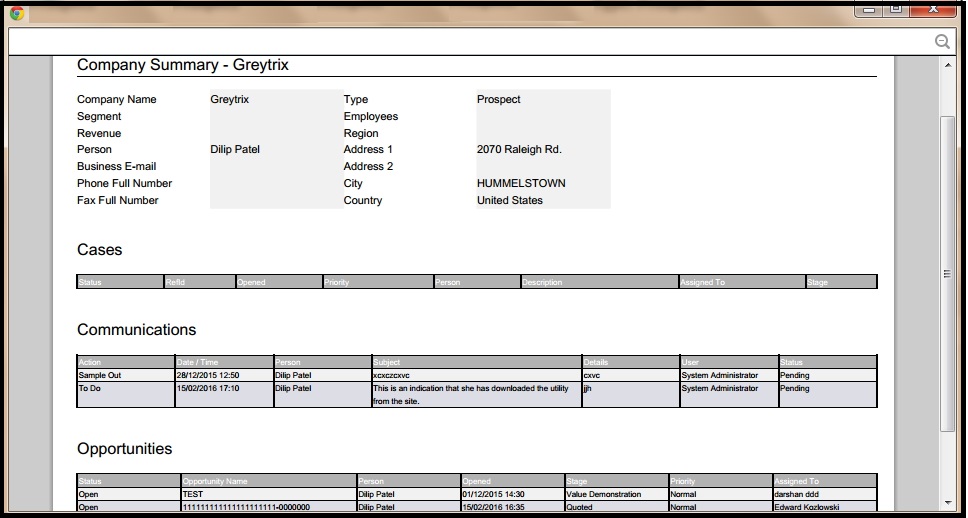
Refer below scenario, we have added button on the Company Summary screen. Now, we need to open the Popup window on the button click.
Add above code in the CompanyBoxLong Screen in Custom Content and Save the changes.
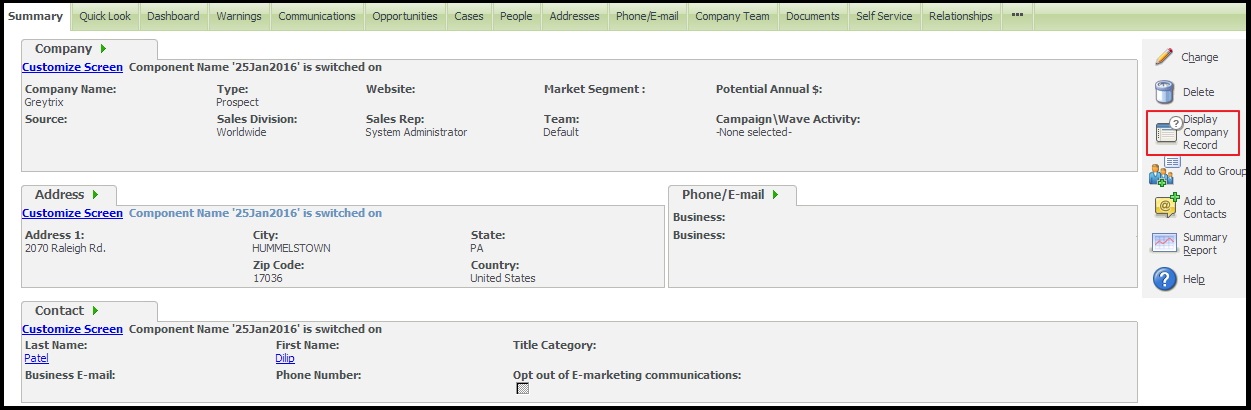
Add above code in the CompanyBoxLong Screen in Custom Content and Save the changes.
About Us
Greytrix is one stop solution provider for Sage ERP and Sage CRM needs. We provide complete end-to-end assistance for your technical consultations, product customizations, data migration, system integrations, third party add-on development and implementation expertise.
Greytrix has some unique integration solutions for Sage CRM with Sage ERP’s (Sage X3, Sage 100, Sage 500 and Sage 300). It also offers best-in-class Sage ERP customization and development services to Business Partners, End Users and Sage PSG worldwide. Greytrix helps in migrating to Sage CRM from ACT, Goldmine and other CRM’s.
For more information on our integration solutions, please contact us at sage@greytrix.com. We will be glad to assist you.
Also Read:
1) Displaying a Popup window in Sage CRM 7.2 without Menu button and Top Content section
2) Javascript popup window
3) Popup Window In Sage CRM Using .Net API
4) “Popping” out of the Box
5) Referring Parent window objects from child windows in JavaScript.
