Tag Archives: lightning combo-box

Parent-to-Child Communication in LWC – A Complete Guide (Part 2)

In Lightning Web Components (LWC), components often need to exchange data or trigger actions within the component hierarchy. While child-to-parent communication depends on Custom Events, parent-to-child communication is far more straightforward. It enables the parent component to pass data, control behavior, or invoke methods directly inside the child component. This interaction is essential when the… Read More »

Child-to-Parent Communication in LWC – A Complete Guide (Part 1)

In Lightning Web Components (LWC), components often need to communicate with each other. While parent-to-child communication is straightforward, child-to-parent communication works through Custom Events. This approach is essential when a child component needs to send data or trigger logic in the parent. What is Child-to-Parent Communication? It allows a child LWC to: ● Send data… Read More »

Effortlessly Customize Lightning Combo-box Labels in Salesforce LWC

The Lightning Combo-box is a widely used standard component in Salesforce LWC that provides a clean and user-friendly dropdown interface. However, there might be scenarios where you need to customize the appearance of its label to align perfectly with your UI design requirements. Why Customize Lightning Combo-box Label? In this blog, we’ll walk through the… Read More »

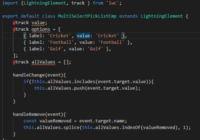
How to Create Multi-Select Pick-list Field Using Lightning Web Component

This blog will help you learn about creating Multi-Select pick-list field using Lightning Web Component thus allowing users to select multiple pick-list values in any standard Salesforce object field. To implement Multi-Select pick-list we need a very basic UI with two standard lightning web component: To start with, we will use lightning-combo box to show… Read More »