
One small but very practical update in Sage Intacct R1 2026 is around Accounts Payable advances. Earlier, if your company was structured with multiple entities, you had to go inside each individual entity to create and post an AP advance. It wasn’t complicated — but it was definitely repetitive and time-consuming.
Now, you can create and post AP advances directly from the top level.
And honestly, for multi-entity companies, this is a relief.
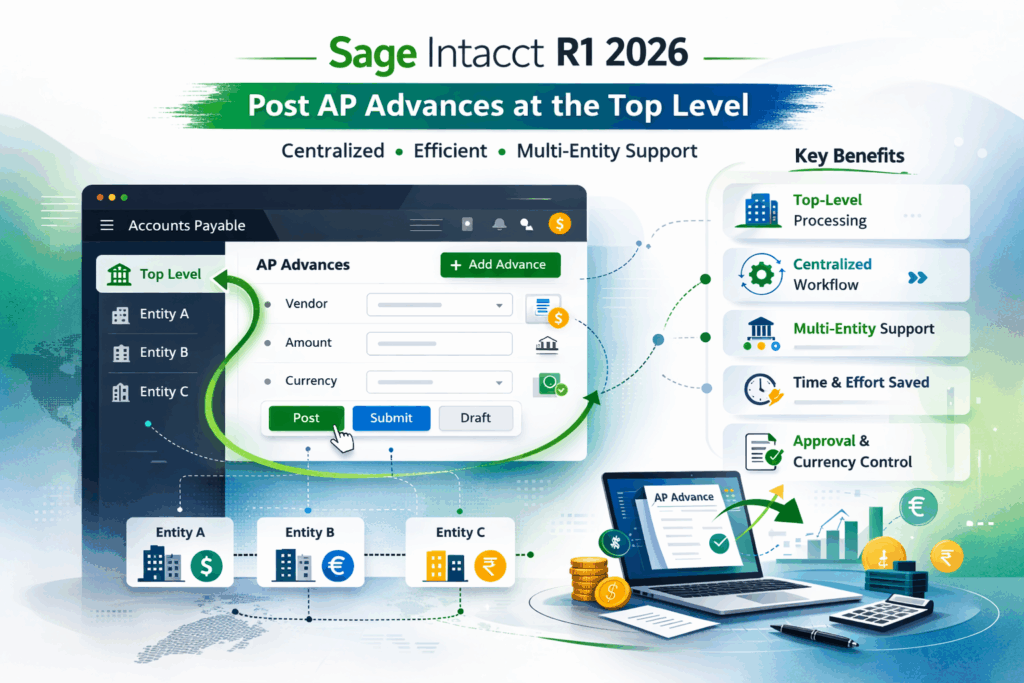
Let’s take a simple example.
Imagine a company with:
5 entities – 3 different base currencies – A centralized finance team handling vendor payment
Previously, if the team needed to give an advance payment to a vendor under Entity A, they had to:
Switch to Entity A -> Create the advance -> Post or submit it -> Then switch again if they needed to process something for another entity.
It doesn’t sound like much, but when you’re doing this daily, it adds friction.
With R1 2026, the finance team can now stay at the top level and create the advance centrally. No constant switching. No unnecessary navigation.
It simply makes the process smoother.
Here’s what this improvement really gives you:
You can process AP advances at the top level, even in multi-base currency setups.
Finance teams can work more centrally instead of jumping between entities.
It brings Accounts Payable closer in behaviour to Accounts Receivable, which already had similar flexibility.
Overall, it reduces the small operational inefficiencies that add up over time.
It’s not a flashy feature — but it’s practical. And practical updates are often the most valuable.
Of course, there are some conditions:
If you’re saving the advance as a draft, you still need to select a currency.
Companies using cash-basis accounting cannot use top-level AP advances.
For cross-currency advances, the transaction currency must match the bank currency.
So, while it’s more flexible, standard currency controls are still in place.
The process itself is simple:
Go to: Accounts Payable -> All -> Payments -> Click Add next to Advances
From there, you enter the details and choose:
- Post – if approvals are not required
- Submit – if your company uses payment approvals
- Draft – if you want to save it for later
What you see depends on your payment method and approval configuration.
This update may not look major in release notes, but for companies with multiple entities, it removes a small daily inconvenience that finance teams constantly deal with.
- Less entity switching.
- More centralized control.
- Cleaner workflow.
Sometimes, that’s exactly the kind of improvement teams need.
About Us
Greytrix has a wide product range for Sage Intacct- a Cloud ERP. This includes migrations from QuickBooks | Sage 50 | Sage 100 | Sage 300 to Sage Intacct. Our unique GUMU™ integrations include Sage Intacct for Sage CRM | Salesforce | FTP/SFTP | Rev.io | Checkbook | Dynamics 365 CRM | Magento | Rent Manager | Treez | Avalara Avatax | Blackline SFTP. We also offer best-in-class Sage Intacct Development Services, Consulting services, integrated apps like POS | WMS | Payroll | Shipping System | Business Intelligence | eCommerce for Sage Intacct to Sage business partners, resellers, and Sage PSG worldwide. Greytrix constantly develops apps, products, and add-ons to enhance user experience. Sage Intacct add-ons include AR Lockbox File Processing.
Greytrix GUMU™ integration for Sage CRM – Sage Intacct, Sales Commission App for Sage Intacct, and Checkbook.io ACH/Digital Check Payments for Sage powered by GUMU™ are listed on Sage Intacct Marketplace.
The GUMU™ Cloud framework by Greytrix forms the backbone of cloud integrations that are managed in real-time for the processing and execution of application programs at the click of a button.
For more information on Sage Business Cloud Services, please contact us at sagecloud@greytrix.com. We will like to hear from you.