
Managing product information is an ongoing activity for businesses that maintain large product catalogs in Sage CRM. Whether it involves updating product details or refreshing product images, performing these tasks individually can consume significant time and effort.
One of our clients approached with a requirement to simplify product maintenance within Sage CRM. The client wanted an easy-to-use solution that would allow administrators to update multiple product records and product images without manually opening and modifying each product.
To address this requirement, we introduced two dedicated buttons under the Sage CRM Administration area:
- Bulk Product Update
- Bulk Product Image Update
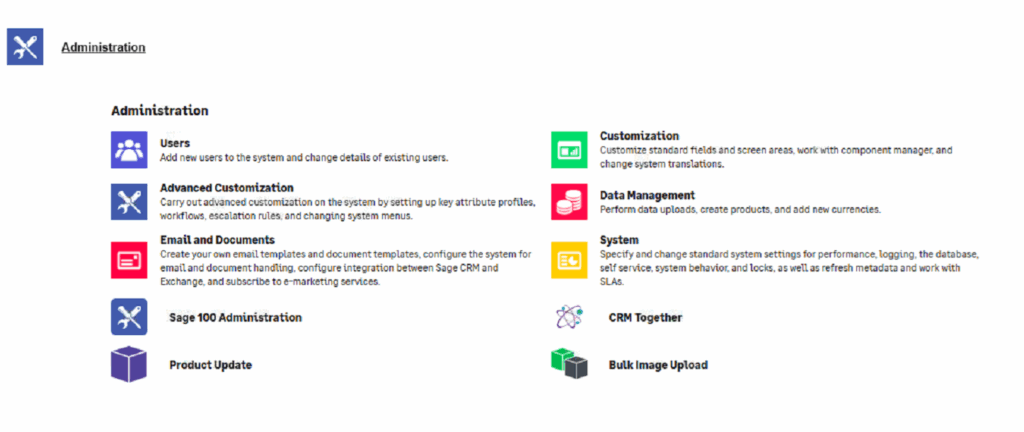
These buttons provide administrators with a centralized way to perform mass product updates directly from Sage CRM.
Bulk Product Update Button
The Bulk Product Update button allows administrators to update multiple product records in a single process. Instead of making changes one product at a time, users can maintain product information through a predefined file and execute the update using the button available under Administration.
This helps organizations manage large product catalogs more efficiently while ensuring consistency across product records.
Bulk Product Image Update Button
The Bulk Product Image Update button enables administrators to upload and update images for multiple products at once. Product images are automatically associated with their respective products, eliminating the need to manually upload images on individual product records.
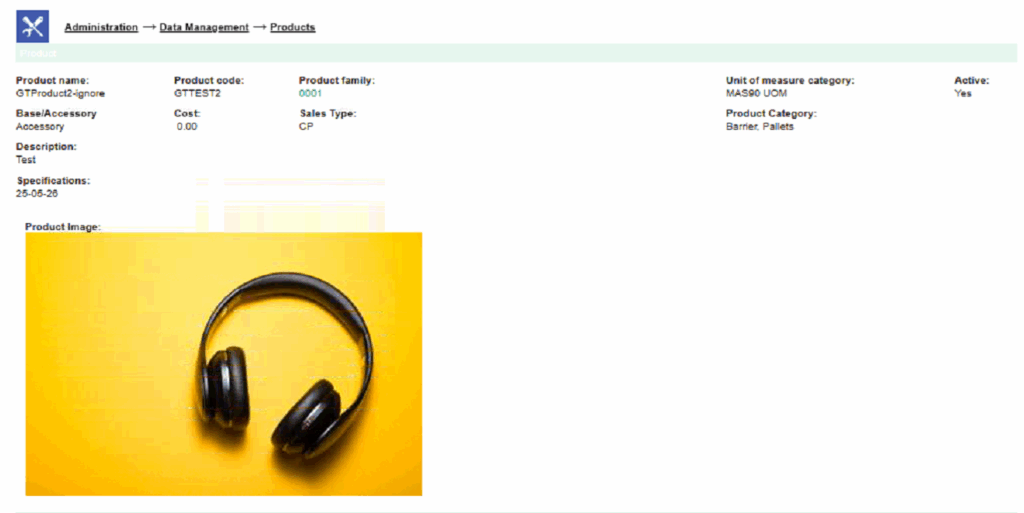
The feature also allows existing product images to be updated whenever new images become available.
Logging and Monitoring
To provide greater visibility into the update process, both buttons generate detailed logs during execution. These logs help administrators review processed records, identify any skipped or failed updates, and troubleshoot issues when required.
Having a detailed audit trail ensures transparency and makes ongoing product maintenance easier to manage.
Key Benefits
Faster Product Maintenance
Administrators can update large numbers of products and product images through dedicated buttons within Sage CRM.
Reduced Manual Effort
The need to open and modify individual product records is significantly reduced.
Improved Data Consistency
Bulk updates help maintain accurate and standardized product information throughout the system.
Better Product Presentation
Updated product images ensure that users always have access to the latest product visuals.
User-Friendly Administration
By providing dedicated buttons under Administration, product maintenance becomes simple and accessible for CRM administrators.
Conclusion
The Bulk Product Update and Bulk Product Image Update buttons provide an efficient approach to managing product data in Sage CRM. By enabling administrators to perform mass updates through a centralized interface, these enhancements reduce administrative effort, improve productivity, and help organizations maintain an accurate and up-to-date product catalog.