


As you know Out Of the Box GL Listing Report displays information like Credit, Debit, Net changes and Balances with Batch Entry Details grouped under Accounts in the selected range. Recently we received a requirement where they wanted to view this information at Account Level.
What we did is we parameterized the report to display information at Summary and Detail level.
Just to keep the cost low we did not include this filter or Option on the report UI, but can be done (provided we are paid for the effortsJ).
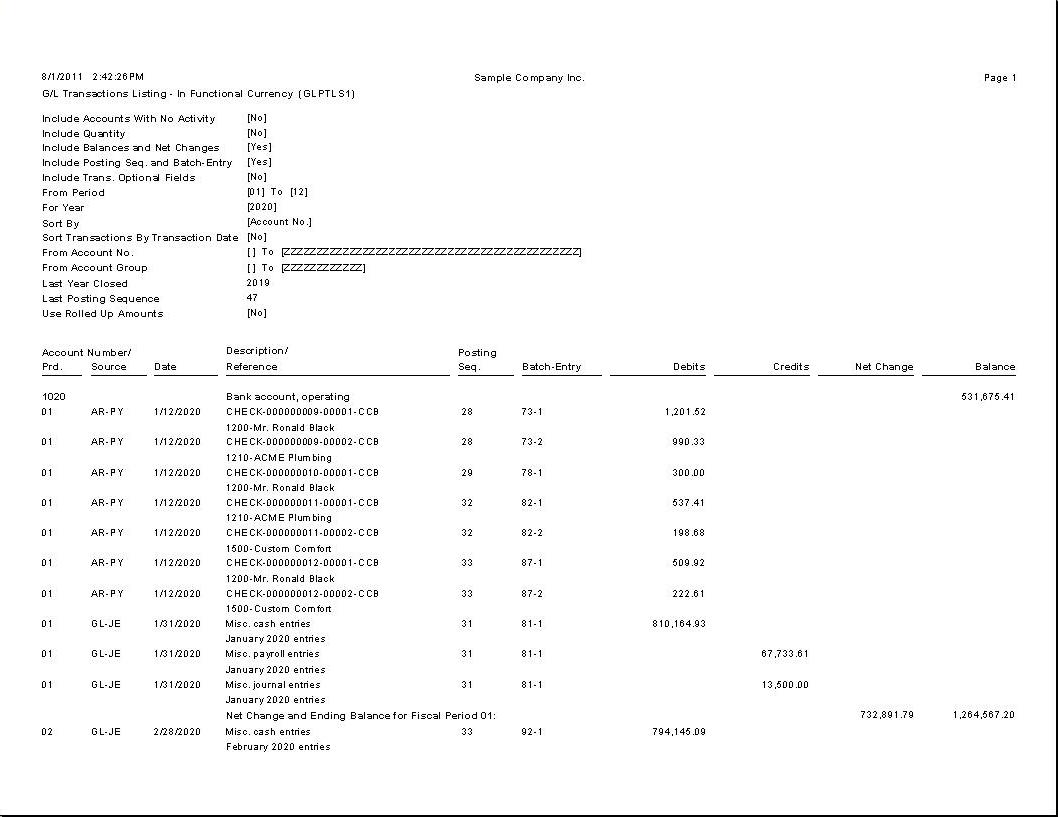
Out of the box Detail Report
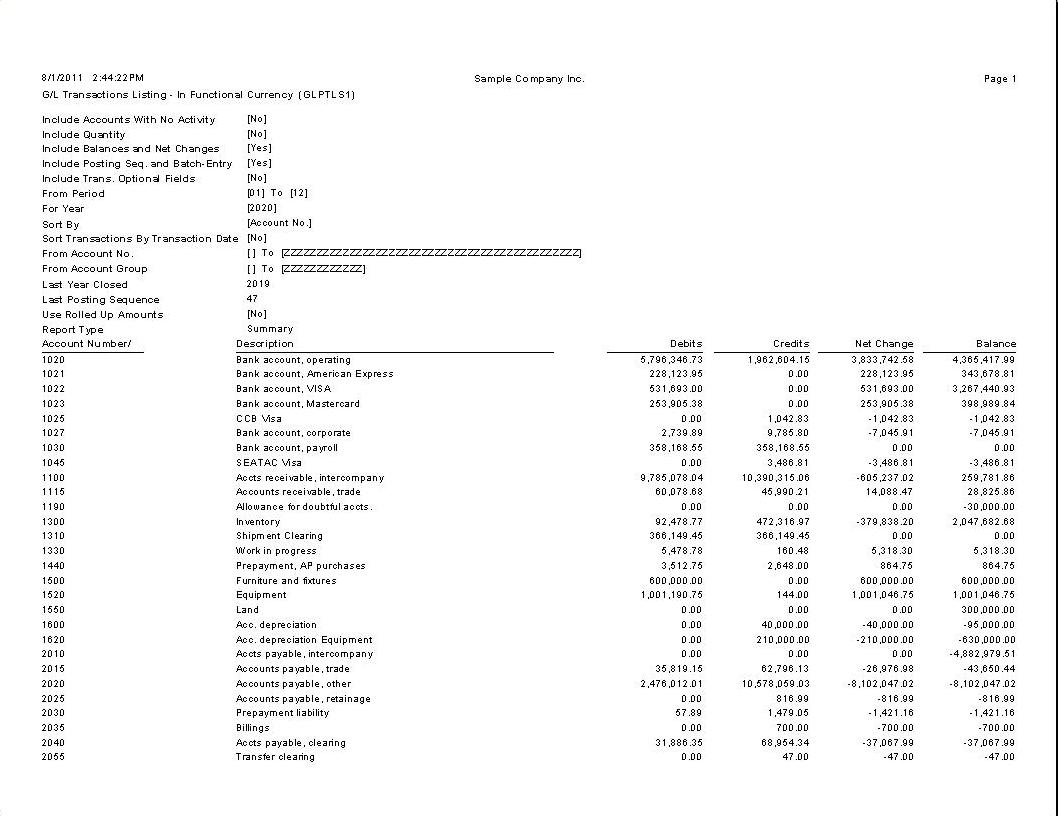
Summary Report
About Us
Greytrix a globally recognized Premier Sage Gold Development Partner is a one stop solution provider for Sage ERP and Sage CRM needs. Being recognized and rewarded for multi-man years of experience, we bring complete end-to-end assistance for your technical consultations, product customizations, data migration, system integrations, third party add-on development and implementation expertise.
Greytrix offers unique GUMU™ integrated solutions of Sage 300 with Sage CRM, Salesforce.com and Magento eCommerce along with Sage 300 Migration from Sage 50 US, Sage 50 CA, Sage PRO, QuickBooks, Sage Business Vision and Sage Business Works. We also offer best-in-class Sage 300 customization and development services and integration service for applications such as POS | WMS | Payroll | Shipping System | Business Intelligence | eCommerce for Sage 300 ERP and in Sage 300c development services we offer services such as upgrades of older codes and screens to new web screens, newer integrations using sdata and web services to Sage business partners, end users and Sage PSG worldwide. Greytrix offers over 20+ Sage 300 productivity enhancing utilities that we can help you with such as GreyMatrix, Document Attachment, Document Numbering, Auto-Bank Reconciliation, Purchase Approval System, Three way PO matching, Bill of Lading and VAT for Middle East.
For more details on Sage 300 and 300c Services, please contact us at accpac@greytrix.com. We will be glad to assist you.