Tag Archives: Acumatica Customization

8 Best Acumatica Cloud ERP Features – 2026

Picking the right Cloud ERP system is a big deal for your organization – as it can level up about how your company runs, making things smoother and boosting growth. Acumatica Cloud ERP stands out for its flexibility and ability to grow with any business, whether it’s small or large. Let’s dive into what makes… Read More: 8 Best Acumatica Cloud ERP Features – 2026 »

How to set Lot/Serial with custom date format in Acumatica

In Acumatica, a software platform, we can customize the automatic numbering system for tracking inventory items, particularly Lot/Serial numbers. Today, I’ll discuss how to utilize this feature with a personalized date format. This customization allows for better organization and tracking of inventory items based on specific dates, streamlining processes and improving efficiency. Here I mentioned… Read More: How to set Lot/Serial with custom date format in Acumatica »

Convert Generic Inquiry (GI) to Report in Acumatica

Acumatica is a powerful cloud-based ERP system known for its flexibility and extensibility. It allows businesses to tailor the software to their unique needs through a variety of customization options. One of the most versatile tools at your disposal is the Acumatica Reports. In this blog post, we will take you through the process of… Read More: Convert Generic Inquiry (GI) to Report in Acumatica »

Adding filters to Generic Inquiries

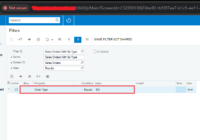
In the world of ERP software’s, it’s really important for businesses to handle their data accurately. This helps them make smart choices and run their operations smoothly. Acumatica is a popular cloud-based software that helps with this, and it comes with one of in-built feature called Generic Inquiries (GIs). GIs allow users to explore data… Read More: Adding filters to Generic Inquiries »

Embedded Clickable Image in the Report.

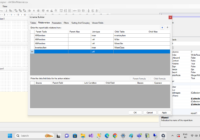
Acumatica comes with a range of pre-built standard reports that cover different areas of business operations. These reports provide insights into financial statements, sales orders, purchase orders, inventory levels, and more. These reports serve as a starting point and can be customized to meet specific business requirements. However, did you know that Acumatica also lets… Read More: Embedded Clickable Image in the Report. »

Setting Default Landing/Home Pages in Acumatica

Acumatica provides a landing/home page upon login, which allows us to quickly access the desired information. It is a convenient and valuable feature to instantly view important data upon logging into Acumatica. The purpose of the Users Home Page setting is to provide more flexibility and customization at the user level. It allows you to… Read More: Setting Default Landing/Home Pages in Acumatica »

Modify Drop down values without code – Acumatica

In the world of ERP systems, Acumatica shines for its flexibility and adaptability. One exceptional feature of Acumatica is its customization, allowing organizations to tailor the system to their precise needs. One important aspect of this customization is the ability to adjust the options in drop-down lists. In this blog post, we will walk you… Read More: Modify Drop down values without code – Acumatica »

Adding actions to the Processing Screen (AR301000)

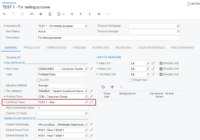
As working with Acumatica, we need several actions to perform different operations. Acumatica provides large set off actions to perform operations on data in the ERP. But in many business scenarios we came into the situation where we want to perform operation on data which is not added on the screen itself. Many times we… Read More: Adding actions to the Processing Screen (AR301000) »

Field Text in color and bold in Acumatica.

In Acumatica, the “Field Text in Color and Bold” feature is a visual customization option that allows you to highlight and emphasize specific fields in a form by changing their text color and making it bold. This feature is useful for drawing attention to important or critical fields, providing visual cues to users about specific… Read More: Field Text in color and bold in Acumatica. »

Adding Custom Feature to the Enable/Disable Features (CS100000) Screen in Acumatica

Acumatica, a leading cloud-based ERP solution, empowers businesses to streamline their operations and make well-informed decisions. With its robust customization capabilities, Acumatica allows users to tailor the system according to their specific needs. An important aspect of customization is the ability to enable or disable features within the application. In this blog post, we will… Read More: Adding Custom Feature to the Enable/Disable Features (CS100000) Screen in… »