Tag Archives: Acumatica ERP

How to change field size in Acumatica

Acumatica is one of the most user–friendly ERP software applications. Acumatica provides many features to the users to ease of the use of an application. Many times, we came across the scenario where we require to save larger data into the field than the assigned length of the field. It is certainly possible by using… Read More: How to change field size in Acumatica »

WebHook Configuration in Acumatica.

By using the webhook configuration we can easily send POST requests to Acumatica ERP. From this we can keep update of records that are Created, Deleted. To do this, you need to create a new custom project for instance Webhooks Configuration and Publish it. On Publish of the customization Project need to create an Extension… Read More: WebHook Configuration in Acumatica. »

How to assign a business account to user in Acumatica?

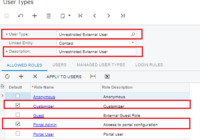
To customize this screen using Acumatica Customization Browser, you should create an admin Portal user who is associated with the business account. Allow roles Customizer and Portal Admin for External User Type. You need to check Guest Role for these two in order to add here. Login to ERP using admin credential, navigate to User Roles screen (SM201005), and… Read More: How to assign a business account to user in Acumatica? »

How to create custom week in Acumatica

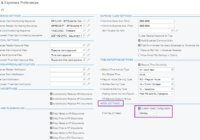
Acumatica is one of the most user-friendly ERP software applications. Acumatica provides many features to the users to ease of use of an application. Many times, we came across the scenario where we require to create week for particular days. IT is possible by using the “Custom week” feature of Acumatica. In Acumatica ERP, for… Read More: How to create custom week in Acumatica »

Date Formats in Acumatica

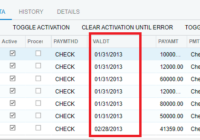
In this blog we will learn how to add various date formats in Acumatica systems for print Reports and export data. We receive unstructured data from a number of companies. Columns with date information have various formats that change from week to week. (example, mm-dd-yy, mm/dd/yyyy, dd-mmm-yy, yyyy/mm/dd, etc.) For this date format mm/dd/yyyy we… Read More: Date Formats in Acumatica »

Using a custom SQL view in Acumatica Report

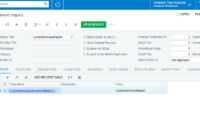
Acumatica have built in functionality that allow user to add a custom SQL view into Acumatica Reports and GI. Importing SQL views into Acumatica is quite easy. All you need is to create views and create the data access class in Acumatica. In this blog we will learn how to add views in Acumatica systems… Read More: Using a custom SQL view in Acumatica Report »

Approval Workflow process of Acumatica

In Acumatica ERP, you can configure the structure of your organization as consisting of a single branch or multiple branches with different reporting settings. By using the Organization Structure module, your organization can automate work assignments and document assignments for approvals. There is always a situation in which we have to approve any process by… Read More: Approval Workflow process of Acumatica »

Increase Column Length in Acumatica

Acumatica is one of the most user-friendly ERP software applications. Acumatica provides many features to users to ease their use of an application. Many times, we came across the scenario where we require to save larger data into the field than the assigned length of the column. It is certainly possible by using the “Increase… Read More: Increase Column Length in Acumatica »

Translation and Localization into different languages in Acumatica.

Acumatica offers built-in functionality that allows users to change the language settings within the platform, making it easy to localize Acumatica to any other language. With support for different languages, navigating Acumatica becomes seamless. The language translation feature greatly improves user experience, making the platform more accessible and user-friendly for a diverse global audience. Users… Read More: Translation and Localization into different languages in Acumatica. »

Customization Approaches in Acumatica

Acumatica ERP has the ability to customize and integrate with third-party applications. Acumatica Customization makes Cloud ERP more user-friendly and fulfills the business needs as per user requirements. From Acumatica customization, we can create and/or edit new screens, existing screens, GIs, Inquiry forms, reports, import/export scenarios, mobile applications, web service endpoints, etc. Acumatica Cloud ERP… Read More: Customization Approaches in Acumatica »