Category Archives: Acumatica Services

Print Report Action in Acumatica
When working with Acumatica ERP, generating reports is an essential part of managing your business. You may already be familiar with the Print Report action, which allows you to easily print reports associated with sales orders and invoices. However, did you know Acumatica also lets you create custom actions tailored to your needs? The best… Read More: Print Report Action in Acumatica »
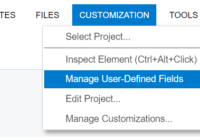
How to Create and add User-defined field Attribute in Acumatica screen

User-defined attributes provide a way to create custom fields within Acumatica screens and tables. These fields can be of different data types, such as text, numbers, dates, checkboxes, dropdown lists, and more. User-defined attributes can be added to various areas of Acumatica, including master data screens (e.g., customers, vendors, items), transactions (e.g., sales orders, purchase… Read More: How to Create and add User-defined field Attribute in Acumatica… »

Redirection from GI to Dashboard as Side Panel in Acumatica.

In Acumatica ERP, Side panel provides an easy navigation to another screen without switching the browser’s tab or window. On the leftmost section of the screen, there is an option to expand and collapse the side panel. The option makes it easier to view or update the records. Side panels help to achieve time efficiency… Read More: Redirection from GI to Dashboard as Side Panel in Acumatica. »

Various Date Function in Acumatica

Introduction:  Acumatica supports various date functions. In this blog, we will learn how to use various date Functions of Acumatica that can be used while printing Reports and Displaying GI. In this example we shall demonstrate the date functions usage in Generic Inquiry. DateDiff function:- The DATEDIFF() function returns the difference between two dates. To… Read More: Various Date Function in Acumatica »

Adding QRCode and BarCode In Acumatica Report

QR codes are used to track information about products and quickly identify products using barcodes. Barcodes and QR codes can both carry similar information. But while bar codes store information only horizontally with parallel lines, QR codes can store it both vertically and horizontally. In this blog, we will learn how to add a QR… Read More: Adding QRCode and BarCode In Acumatica Report »

WebHook Configuration in Acumatica.

By using the webhook configuration we can easily send POST requests to Acumatica ERP. From this we can keep update of records that are Created, Deleted. To do this, you need to create a new custom project for instance Webhooks Configuration and Publish it. On Publish of the customization Project need to create an Extension… Read More: WebHook Configuration in Acumatica. »

How to assign a business account to user in Acumatica?

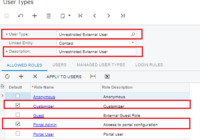
To customize this screen using Acumatica Customization Browser, you should create an admin Portal user who is associated with the business account. Allow roles Customizer and Portal Admin for External User Type. You need to check Guest Role for these two in order to add here. Login to ERP using admin credential, navigate to User Roles screen (SM201005), and… Read More: How to assign a business account to user in Acumatica? »

How to create custom week in Acumatica

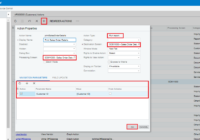
Acumatica is one of the most user-friendly ERP software applications. Acumatica provides many features to the users to ease of use of an application. Many times, we came across the scenario where we require to create week for particular days. IT is possible by using the “Custom week” feature of Acumatica. In Acumatica ERP, for… Read More: How to create custom week in Acumatica »

Date Formats in Acumatica

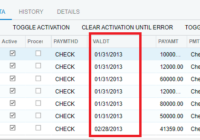
In this blog we will learn how to add various date formats in Acumatica systems for print Reports and export data. We receive unstructured data from a number of companies. Columns with date information have various formats that change from week to week. (example, mm-dd-yy, mm/dd/yyyy, dd-mmm-yy, yyyy/mm/dd, etc.) For this date format mm/dd/yyyy we… Read More: Date Formats in Acumatica »

Using a custom SQL view in Acumatica Report

Acumatica have built in functionality that allow user to add a custom SQL view into Acumatica Reports and GI. Importing SQL views into Acumatica is quite easy. All you need is to create views and create the data access class in Acumatica. In this blog we will learn how to add views in Acumatica systems… Read More: Using a custom SQL view in Acumatica Report »