
In Sage CRM, On Opportunity Progress Screen we can see Create Follow Up checkbox checked which will ask user to create follow up every time user saves the opportunity progress.
New Stuff: Global Search Functionality
Here I will explain how to uncheck this checkbox to avoid creating follow up every time after adding opportunity progress. In standard CRM, by default this check box is checked. Please refer below screen shot.
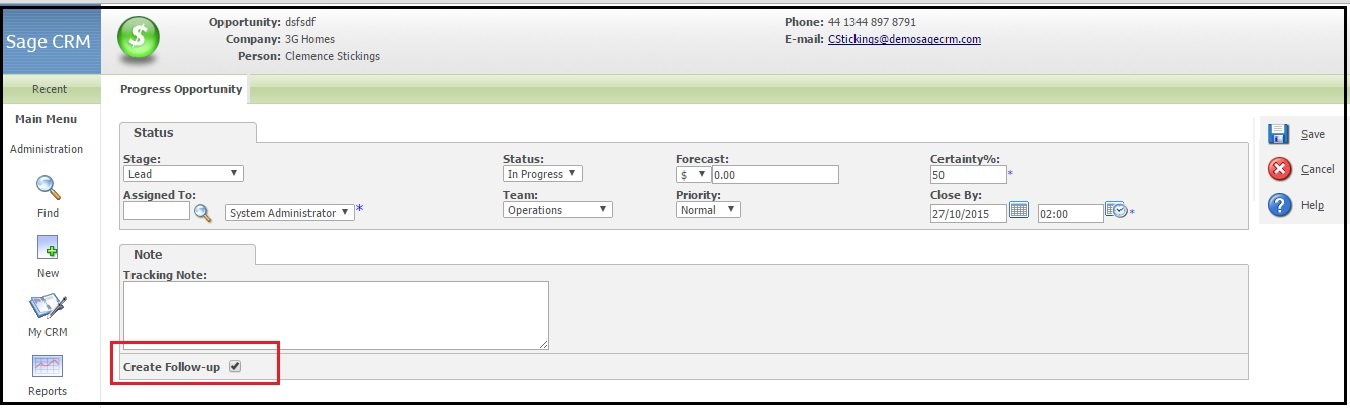
To uncheck this check box on page load only you need to follow some steps:
1) Login to Sage CRM.
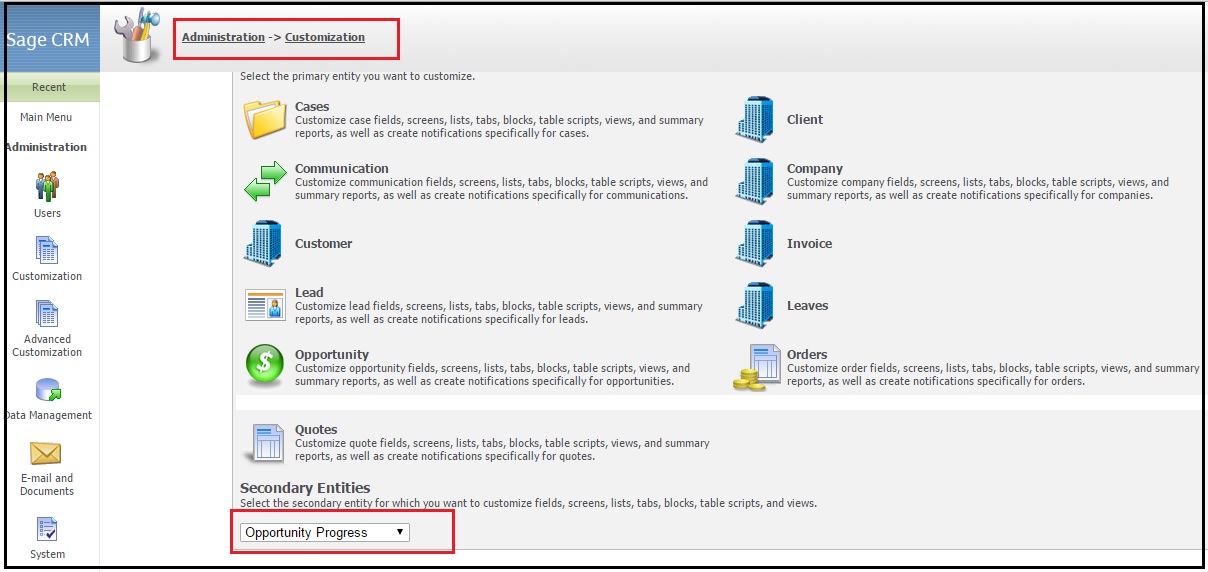
2) Navigate to below path.
Administration | Customization
3) From secondary Entity, select Opportunity Progress. (Refer below screen shot)
4) Navigate to Screens tab and click on the Edit button for Opportunity Progress Note Box. (Refer below screen shot)
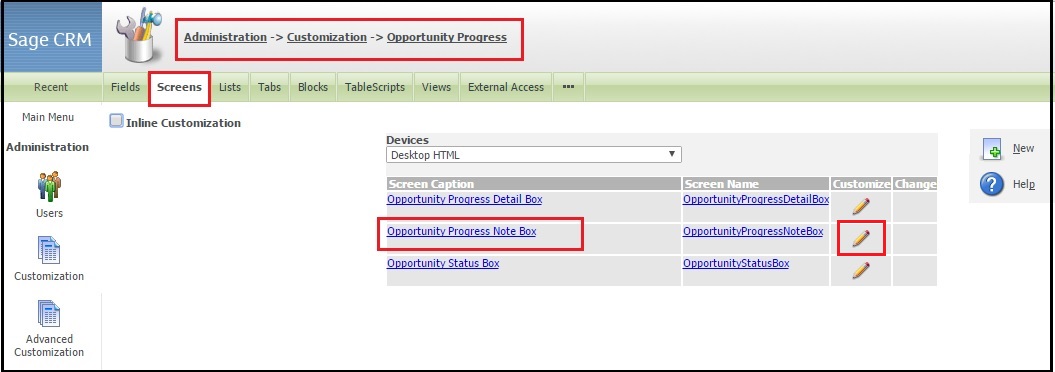
5) On Custom Content block, Copy nad paste following code as shown in below screen shot.
<script>
$(function(){
$(‘#DoFollowUp’).attr(‘checked’, false);
})
</script>
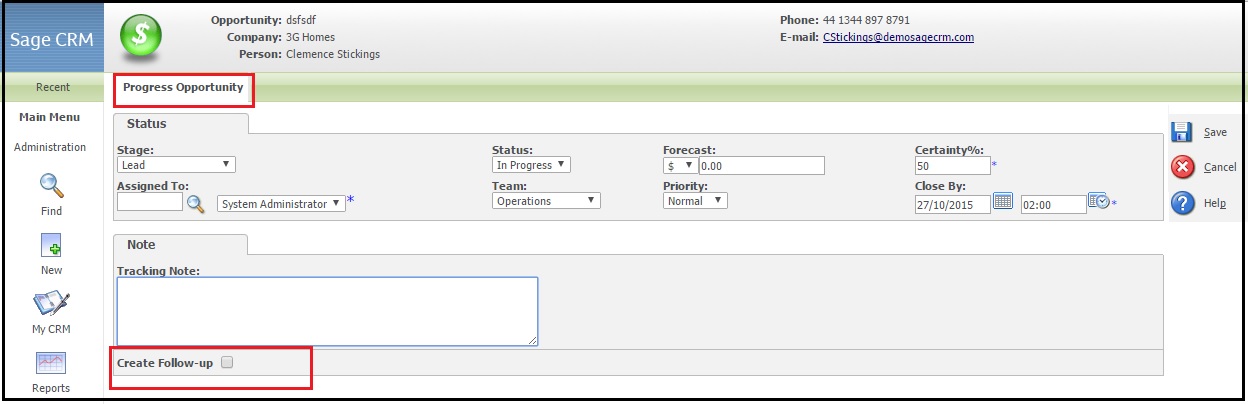
6) Click on Save Button and navigate to Opportunity Progress screen. Here you will find check box is not checked as shown below.
About Us
Greytrix is one stop solution provider for Sage ERP and Sage CRM needs. We provide complete end-to-end assistance for your technical consultations, product customizations, data migration, system integrations, third party add-on development and implementation expertise.
Greytrix has some unique integration solutions for Sage CRM with Sage ERP’s (Sage X3, Sage 100, Sage 500 and Sage 300). It also offers best-in-class Sage ERP customization and development services to Business Partners, End Users and Sage PSG worldwide. Greytrix helps in migrating to Sage CRM from ACT, Goldmine and other CRM’s.
For more information on our integration solutions, please contact us at sage@greytrix.com. We will be glad to assist you.
Also Read:
1) Notify Task Creator with Email notification when Task is completed
2) Create Follow-Up Task after Filing Email in Sage CRM from Outlook
3) Set different values for follow up task
4) Customizing screen for follow up task
5) Creating tasks through workflow with defined due period