
Most release notes get skimmed. You scan the headings, decide nothing applies to you, and move on. But this round of reporting and insights updates in Sage Intacct includes a few things that quietly remove friction from work that finance teams do every single month — and one that could change how some organizations build reports altogether.
Here’s what shipped, what it actually does, and whether it’s worth your attention.
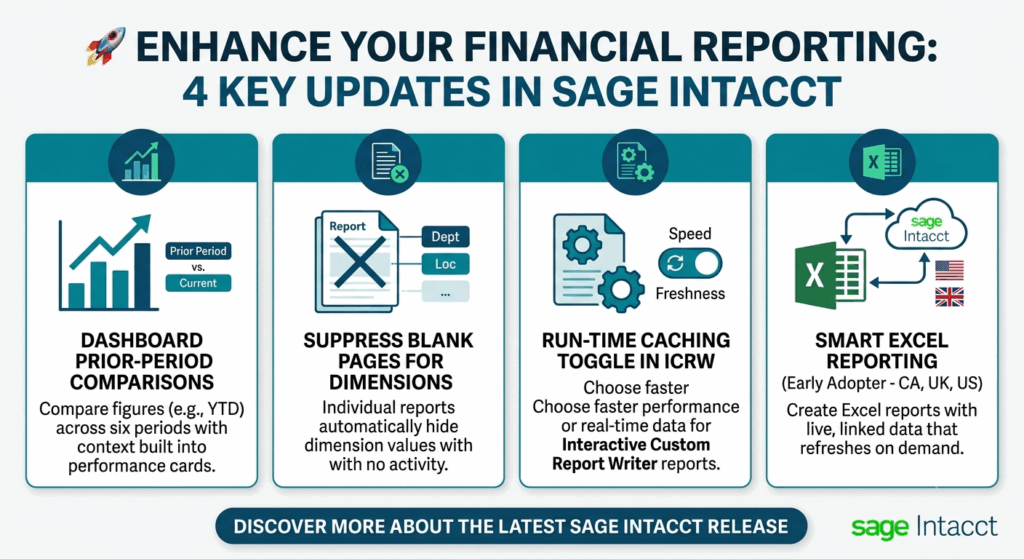
Performance cards can finally compare cumulative periods
If you’ve built dashboards with performance cards, you’ve probably hit this wall. You want to show year-to-date AP or AR balances alongside the same stretch from last year, and the Compare to field just doesn’t offer the option you need for cumulative reporting periods. So, you either settle for a single-period comparison that doesn’t tell the story, or you build the comparison somewhere else entirely.
That gap is closed now. Six cumulative reporting periods support prior-period comparison by selecting Period in the Compare to field:
- Current Year Through Current Month
- Current Year Through Prior Month
- Current Year Through Prior Quarter
- Fiscal — Current Year Through Current Month
- Fiscal — Current Year Through Prior Month
- Fiscal — Current Year Through Prior Quarter
The practical effect is that a dashboard card showing average AR balance for the year through the current month can now sit next to the equivalent figure from the prior period, right on the card. For anyone tracking growth, decline, or seasonality — and especially for anyone presenting a dashboard to people who don’t live in Intacct — that context is the whole point. A number in isolation invites the question “compared to what?” This answers it before it’s asked.
More Info: Compare-to options for additional reporting periods in performance cards
Blank pages can be suppressed on individual reports
This one is small, and small is exactly why it matters. If you generate individual reports by dimension — a separate report per department, location, or project — you know what happens when a dimension value has no activity for the period. You get a page anyway. An empty one. And if you’re running reports across dozens of projects, a meaningful chunk of your output is pages nobody needs, buried among the pages they do.
Select the Individual report checkbox on a General Ledger report page and you’ll now see an Exclude blank pages checkbox alongside it. Tick it, and dimension values with no data for the period drop out of the output. The same option lives on the Filters tab in the Financial Report Writer when you select Run as individual reports.
The dimension coverage differs slightly depending on where you’re working. Financial reports support Department, Location, and Project. A specific set of General Ledger reports supports Department and Location: account balances, comparative trial balance, department activity, dimension balances, general ledger, journals, location activity, and trial balance.
More info: Exclude blank pages from reports
ICRW reports get a caching toggle you control at run time
Interactive Custom Report Writer reports have always faced a trade-off between speed and freshness. Cached data returns fast because the results were already generated. Live data is current but makes you wait while the request runs again. Previously that decision was baked into the report configuration.
Now you can switch it at run time, report by report, through a presentation variable prompt.
The reason this is more useful than it first sounds comes down to how differently the two states serve different reporting situations. When a report uses an As Of date in the past, current transactions are irrelevant by definition — nothing posted today can change what the balance was three months ago. Caching gives you the answer immediately with no downside. But when you’re looking at today’s activity and need the most recent transactions reflected, cached data is exactly the wrong thing. Same report, opposite requirement, depending on why you’re running it.
Setting it up takes four steps: configure the data caching setting for the report, create a presentation variable prompt in the ICRW Prompt dialog to enable and disable caching, activate that variable with a line of XML in the report, and then select the caching status from the prompt when you run it. Sage’s documentation covers the XML in detail under “Switch the data caching status in an ICRW report.”
More Info: New ICRW data caching capabilities
Smart Excel reporting enters early adopter
The most interesting item on this list is also the one you can’t just switch on. Smart Excel reporting lets you build reports directly in Microsoft Excel using Sage Intacct financial data, with the data staying linked so you can refresh it whenever you need current figures. Sage Intacct security permissions carry through to the linked data in Excel, which addresses the obvious concern about data leaving the platform.
For teams that have spent years exporting to Excel, rebuilding formatting, and then re-exporting the following month when the numbers changed, the appeal is immediate. The link is the whole feature. Refresh instead of rebuild.
It’s currently an Early Adopter program in Canada, the United Kingdom, and the United States, requiring a General Ledger subscription and available to Business and Employee user types. Participation means working closely with the Product Manager and actively sharing feedback about your experience — this is a collaboration, not just early access. If that fits how your team works, sign up for Early Adopter access; selected participants receive an email covering program details, expectations, and next steps.
More info: Smart Excel reporting—Early Adopter
About Us
Greytrix has a wide product range for Sage Intacct- a Cloud ERP. This includes migrations from QuickBooks | Sage 50 | Sage 100 | Sage 300 to Sage Intacct. Our unique GUMU™ integrations include Sage Intacct for Sage CRM | Salesforce | FTP/SFTP | Rev.io | Checkbook | Dynamics 365 CRM | Magento | Rent Manager | Treez | Avalara Avatax | Blackline SFTP. We also offer best-in-class Sage Intacct Development Services, Consulting services, integrated apps like POS | WMS | Payroll | Shipping System | Business Intelligence | eCommerce for Sage Intacct to Sage business partners, resellers, and Sage PSG worldwide. Greytrix constantly develops apps, products, and add-ons to enhance user experience. Sage Intacct add-ons include AR Lockbox File Processing.
Greytrix GUMU™ integration for Sage CRM – Sage Intacct, Sales Commission App for Sage Intacct, and Checkbook.io ACH/Digital Check Payments for Sage powered by GUMU™ are listed on Sage Intacct Marketplace.
The GUMU™ Cloud framework by Greytrix forms the backbone of cloud integrations that are managed in real-time for the processing and execution of application programs at the click of a button.
For more information on Sage Business Cloud Services, please contact us at sagecloud@greytrix.com. We will like to hear from you.