
Some times in freshly installed Sage X3, when trying printing report and attaching the workflow. The basic functionality of the customization is to send the invoice to the customer (Pending payments). The customizations requirements were to send the reminder payments.
One of clients freshly installed X3 when customized with reminders workflow. The workflow is set on event “ARP” with report code “FUP” (Reminder Campaigns).
The customization was based on batch task, where it will be printing report and workflow will be gets triggered. When running this task, the issue occurred as shown below in screen shot.
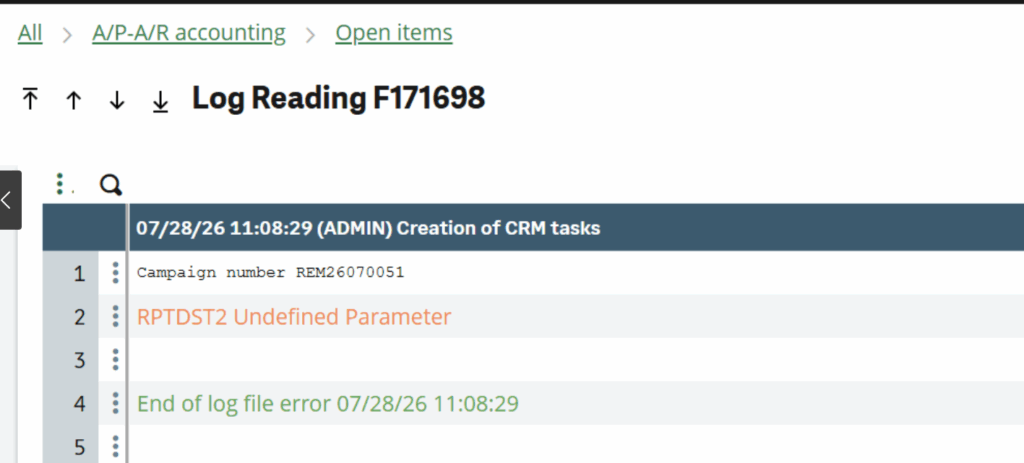
This parameter is defined under Chapter TRS(Acc Payable/Receivable) and Group FUP. This particular parameter defines the secondary destination that is used to generate ‘Letter Type Files’ in Local destination file directory.
This parameter makes it possible to set up a destination code at “site” level associated with the ’email’ type reminder mode.
The files thus generated will be available in the directory specified in parameter FUPRPTDIR.
If no value has been entered for this parameter, emails are generated by default in preview mode only.
If the value is ‘File’, files are generated in the specified directory.
If the value is ‘Printer’, the reminders are printed.
If the value is ‘Message’, the emails are sent via the FUP workflow rule.
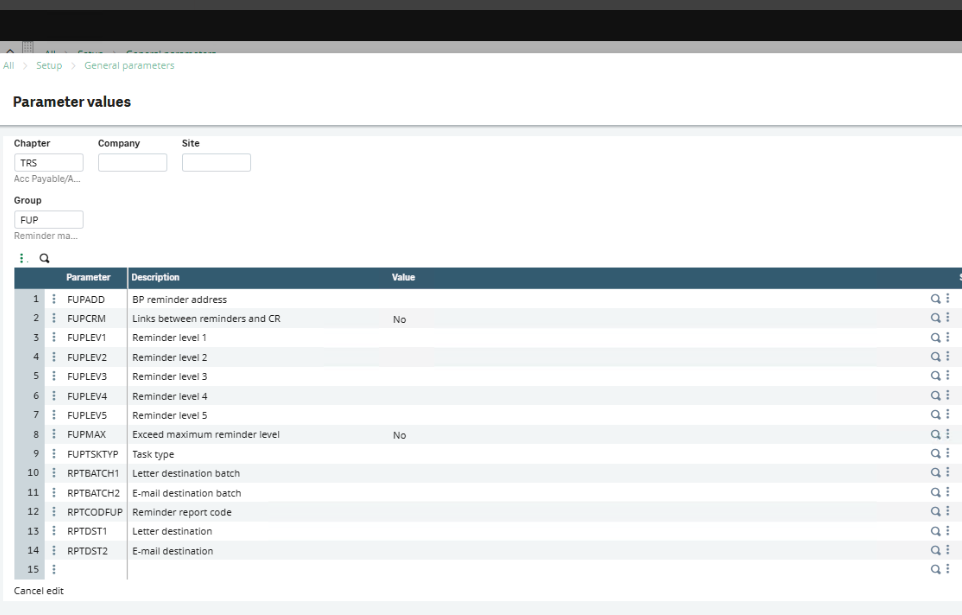
As shown in figure above the parameter value.
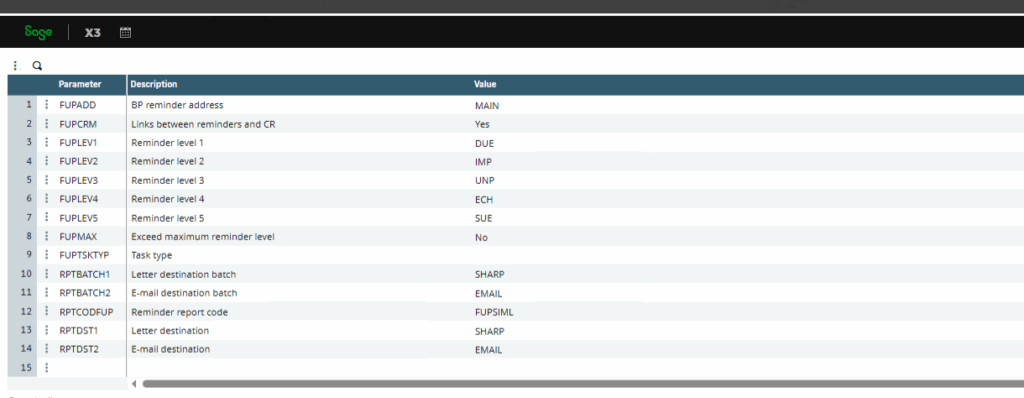
In my case I have changed the value to EMAIL, since I am using the report to be sent to the respective customer attached to workflow (FUP).
The values can also be set to the following,
- PREVIEW
- PREVISU
The parameter can also be set to a custom value, with respect to a destination and requirements.
When implementing customized payment reminder workflows in a freshly installed Sage X3 environment, it is important to validate all dependent configurations, including workflow events, report setup, batch task parameters, print destinations, and server settings