Category Archives: Tips

How to create combine pick ticket for multiple order in Sage X3

If you want to create a single pick ticket by combining multiple orders then sage x3 provide you a way to achieve this. Below is the demonstration of how can we create a consolidated pick ticket. Suppose one pick ticket needs to be created for 2 orders then please check below steps: Create Order 1… Read More »

Transforming Sales Invoice Processing in Sage X3 with Smart Bulk Operations

Finance teams often process a large number of sales invoices every day. Activities such as posting invoices, printing invoice documents, and sending them to customers can become repetitive when each invoice is handled separately. As transaction volumes increase, businesses require efficient ways to manage these processes while ensuring accuracy and timely document distribution. To improve… Read More »

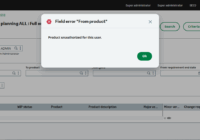
How to solve Error ‘Product unauthorized for this user.’ in Enterprise planning

Resolving the “Product unauthorized for this user.” Error in Enterprise Planning Issue While working in Enterprise Planning, users may encounter the following error: Product unauthorized for this user. This error occurs when the logged-in Enterprise Planning user is not assigned as either the Buyer or the Planner for the selected product-site record in Sage X3.… Read More »

Streamlining Freight Shipment in Sage X3 using GUMU™ ShipEazy

For many Sage X3 users, the shipping process remains a manual process. From toggling between carrier portals to manually typing in tracking numbers, service type and managing complex hazmat products paperwork, the margin for error is high, and lack of real-time visibility can directly impact customer satisfaction and operational costs.   Freight shipment is more… Read More »

Handling LTL shipments in Sage X3 via GUMU ShipEazy

As businesses look for smarter and more cost-effective ways to move freight, Less-Than-Truckload (LTL) shipping has become an increasingly strategic choice. With the new LTL feature in ShipEazy for Sage X3, managing partial truckload shipments is now easier, faster, and more streamlined than ever. How GUMUTM ShipEazy Enhances LTL Shipping Inside Sage X3 ShipEazy brings… Read More »

Sage X3 Copilot Installation & Setup Guide (2025R2)

Introduction With the growing role of AI in ERP systems, Sage Copilot enhances decision-making, automation, and user productivity inside Sage ecosystem.This guide explains the prerequisites and setup process required to successfully install and configure Sage X3 Copilot for the 2025R2 release. Prerequisites These prerequisites ensure system compatibility, secure connectivity, and smooth Copilot performance. Installation &… Read More »

Catch Weight in Manufacturing: Managing Variable-Weight Production Accurately

In many manufacturing industries, products do not have a consistent or fixed weight. Although they are processed and tracked in standard units such as pieces, bags, boxes, or pallets, their true cost, material consumption, and sales value are determined by the actual weight. This is where Greytrix’s Catch Weight Management becomes essential for achieving accuracy,… Read More »

How to Manage Variable-Weight Products in Sage X3

Industries like food processing, meat, seafood, dairy, and specialty chemicals deals with products that never have a fixed weight. A carton may look the same, but the weight inside can change every time. Yet, many businesses still manage these products using standard units such as pieces, cartons, or batches—while pricing, costing, and billing are driven… Read More »

How to create Bill of Lading against Delivery in Sage X3

A Bill of Lading is a legal document used to show the agreement between the shipper and the carrier. Trucking companies need this document to move goods. It usually includes the freight class, description, number of packages, weight, volume, and other shipping details. For deliveries, a Bill of Lading can be created from the delivery… Read More »

How to Handle CHQNUM [CHN] Error when Cancelling a Payment or Receipt in Sage X3

In Sage X3, the check number field used during payment and receipt entry helps with tracking and auditing. Its availability and behavior depend on the checkbook functionality, which is optional and managed through system setup. Fig 1 : Manual check Screen If the check number does not exist in the checkbook, you will encounter this… Read More »