Sage CRM Interactive Dashboard is on of the great feature. Where in you can see all data on same page. But creating Dashboard is very time consuming process. To overcome this we can Clone Interactive Dashboard feature of Sage CRM. In this blog we are going to explain you how to create the Interactive Dashboard very quickly.
New Stuff: Enable Pipeline for Cases and Opportunity on Company and Person context
For cloning a particular dashboard below steps need to be followed by creator. Once a dashboard is created, just select Template > Dashboard Template.
To Clone Dashboard follow below steps.
1) Select Template> Dashboard Templates. It will loads all the available dashboards. Refer below screen shot.
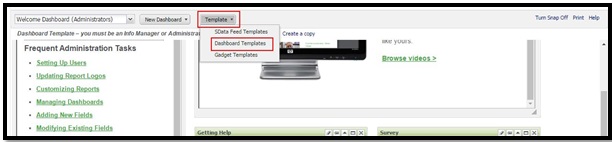
2) Now, select the dashboard that needs to be cloned. Here, we are using Marketing Dashboard for cloning.
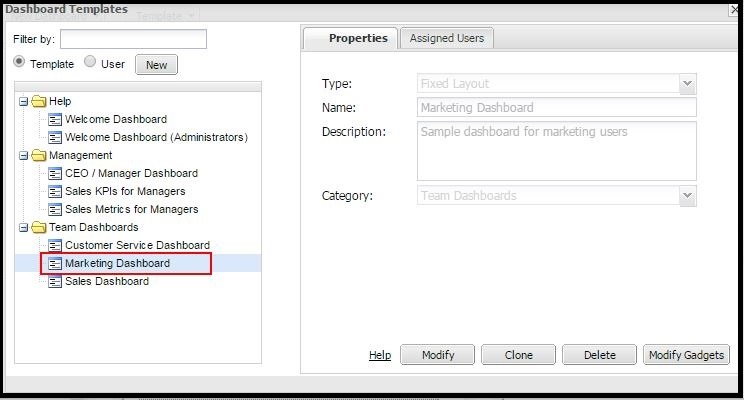
3) Once, the Dashboard is selected. Click on Clone button. It will create copy of selected Dashboard. Refer below screenshot.
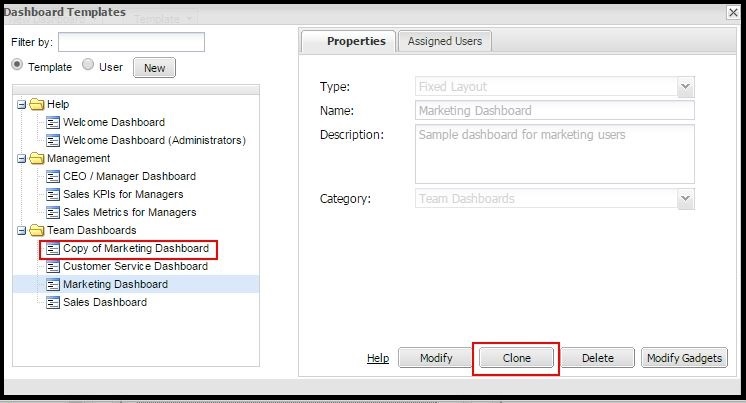
4) Select cloned Dashboard i.e. Copy of Marketing Dashboard and click on Modify button to rename the Dashboard as you want.
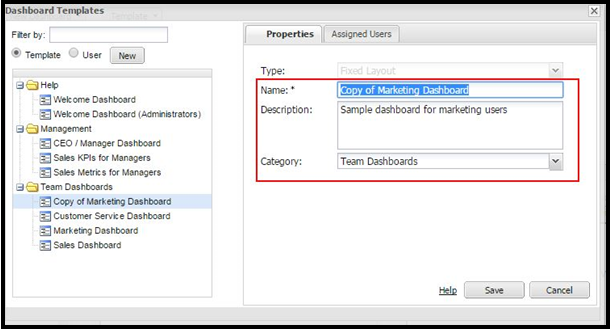
5) Here, you will have provision by which you can provide dashboard access to specific user. For this, click on Assigned Users tab and select the Assign button.
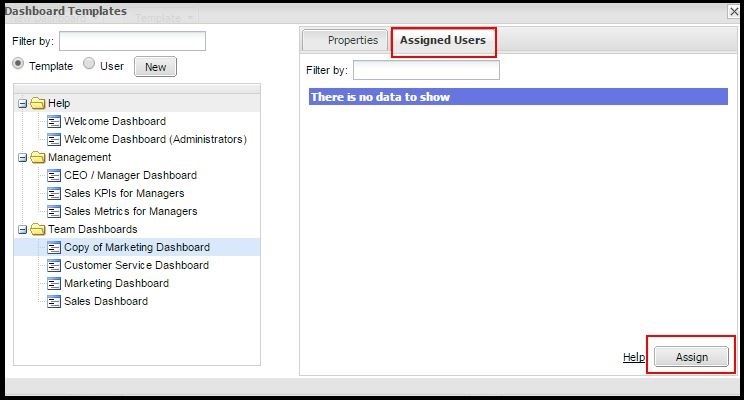
6) After selecting the Assign button. You will get the list of all users. Select the User and click on Save button.
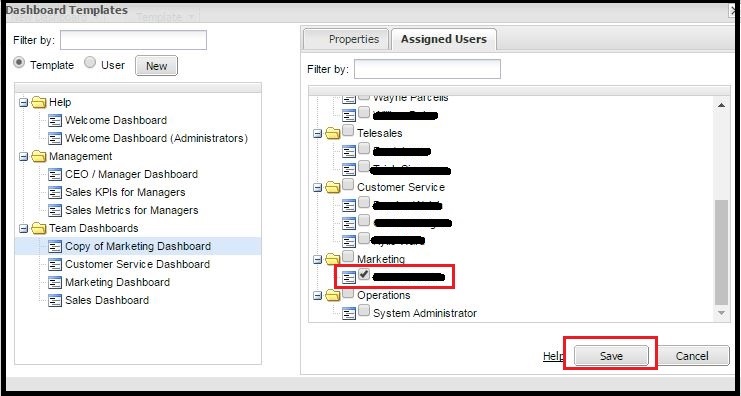
7) After selecting the Assign button. You will get the list of all users. Select the User and click on Save button.
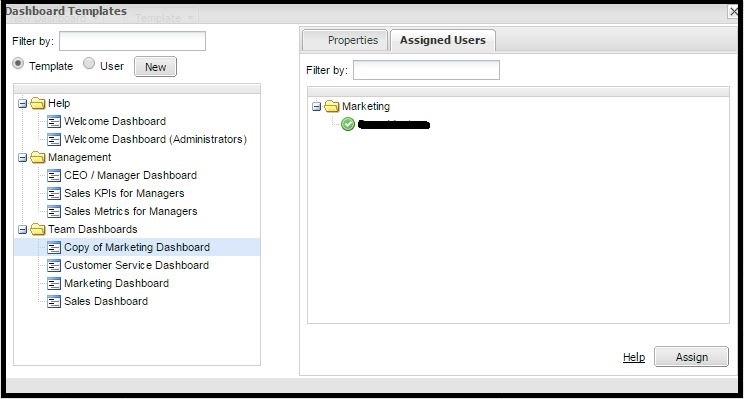
8) Log on as Assigned user you will have access to the New cloned Dashboard.
Hope this information help for restricting dashboard rights to specific users. Write us on crm@greytrix.com for more details on any features related to Sage CRM.
About Us
Greytrix is one stop solution provider for Sage ERP and Sage CRM needs. We provide complete end-to-end assistance for your technical consultations, product customizations, data migration, system integrations, third party add-on development and implementation expertise.
Greytrix has some unique integration solutions for Sage CRM with Sage ERP’s (Sage X3, Sage 100, Sage 500 and Sage 300). It also offers best-in-class Sage ERP customization and development services to Business Partners, End Users and Sage PSG worldwide. Greytrix helps in migrating to Sage CRM from ACT, Goldmine and other CRM’s.
For more information on our integration solutions, please contact us at sage@greytrix.com. We will be glad to assist you.
Also Read:
1) Cloning an Escalation Rule
2) Report Cloning in Sage CRM 7.2
3) Clone Quotes and Orders in Sage CRM
4) Clone Sage 300 Quote functionality from Sage CRM Quotes tab of Opportunity
