
Have you ever wondered how you can delete a single row of data from the Misc. Table instead of deleting the whole Misc. Table as there is no delete line option available.
New Stuff: How to Rename Your Exported Crystal Reports Dynamically in Sage X3
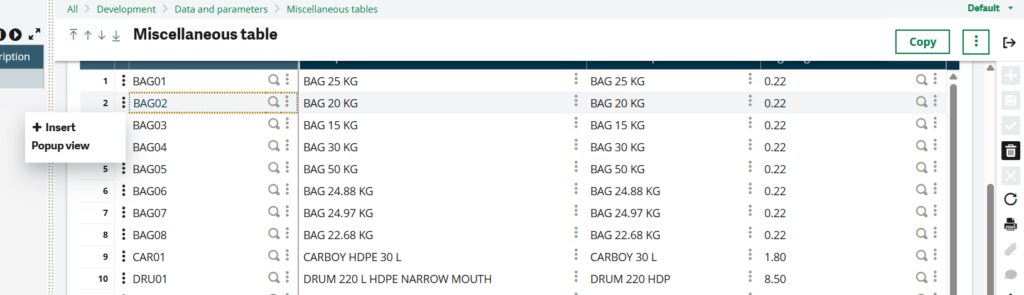
We figured out how we can delete a row from Misc. Table without having to delete the whole Misc. Table.
To delete a single row from a misc. table, you will have to first click on the row of the Misc. Table and you will see that the delete option gets enabled and when you click on the delete option only the record of that row gets deleted.
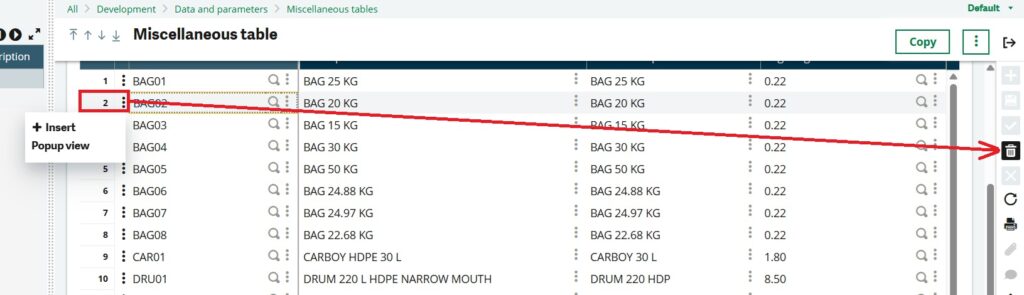
On clicking the delete option you will notice that the same row gets asked if it has to be deleted.
In our case we want to delete row number 2, so if you will see the screenshot you will see that the Delete Key is 19262 BAG02 which shows the Misc. Table code followed by the code of Misc. Table.
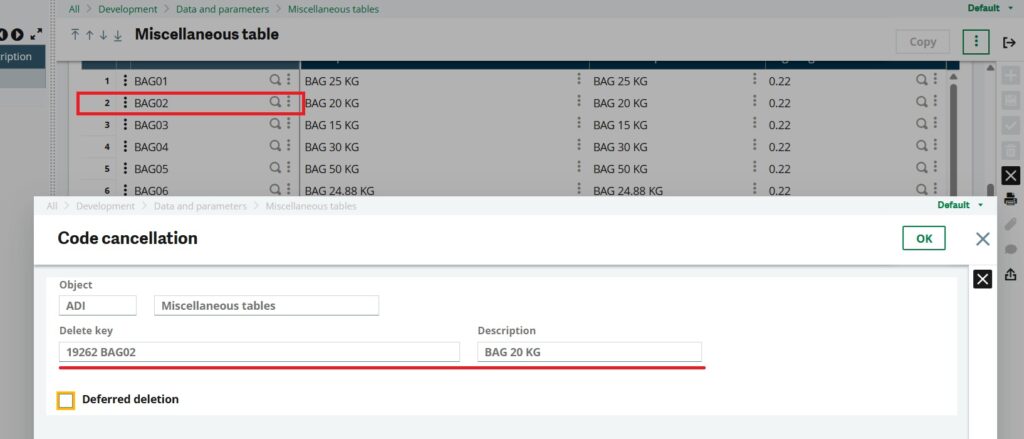
On clicking the OK button you will notice that the BAG02 records gets deleted from the Misc. Table.
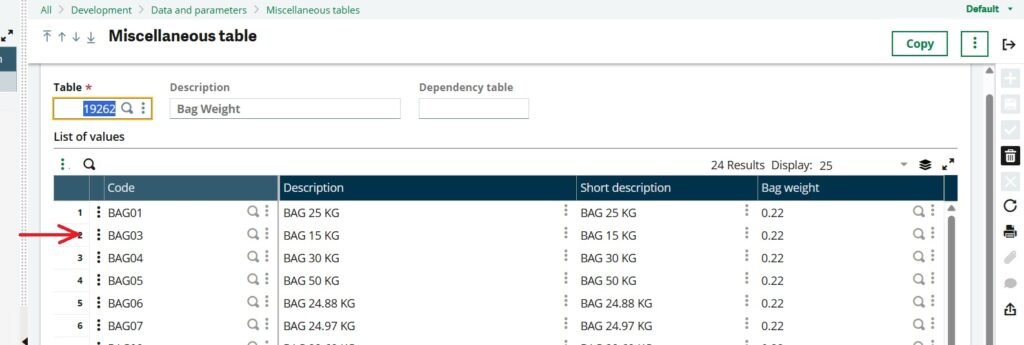
So, by following above steps, we can delete a row from a miscellaneous table.
[about_us_blog_common]