
Introduction
With the growing role of AI in ERP systems, Sage Copilot enhances decision-making, automation, and user productivity inside Sage ecosystem.This guide explains the prerequisites and setup process required to successfully install and configure Sage X3 Copilot for the 2025R2 release.
Prerequisites
- Before starting the installation, ensure the following components are ready:
- Sage X3 must be upgraded to 2025R2 version.
- All X3 services should be installed and updated to the latest patch level.
- Required hotfixes must be applied to enable Copilot functionality.
- Verify that the latest available hotfix (for example, version 60.0.54 or newer) is installed.
These prerequisites ensure system compatibility, secure connectivity, and smooth Copilot performance.
Installation & Setup Steps
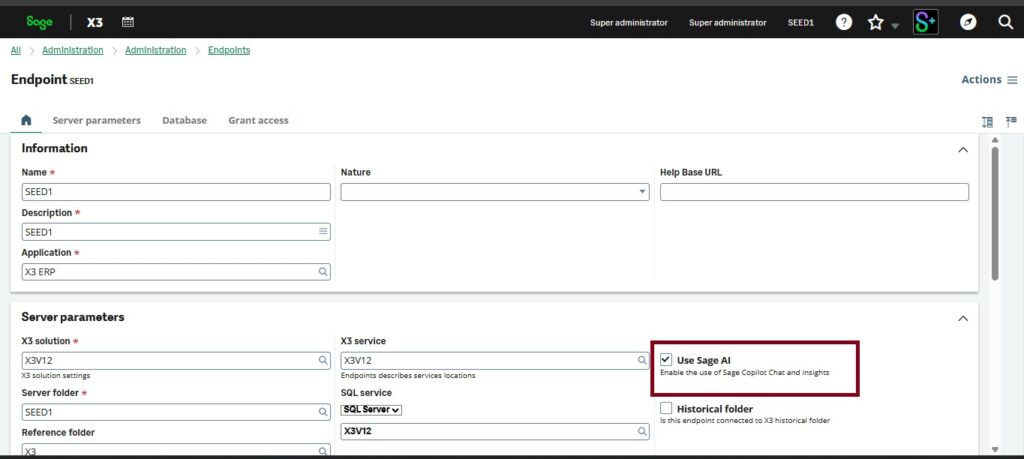
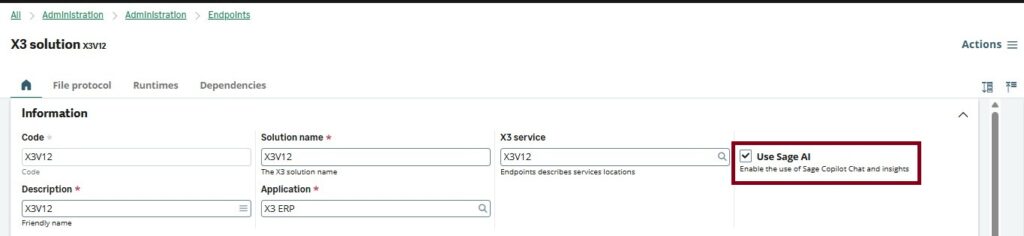
1. Enable Sage AI Services
Activate the Sage AI feature either at the solution level or the endpoint level, depending on your environment architecture.
This allows the ERP system to communicate with AI services.
2. Register Organization with Sage Network
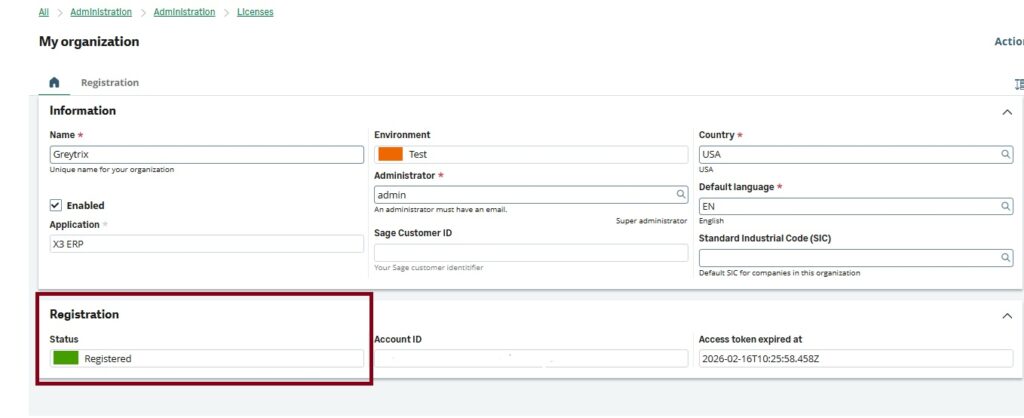
Create a new organization and register it with the Sage Network.
Key points to remember:
- Only one active organization is allowed per Syracuse instance.
- Registration ensures secure authentication between Sage X3 and the AI service
3. Register Company with Sage Network
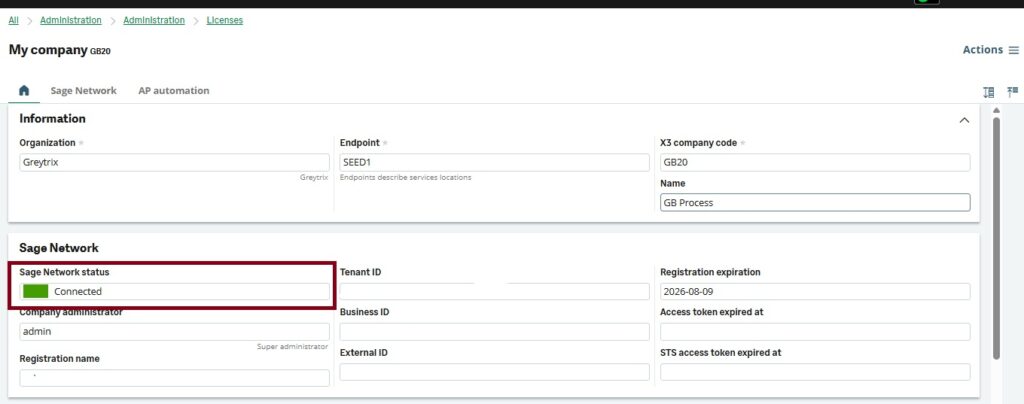
Create a new company and register it with the Sage Network.
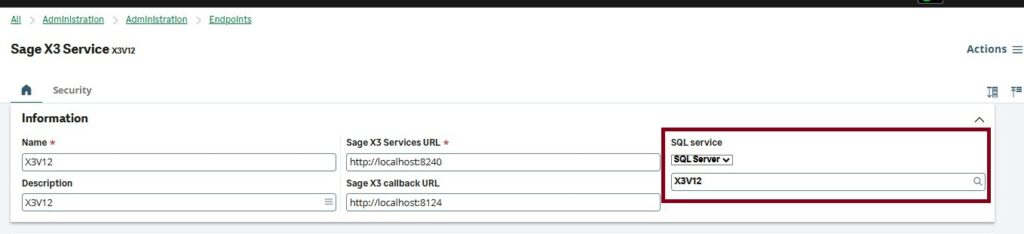
4. Configure SQL service in Sage x3 service
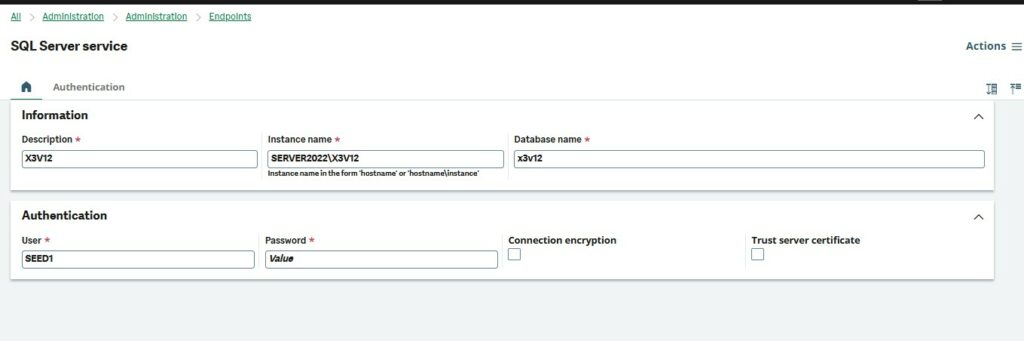
5. Configure database in SQL server service
6. Validate Required Objects Globally
Perform global validation for the following windows/objects to ensure Copilot can access transactional data:
- OSQH
- OSOH
- OSIH
- OBPC
- OPOH
- OBPS
- OMFG
Implementing Sage X3 Copilot enables organizations to bring AI-driven insights directly into their ERP workflows. By ensuring prerequisites are met, registering the organization securely, and validating key objects, businesses can activate Copilot smoothly and start leveraging smarter automation and analytics within Sage X3.