
We have the authority to grant or withhold a particular user’s access to certain functionalities in order to protect user security, particularly in cases when the system has a large number of users.
We will be able to prevent users from accessing Picket tickets in this situation. As seen in the screenshot below. There is a button in the top-right panel of the sales order screen.
Features of the buttons: 1. Allocation button allow you to allocate a lot or quantity to your order.
2. You can create a pick ticket for the warehouse by clicking the preparation button.
3. The “Delivery” button enables you to prepare shipping documents.
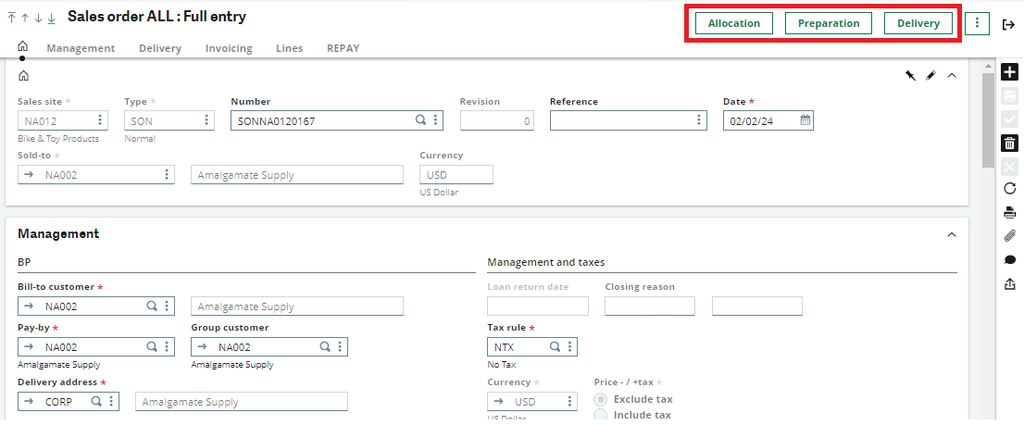
fig-1: sales order1
To restrict a user from creating a pick ticket follow the below steps
STEP 1 – Go to Setup > Users > Users. find the user which you don’t want to access pick ticket. Jump to function profile.
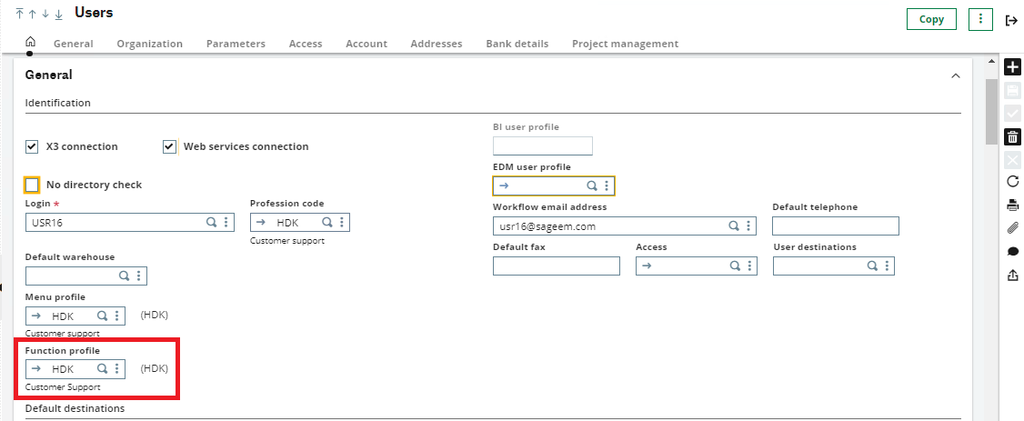
fig-2: Users
STEP 2 – You will find a button in the right panel called authorizations. This will get you to the setup screen where you can control which buttons are allowed and which are not.
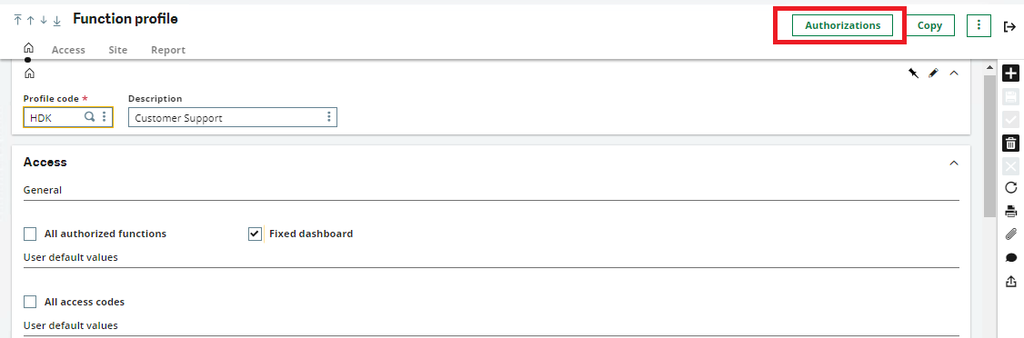
fig-3: Function profile
STEP 3 – Search for the sales order function or GESSOH.
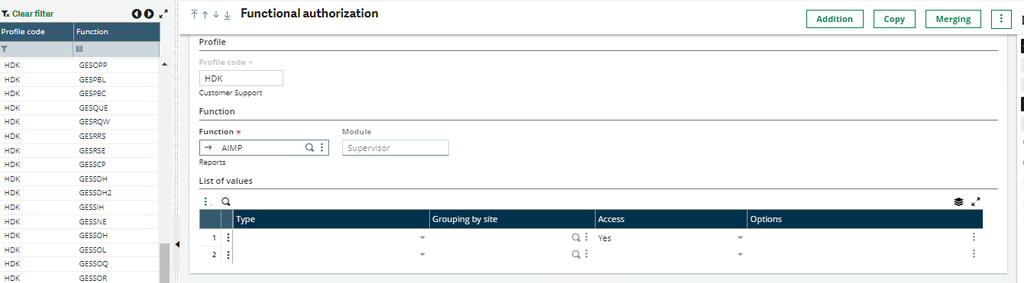
fig-4: Functional authorization 1
The letters that are granting you access to the features in the sales order’s right panel can be found on this screen.
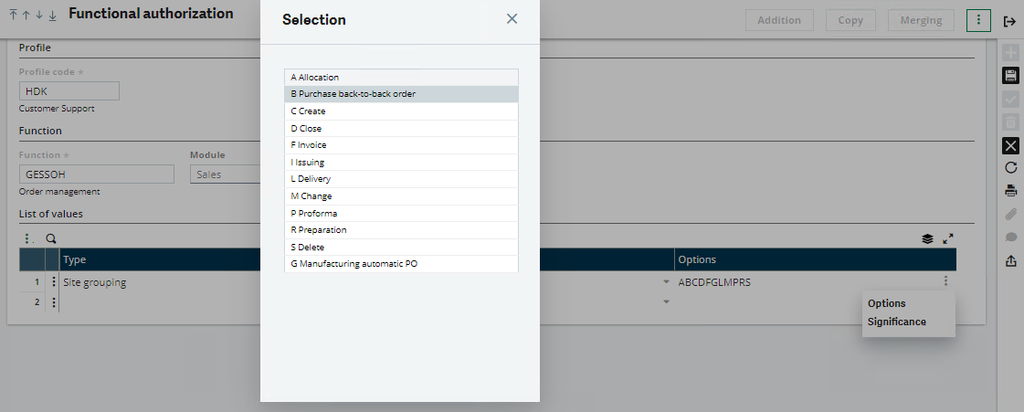
fig-5: selection pop-up
STEP 4 – Remove the “R” from the option field, so user can’t able access pick ticket.
This is what it should look like when you’re done.
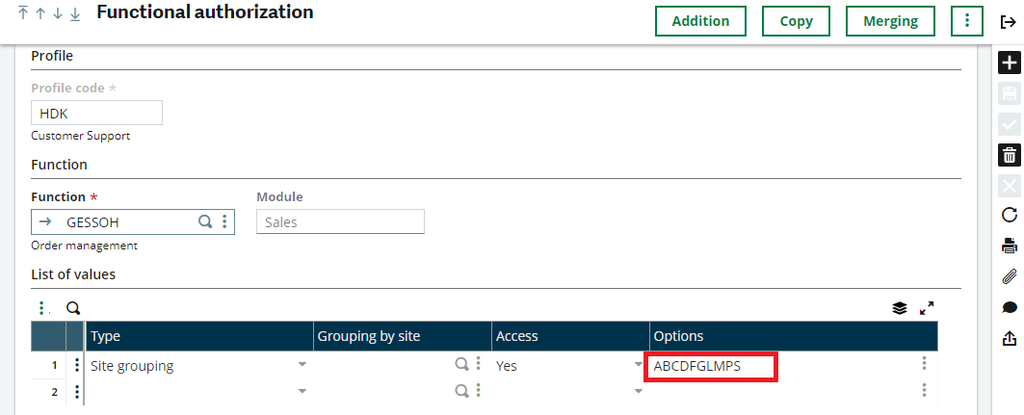
fig-6: Functional authorization 2
The user will see the following message when attempting to click the “Preparation” button:
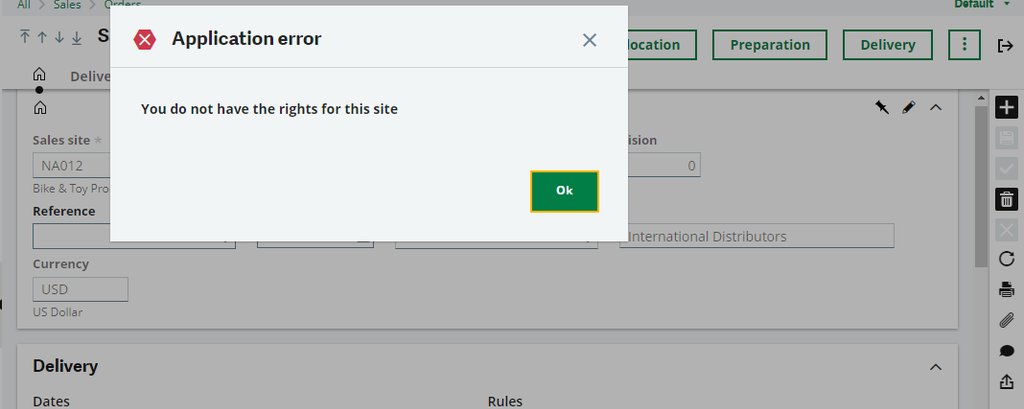
fig-7: Sales order 2