
Sage X3 is an enterprise resource planning (ERP) solution that helps organizations manage their business operations and data within a single integrated system. It includes various modules such as Sales, Purchasing, Inventory, Finance, and more, enabling efficient and centralized business management.
In many business scenarios, there is a requirement to restrict or filter dashboard data based on the logged-in user. This ensures that users can only view relevant and authorized information, improving both data security and usability.
To address this requirement, we utilized a global variable and created a formula to dynamically filter data based on the logged-in user.
Approach and Implementation:
- First, we created a database view containing the required data for the dashboard.
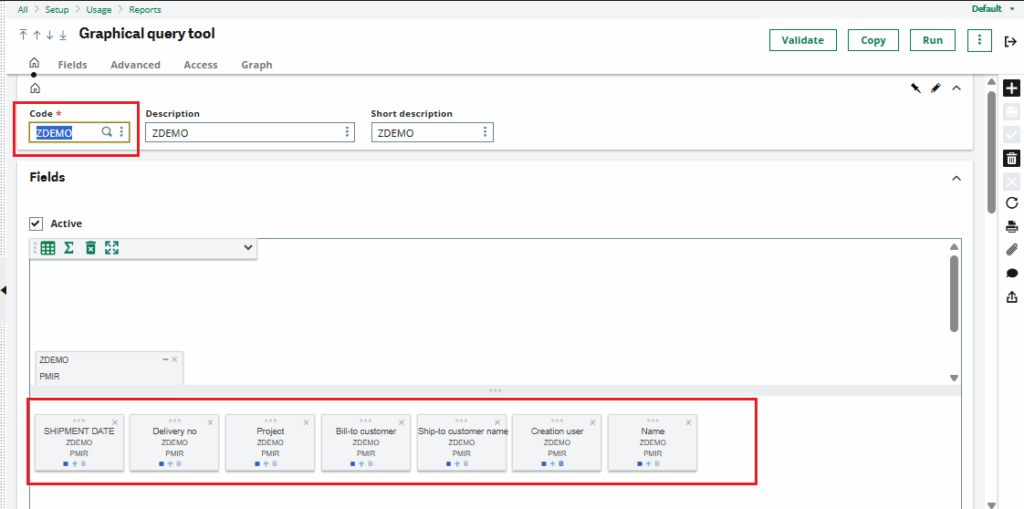
- This view was then imported into the Graphical Query Tool in Sage X3.
- The necessary fields were selected and added to the dashboard layout.
- We used the user field [ZDEMO]CREUSR_0, which stores the creator or user information.
New Stuff: How to Resolve “Index Incorrect FLD(80)” Error in Stock Transaction Inquiry Screen in Sage X3
In the Selection Criteria section of the Graphical Query Tool, we applied a formula using the global variable to filter records based on the logged-in user.
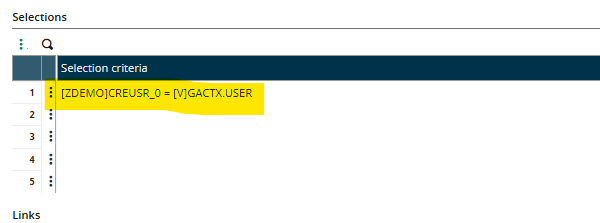
This configuration ensures that only the data relevant to the current user is displayed.
Output:
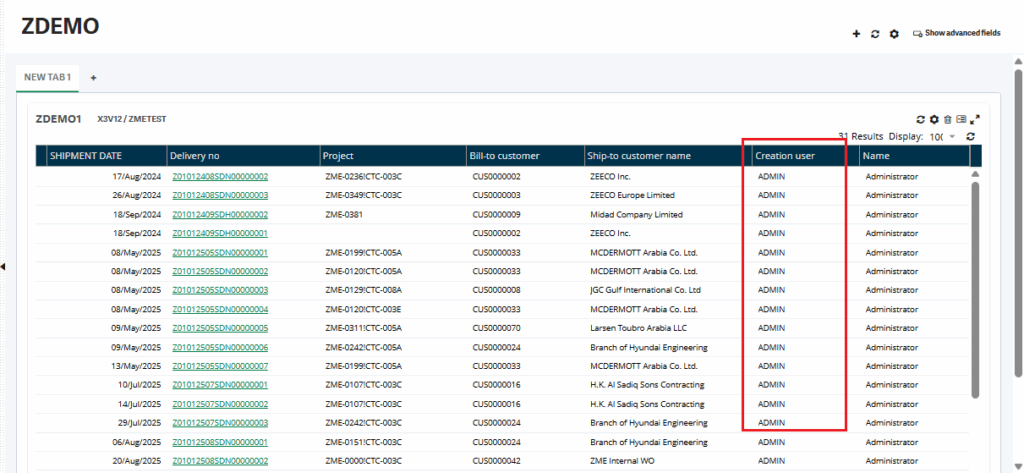
The final output can be seen on the home dashboard, where the data is filtered dynamically based on the logged-in user. This improves user experience, enhances data visibility, and maintains data security.
Benefits:
Ensures user-specific data visibility
Improves dashboard relevance and usability
Enhances data security and access control
Reduces data clutter for end users
Conclusion:
Filtering dashboard data based on the logged-in user is a practical and effective approach in Sage X3. By leveraging global variables and the Graphical Query Tool, organizations can create personalized dashboards that provide meaningful insights to users while maintaining proper data governance.