
Sage X3 Version 12 Patch 27 introduced a new feature that enables the balance verification process to be executed during the closing of each period and when generating the closing report. Previously, balance checks in Sage X3 were only performed during the final period’s closure or at the end-of-year financial reporting
In Sage X3, the closing period refers to the process of finalizing the financial activities for a specific accounting period (monthly, quarterly, or annually). During the period closing, transactions are reviewed, validated, and the balances for accounts are locked to prevent further modifications. This ensures accurate financial reporting and prepares the system for the next period.
A new parameter, CTLCLOPER, has been introduced to allow users to verify account balances at the end of each period. This feature helps identify and resolve out-of-balance issues early, avoiding complications during the year-end closing process.
Setting Up the Balance Verification Process.
Go to Setup –> General Parameters –> Parameter Values
In the “Chapter” box , enter CPT
In the “Group” box, enter CLO Scroll through the general parameters until you find CTLCLOPER
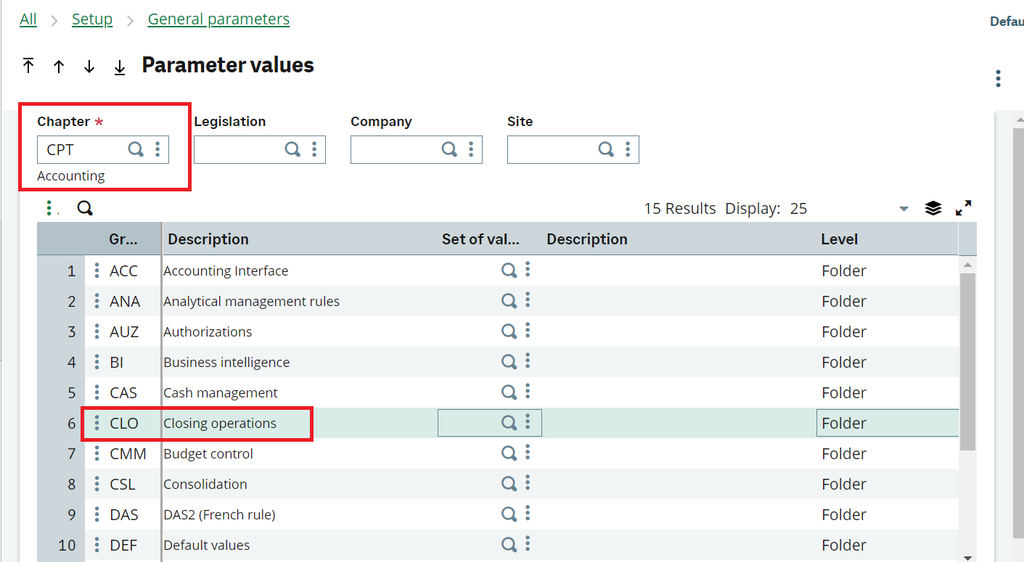
By default, the CTLCLOPER parameter is set to “No.”
When switched to “Yes,” the closing processes for each period take more time to complete. This is because the system performs detailed balance checks during every period closure.Sage X3 – Balance Verification
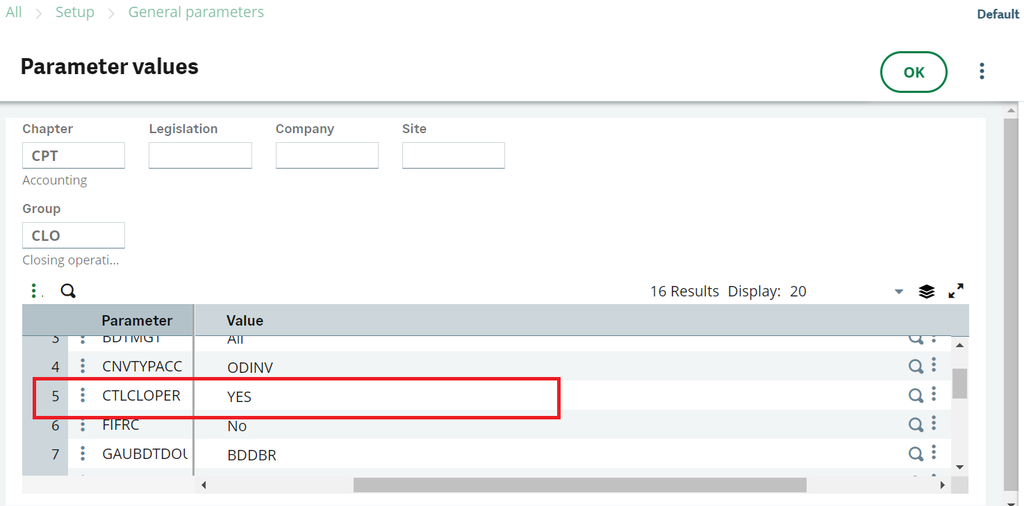
When the CTLCLOPER parameter is enabled, the control checks will include:
1.Non-blocking verification of the account balance sign
2.Account balance validation
3.Pre-consolidated balance checks (if enabled)
Once the CTLCLOPER general parameter is activated, these checks will be performed during:
1.The execution of the CLOPER report
2.The closing of individual periods
3.Multi-company period closing processesConclusion : Running a balance verification ensures that the financial data across accounts and periods remains accurate. In Sage X3, this process can now be executed for individual periods using the CTLCLOPER parameter, allowing earlier detection of discrepancies before the year-end.