
A Bill of Lading is a legal document used to show the agreement between the shipper and the carrier. Trucking companies need this document to move goods. It usually includes the freight class, description, number of packages, weight, volume, and other shipping details.
For deliveries, a Bill of Lading can be created from the delivery or from packages, if they exist. It can be linked to one or more deliveries and purchase returns. However, a document already used in another Bill of Lading cannot be used again.
Steps:
1.Go to Delivery. Make sure the Delivery has Delivery mode and carrier set.
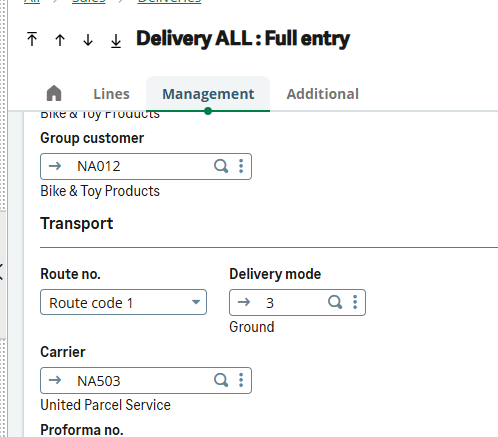
Fig 1: Delivery mode and Carrier
2.Click on 3 dots on upper right corner, Scroll and select Bill of lading
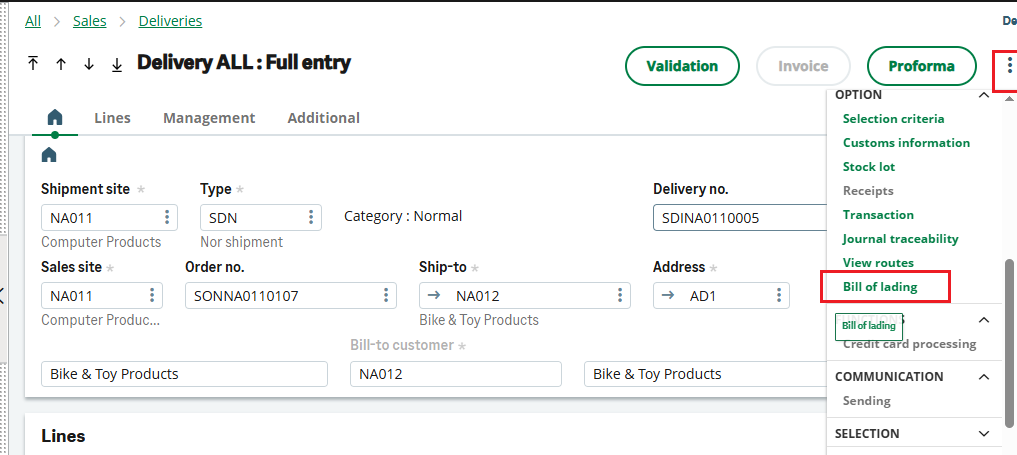
Fig 2: Bill of Lading Navigation
3.Enter the necessary details like Pro number freight class and click on create.
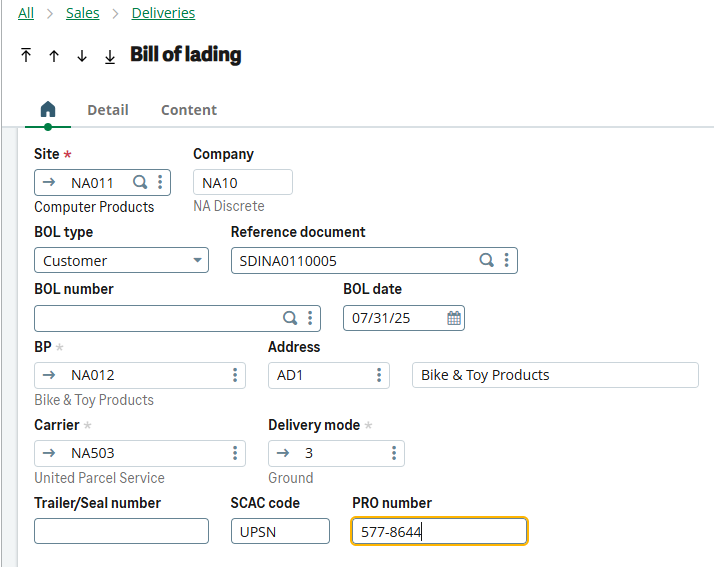
Fig 3: Bill of Lading screen
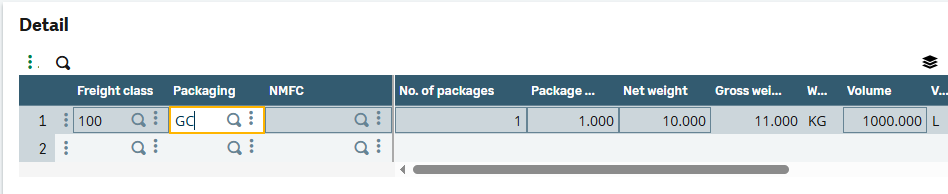
Fig 4: Bill of Lading freight class
4.The Bill of lading document is created with BOL number.
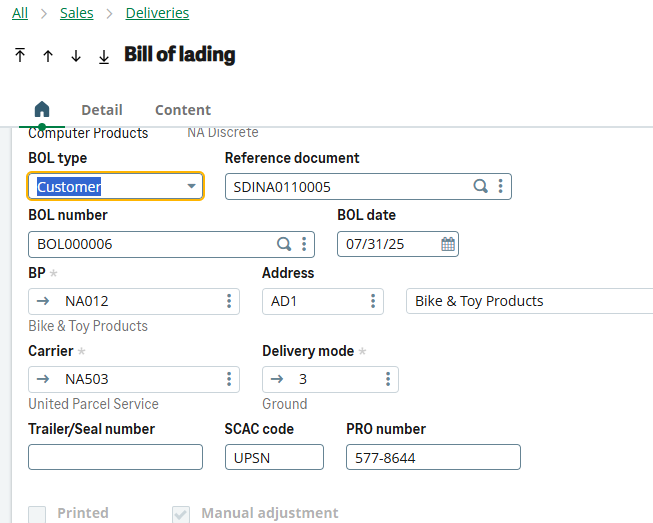
Fig 5: Bill of Lading created
The BOL number and Pro number will be populated on Delivery screen.
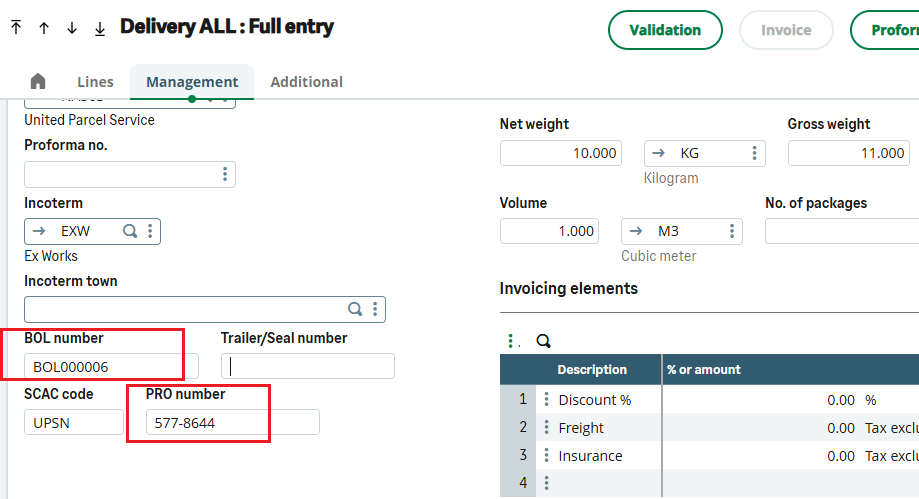
Fig 6: Bill of Lading number on Delivery
Thus, we have seen how to create Bill of lading against Delivery in Sage X3.