
First, we need to make the changes in the product category and product site for example we need to add the workstation as attached below screenshots after this we need to add the work order rule in which we need to add the location filter in which we can add the (location 2 product) so it will consume the quantity from the second location that is an example(Tank4) so after creating the work order stock will be allocated to first main location i.e WIP we need to do stock change transaction and allocate the quantity to WIP location after the allocation you need to again do the stock change transaction and transfer the quantity to (TANK4) Location and then the production tracking will be created and quantity will be consumed from (TANK4) Location.
New Stuff: Project-Based Work Order Creation in Sage X3
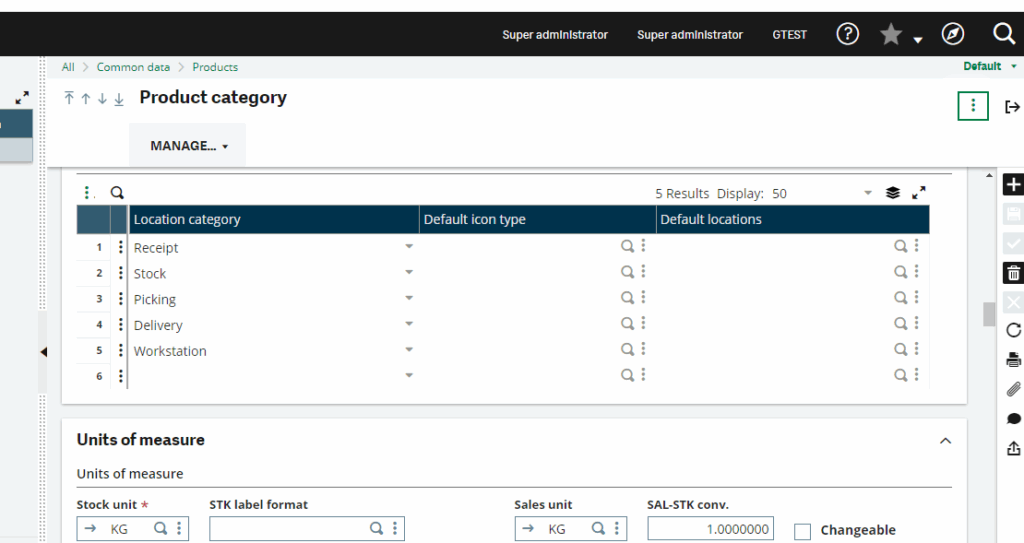
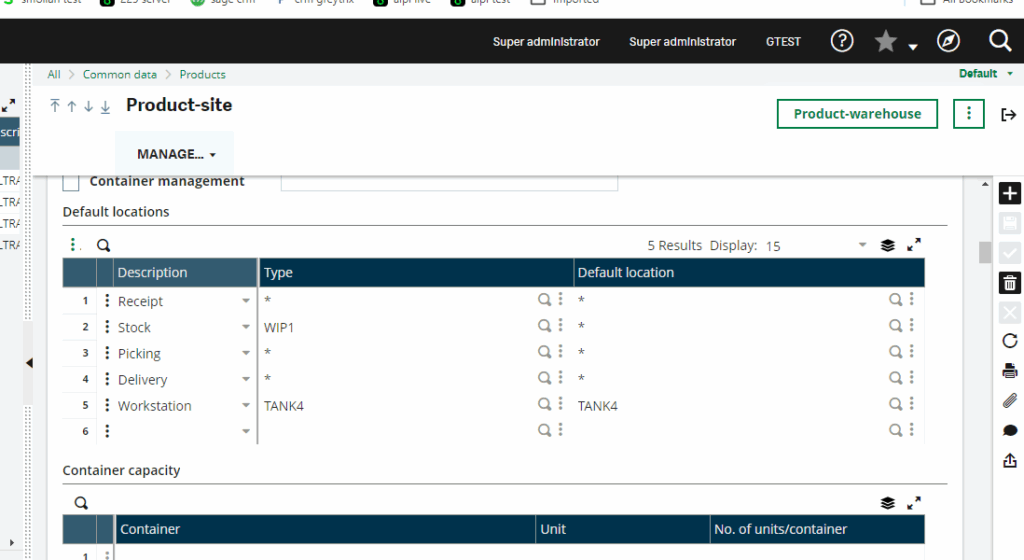
Also for this configuration you need to do the detailed allocation for the work order if the allocation is in global, it will not work.
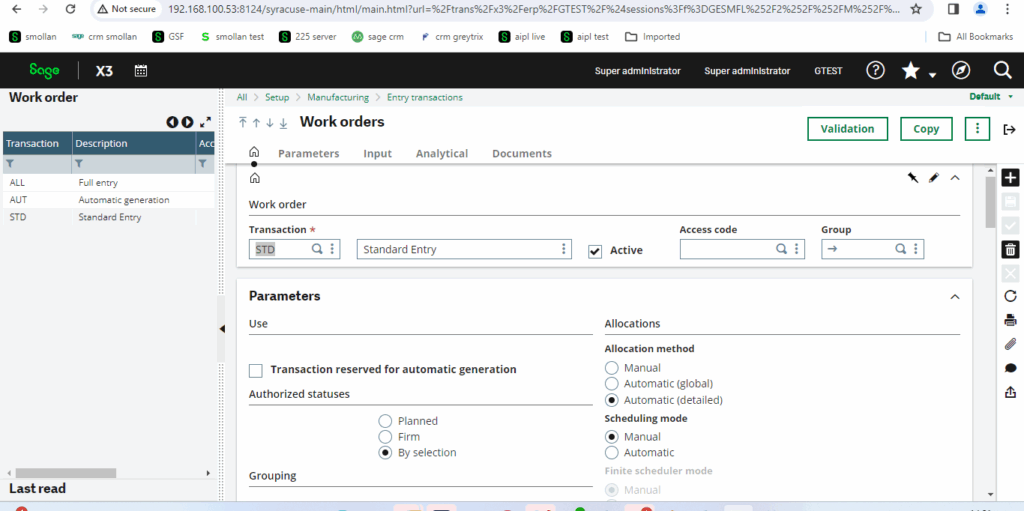
So we changed the work order allocation into detailed in entry transaction of work order.
You can create the work order but during the production tracking you will be not able to create as the quantity is allocated to WIP (Main) so after doing the stock transaction and transferring the quantity to Tank4(2nd Location) where the quantity will be consumed from this location.
Requesting you to check the same if you any concerns do let us know.