
If you want to create a single pick ticket by combining multiple orders then sage x3 provide you a way to achieve this. Below is the demonstration of how can we create a consolidated pick ticket.
Suppose one pick ticket needs to be created for 2 orders then please check below steps:
Create Order 1
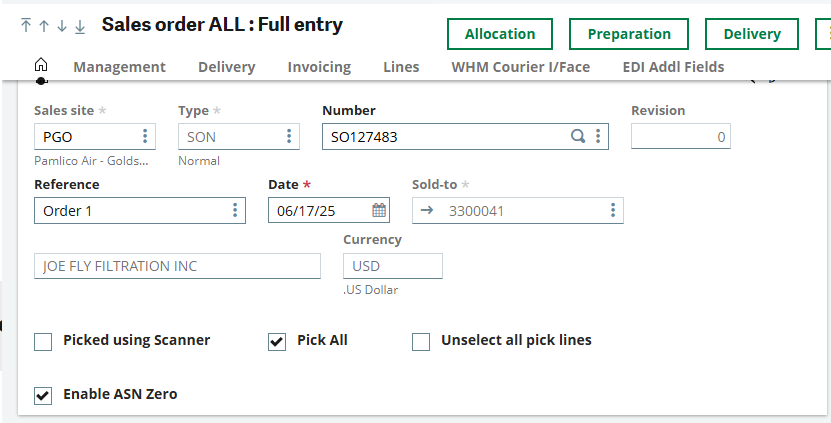
Fig 1_Sales Order1
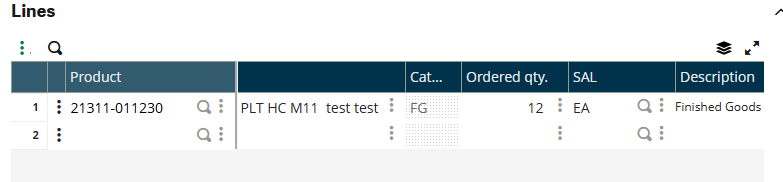
Fig 2_Sales Order1_lines
Allocate
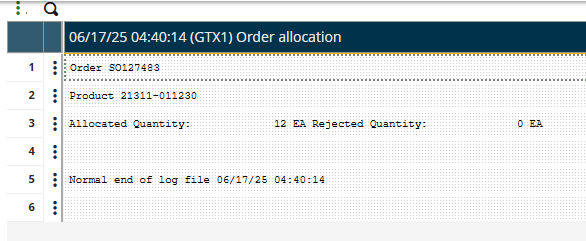
Fig 3_Allocate_Sales Order1
Create Order 2
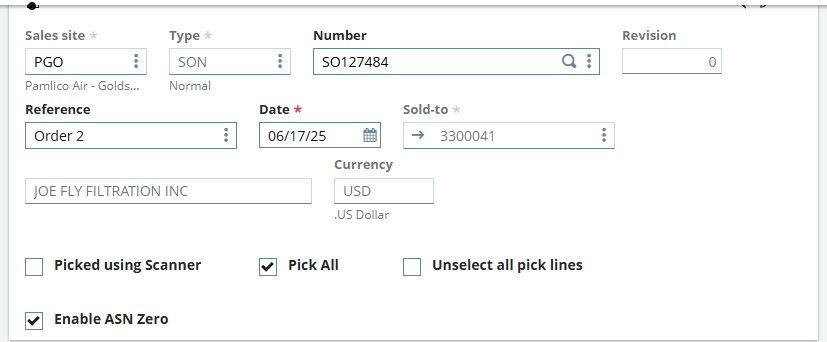
Fig 4_Sales Order2
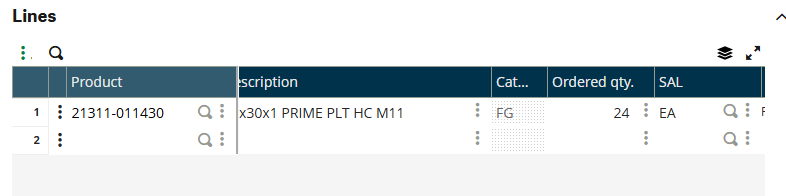
Fig 5_Sales Order2_lines
Allocate
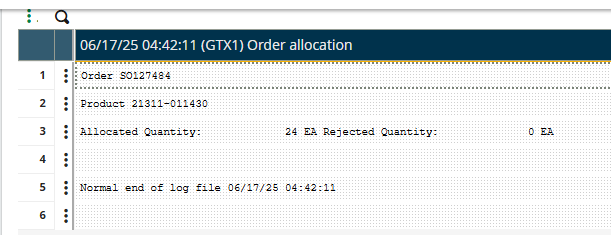
Fig 6_Allocate_Sales Order2
- Go to Preparation Plan
- Make sure below points
- The Site should be same as Sales Order
- Check Date
- Check the checkbox Allocate only
- Enter from and to Sales Order
- Uncheck Break on Order and Break by Ship date checkbox
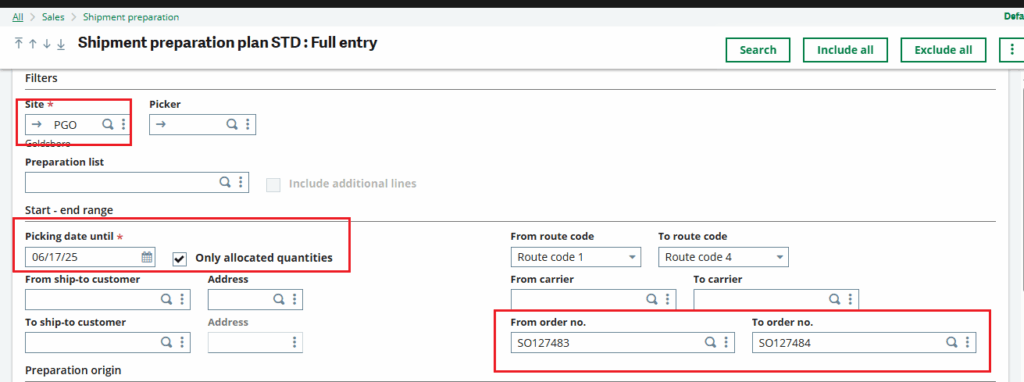
Fig 7_Preparation Plan
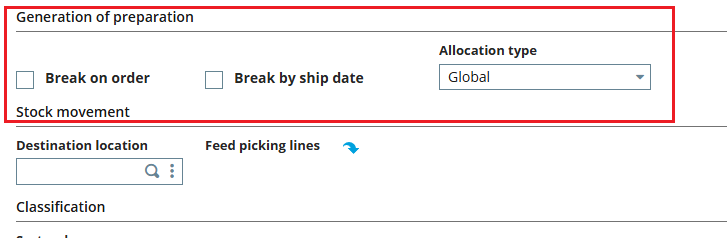
Fig 8_Break on order

Fig 9_Search
The below grid appears. Check the checkbox in grid and click on 3 dots and select Prep List
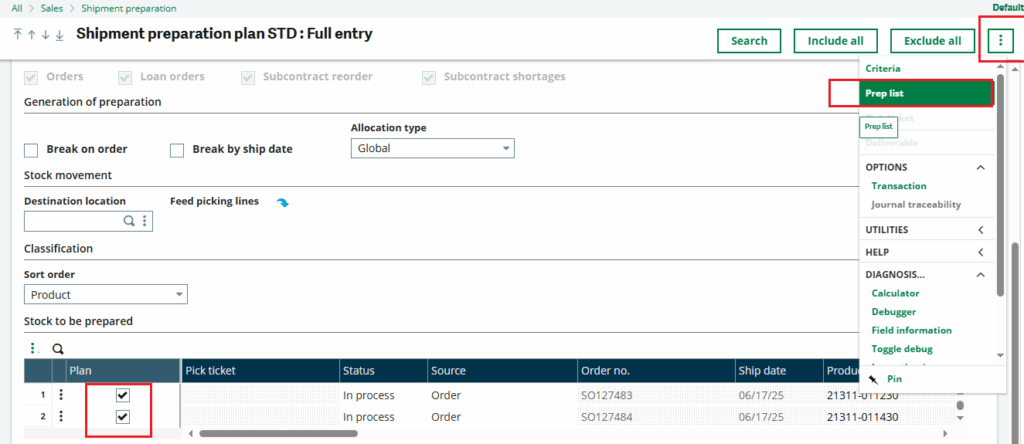
Fig 10_Select and create Prep list
The Preparation List is generated
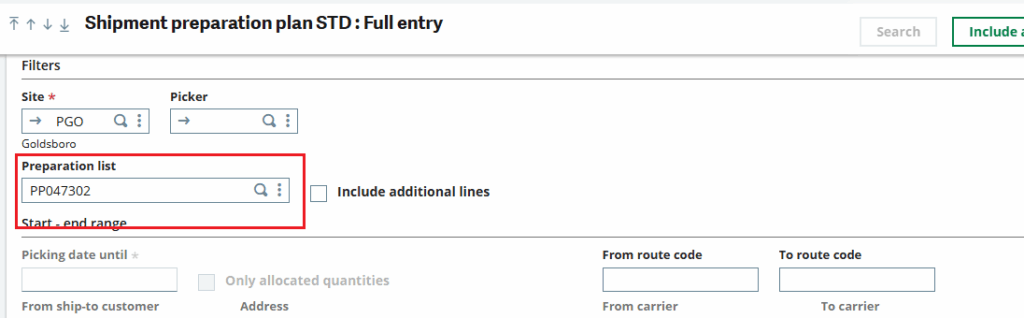
Fig 11_Prep List generated
Click on3 dots and select Pick ticket
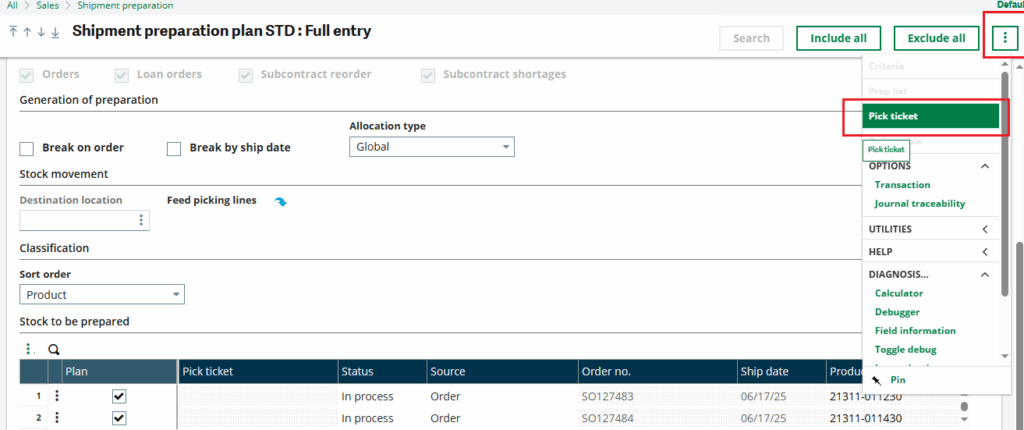
Fig 12_Pick Ticket creation
Pick Ticket is generated

Fig 13_Pick ticket creation number
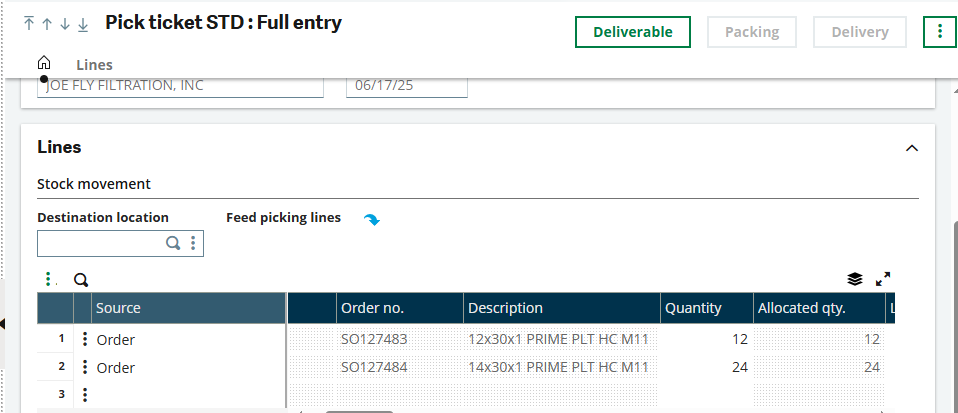
Fig 14_Consolidated Pick ticket
Thus we have checked how to combine multiple orders and generate pick ticket. Combining multiple orders into a single pick ticket helps optimize warehouse workflows by reducing the number of pick tickets, improving picker productivity, minimizing errors, and accelerating order fulfillment.