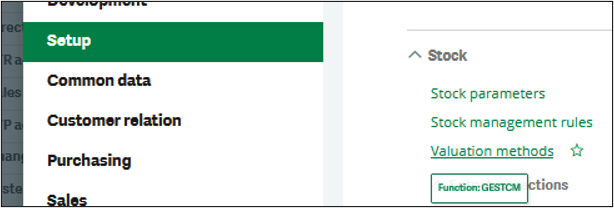
- Navigate to Setup > Stock > Valuation Methods (Function: GESTCM).
New Stuff: Creating a Custom Sequence Number in Sage X3 Using a Function
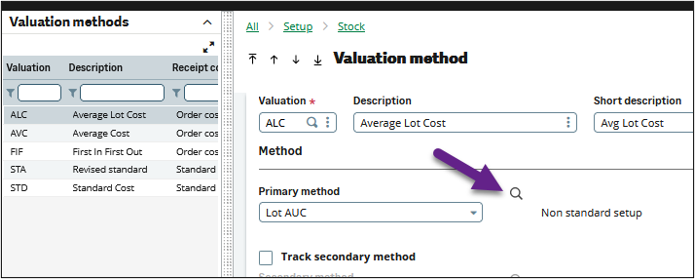
- Once you select one of the valuation methods for your products, find the “Primary method” field and click on the magnifying glass for “Non-Standard Setup”.
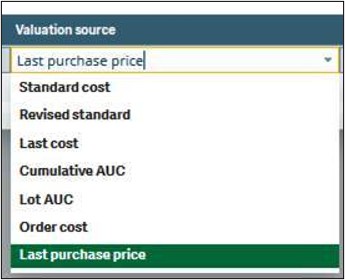
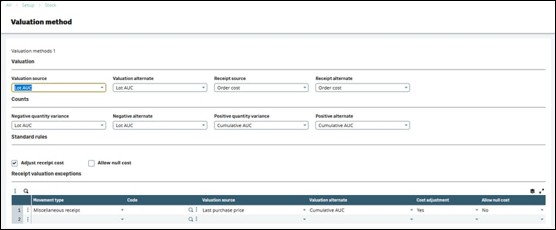
- Here is where you can set up an exception rule for the movement type Miscellaneous Receipt.You have the same options for the primary and alternate sources for costing:Standard cost,Revised standard, Last cost, Cumulative AUC, Lot AUC, Order cost,and Last purchase price.
- In the example below, I’ve entered the following:
• Valuation Source = Lot AUC
• Valuation Alternate = Lot AUC
• Receipt source = Order cost
• Receipt alternate = Order cost
• Negative quantity variance = Lot AUC
• Negative alternate = Lot AUC
• Positive quantity variance = Cumulative AUC
• Positive alternate = Cumulative AUC
• Adjust receipt cost = checked
• Movement type = Miscellaneous receipt
• Valuation source = Last purchase price
• Valuation alternate = Cumulative AUC
• Cost adjustment = Yes
• Allow null cost = No
5. On the Miscellaneous Receipts screen, you may wish to hide the price and order price fields. They will NOT show the costing that will be used. Rather, they will remain blank, which can be confusing to see.
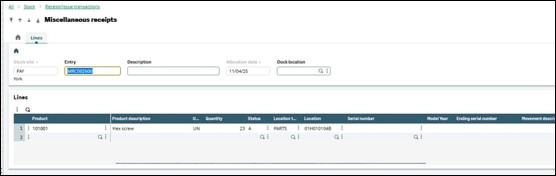

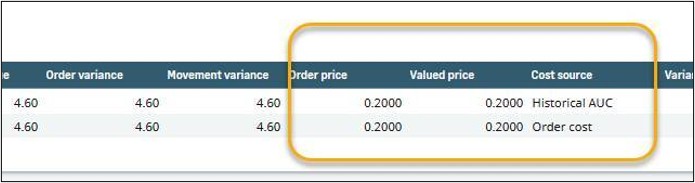
- When you examine the stock transactions, you can see the cost used for the miscellaneous receipts.